
Brolly Academy | Snowflake
Snowflake MCP Server
What the Snowflake-Managed MCP Server Is, Its Tools, Setup, Security and Limits (2026)
A plain-English guide to the Snowflake MCP server for 2026: what the Model Context Protocol is, what the Snowflake-managed MCP server does, how it differs from the old Snowflake-Labs repo, which tools it exposes, how to set it up and connect Claude, ChatGPT or Cursor, and how to keep it secure.
The Snowflake MCP server explained: what Model Context Protocol is, the Snowflake-managed MCP server, tools, setup, AI clients, security and limits.
By Brolly Academy Team · Brolly Academy · Updated 24 October 2026
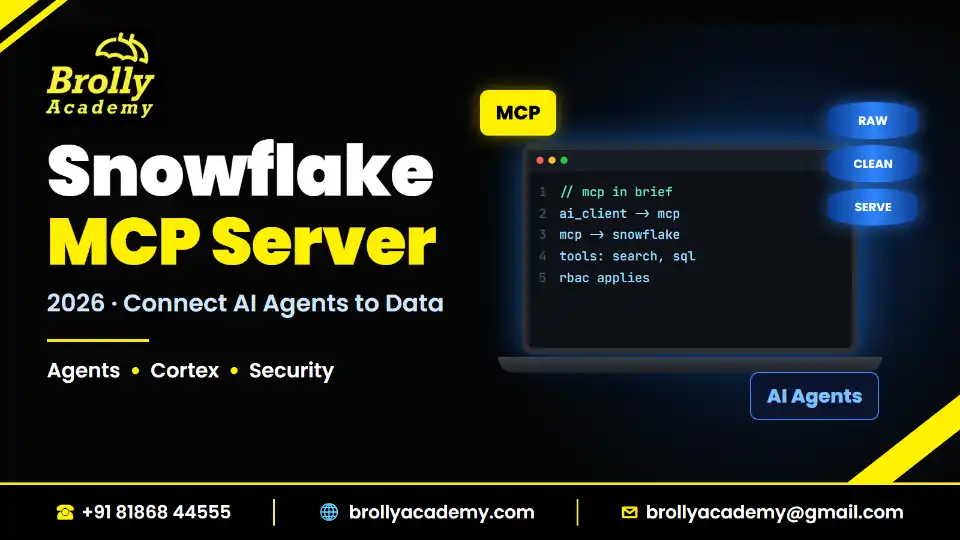
Table of Contents
1. Snowflake MCP server at a glance
2. What is MCP (Model Context Protocol)?
3. What is the Snowflake MCP server? Managed vs Snowflake-Labs
4. What the Snowflake MCP server exposes: the five tool types
5. How the Snowflake MCP server works, step by step
6. How to set up the Snowflake-managed MCP server
7. How to connect Claude, ChatGPT, Cursor and VS Code
8. Security and access control
9. Cost: is the Snowflake MCP server free?
11. Limitations to know before you start
12. How MCP relates to Cortex Agents, Snowflake CoWork and Cortex AI
13. Snowflake MCP vs Snowflake CLI vs drivers
14. Skills to learn and the career angle
Quick answer
The Snowflake MCP server is a Snowflake-managed object that lets outside AI apps such as Claude, ChatGPT and Cursor call Snowflake tools (Cortex Agents, Cortex Analyst, Cortex Search, read-only SQL and your own functions) through the open Model Context Protocol, under your normal Snowflake roles and OAuth sign-in. It went into preview on 2 October 2025 and became generally available on 4 November 2025 (Snowflake release notes). You create it inside a schema with one SQL statement and a short YAML list of tools. The older open-source server in the Snowflake-Labs GitHub repo is now deprecated, so use the managed server for new work.
- What MCP is: an open standard that gives AI apps one common way to reach data and tools
- Where it runs: inside your Snowflake account, as a schema-level object with its own URL
- Tool types: CORTEX_AGENT_RUN, CORTEX_ANALYST_MESSAGE, CORTEX_SEARCH_SERVICE_QUERY, SYSTEM_EXECUTE_SQL and GENERIC
- Security: Snowflake OAuth by default, role-based grants on every tool, SQL tool read-only by default
- Limits: up to 50 tools per server, tools only (no MCP resources or prompts)
Key takeaways
- MCP is a connector standard, not an AI model. The Snowflake MCP server simply makes your Snowflake tools reachable by any MCP-compatible AI app.
- Use the Snowflake-managed MCP server. The Snowflake-Labs community repo is marked deprecated and is no longer maintained.
- Snowflake's advice is to expose one Cortex Agent as the main tool, so the agent decides when to use Cortex Analyst, Cortex Search or custom tools.
- Access to the server does not grant access to its tools. Each tool needs its own grant, and a dedicated, least-privileged role is the safe pattern.
- Snowflake's MCP page lists no separate MCP fee. You pay for the compute and AI usage the tools trigger, so cost control still matters.
1. Snowflake MCP server at a glance
Short answer: The Snowflake MCP server is a GA, Snowflake-hosted endpoint that exposes up to 50 tools to remote AI clients over MCP, secured by OAuth and Snowflake roles.
Here is the whole topic on one screen. Every line comes from Snowflake's managed MCP server documentation (Snowflake documentation, October 2026) unless marked otherwise.
If you are new to Snowflake itself, read what Snowflake does first. This post assumes you know what a database, schema and role are.
2. What is MCP (Model Context Protocol)?
Short answer: MCP is an open-source standard that lets AI apps connect to outside data and tools in one common way, much like a USB-C port lets many devices use one plug.
The official MCP site describes the Model Context Protocol as an open-source standard for connecting AI applications to external systems, and compares it to a USB-C port for AI (modelcontextprotocol.io, October 2026). It names Claude, ChatGPT, Visual Studio Code and Cursor among the apps that support it.
Without a standard, a Hyderabad GCC team that wants Claude, Cursor and an in-house chatbot to read the same Snowflake data needs three custom integrations. With MCP, the data owner builds one server and every MCP-compatible app can use it.
The three words you will see everywhere
- MCP client (or host app): the AI app the user talks to, such as Claude Desktop, ChatGPT or Cursor
- MCP server: the program that offers tools to the client. In our case, the Snowflake MCP server
- Tool: one action the server offers, with a name, a description and inputs. The AI model reads the description and decides when to call it
In practice, the app asks the server for its tool list, the model picks a tool, the server runs it and the model answers using the result. MCP also defines resources and prompts, but Snowflake's server supports only tools.
3. What is the Snowflake MCP server? Managed vs Snowflake-Labs
Short answer: Today "Snowflake MCP server" means the Snowflake-managed MCP server, a GA object inside your account. The earlier community server on GitHub (Snowflake-Labs/mcp) is deprecated and points users to the managed one.
People searching "snowflake mcp github" usually land on two different things, so let us separate them.
The Snowflake-managed MCP server
Snowflake added a managed MCP server as a preview on 2 October 2025 and made it generally available on 4 November 2025, the same day Cortex Agents and Snowflake CoWork (formerly Snowflake Intelligence) became GA (Snowflake release notes, November 2025). It is a real Snowflake object, like a view: you create it with SQL, grant roles on it, and Snowflake hosts the endpoint.
The Snowflake-Labs community MCP repo
The Snowflake-Labs/mcp repository on GitHub was a community-built MCP server you installed and ran yourself. It is now marked deprecated, is no longer maintained or supported, and directs users to the Snowflake-managed MCP server (GitHub, October 2026). Older blog posts and videos still show it, which confuses learners. Do not start new projects on it.
Side by side
So when this post says "Snowflake MCP server", it means the managed one.
4. What the Snowflake MCP server exposes: the five tool types
Short answer: Each managed server can list up to 50 tools of five types: Cortex Agent, Cortex Analyst, Cortex Search, SQL execution and generic custom tools built from UDFs or stored procedures.
Each tool is one entry in the server's YAML specification. Here are the five types as listed in Snowflake's documentation (October 2026), with a beginner's explanation of each.
Quick definitions:
- Cortex: Snowflake's built-in AI services, covered in our Snowflake Cortex AI guide.
- Cortex Agent: a managed agent that plans a task and calls tools such as Cortex Analyst, Cortex Search and custom tools (Snowflake documentation, October 2026).
- Cortex Analyst: writes SQL from a plain question and runs it in your warehouse.
- Semantic view: a schema-level object that describes tables in business terms (dimensions, facts, metrics), so Cortex Analyst writes correct SQL.
- Cortex Search: hybrid vector and keyword search over text, often used for RAG (retrieval-augmented generation).
- UDF and stored procedure: your own functions and procedures. See stored procedures in Snowflake.
Snowflake's recommended pattern: one agent in front
Snowflake recommends exposing a single Cortex Agent as the client-facing tool for governed business data. The agent then decides when to use Cortex Analyst, Cortex Search or custom tools behind the scenes (Snowflake documentation, October 2026). This keeps the AI app's choice simple and keeps your business logic inside Snowflake, where you can test and govern it.
Tool hints are not security
GENERIC and CORTEX_AGENT_RUN tools accept optional "annotations" such as readOnlyHint and destructiveHint. These are hints shown to the AI app. Snowflake does not enforce them, so you must still control what a tool can do with roles and grants (Snowflake documentation, October 2026).
5. How the Snowflake MCP server works, step by step
Short answer: The AI app signs in with OAuth, lists the tools on your server, calls one, and Snowflake runs it under the signed-in user's role before sending back the result.
Here is the full request path as a numbered flow (we will add a diagram later).
- Admin setup: an administrator creates the server, a dedicated role, the grants and an OAuth security integration.
- Client registration: the user adds the server URL and OAuth client ID and secret to an AI app.
- Sign-in: the app sends the user to Snowflake, which issues a token tied to an allowed role.
- Tool discovery: the app sends tools/list and receives the tools on the server.
- Tool choice: the model reads the descriptions and picks one, for example "What were last month's sales in Telangana?" goes to the sales agent.
- Execution: Snowflake checks privileges, then runs the tool using compute in your account.
- Response: since 20 August 2026, tools/call responses arrive as a stream (server-sent events) ending with a done marker (Snowflake documentation, October 2026). The model turns the result into a reply.
Under the hood, requests are JSON-RPC 2.0 POST calls with methods named tools/list and tools/call. You only need this detail if you build your own client in Python or another language; desktop apps handle it for you.
6. How to set up the Snowflake-managed MCP server
Short answer: Create a least-privileged role, create the MCP server with a YAML tool list, grant the role access to the server and to every tool, create an OAuth security integration, then share the URL and client credentials with users.
This is a high-level walkthrough based on Snowflake's documentation (October 2026). It assumes you already have a Cortex Agent, or at least a Cortex Search service or semantic view, to expose. Trial accounts keep AI features disabled until you add a credit card (Snowflake documentation, October 2026), so plan for that if you practise on a trial. Our Snowflake account setup post covers trial basics.
Step 1: Create the MCP server
The server is created in a schema. The YAML lists each tool with a title, a name, a type, the object identifier and a description that tells the AI when to use it.
-- Simplified example: an MCP server exposing one Cortex Agent
CREATE OR REPLACE MCP SERVER sales_db.ai.sales_mcp
FROM SPECIFICATION $$
tools:
- title: "Sales assistant"
name: "sales_agent"
type: "CORTEX_AGENT_RUN"
identifier: "sales_db.ai.sales_agent"
description: "Answers questions about orders, revenue and regions."
$$;
Write descriptions carefully. If you expose several tools, the AI app chooses between them using only these names and descriptions.
Step 2: Create a role and grant access
Access to the server does not give access to its tools, so grant each object separately. Never grant this role to PUBLIC.
-- Simplified example: least-privileged role for MCP users
CREATE ROLE mcp_sales_role;
GRANT DATABASE ROLE SNOWFLAKE.CORTEX_AGENT_USER TO ROLE mcp_sales_role;
GRANT USAGE ON WAREHOUSE analytics_wh TO ROLE mcp_sales_role;
GRANT USAGE ON DATABASE sales_db TO ROLE mcp_sales_role;
GRANT USAGE ON SCHEMA sales_db.ai TO ROLE mcp_sales_role;
GRANT USAGE ON MCP SERVER sales_db.ai.sales_mcp TO ROLE mcp_sales_role;
GRANT USAGE ON AGENT sales_db.ai.sales_agent TO ROLE mcp_sales_role;
GRANT ROLE mcp_sales_role TO USER priya_analyst;
Also grant the role whatever the agent itself uses: USAGE on a Cortex Search service, SELECT on a semantic view, USAGE on a UDF or procedure.
Step 3: Set the user's default role and warehouse
Snowflake suggests setting each MCP user's default role and default warehouse, because the OAuth scope controls only the primary role.
-- Simplified example
ALTER USER priya_analyst SET DEFAULT_ROLE = 'MCP_SALES_ROLE'
DEFAULT_WAREHOUSE = 'ANALYTICS_WH';
Step 4: Create an OAuth security integration
Snowflake OAuth is the default and recommended sign-in. Use a confidential client for apps that can store a secret (VS Code, Cursor) and a public client with PKCE (a safer OAuth flow for apps that cannot keep a secret) for Claude Desktop.
-- Simplified example: confidential OAuth client for MCP
CREATE SECURITY INTEGRATION mcp_oauth_int
TYPE = OAUTH
OAUTH_CLIENT = CUSTOM
ENABLED = TRUE
OAUTH_CLIENT_TYPE = 'CONFIDENTIAL'
OAUTH_REDIRECT_URI = '<redirect_uri_from_your_client>'
OAUTH_USE_SECONDARY_ROLES = NONE
ALLOWED_ROLES_LIST = ('MCP_SALES_ROLE');
Then read the client ID and secret with SELECT SYSTEM$SHOW_OAUTH_CLIENT_SECRETS('MCP_OAUTH_INT'). The integration name must be in uppercase there. Companies that already use an identity provider such as Okta or Microsoft Entra ID can use External OAuth instead (Snowflake documentation, October 2026).
Step 5: Check and manage the server
You manage MCP servers like other objects: SHOW MCP SERVERS IN SCHEMA, IN DATABASE or IN ACCOUNT lists them, DESCRIBE MCP SERVER returns the spec as JSON, and DROP MCP SERVER removes one.
Step 6: Share the URL
The endpoint follows this pattern: https://account_url/api/v2/databases/database/schemas/schema/mcp-servers/name. Use hyphens, not underscores, in the account hostname; Snowflake warns that underscores cause connection problems.
7. How to connect Claude, ChatGPT, Cursor and VS Code
Short answer: Every client uses the same server URL plus the OAuth client ID and secret; only the screen where you paste them changes.
Snowflake's documentation (October 2026) describes these client paths:
Cursor configuration
Cursor reads MCP servers from a file named mcp.json, either in your home folder (.cursor/mcp.json) or in a project's .cursor folder. Snowflake's example keeps the secrets in environment variables rather than in the file.
{
"mcpServers": {
"snowflake": {
"url": "https://<account_url>/api/v2/databases/SALES_DB/schemas/AI/mcp-servers/SALES_MCP",
"auth": {
"CLIENT_ID": "${env:MCP_CLIENT_ID}",
"CLIENT_SECRET": "${env:MCP_CLIENT_SECRET}"
}
}
}
}
This is a simplified example based on the structure in Snowflake's documentation. Replace the placeholders with your own values and never commit real secrets to Git.
If the connection fails
- Network policy blocks: if your account has a network policy, a cloud-hosted client (such as claude.ai or ChatGPT) may be blocked. Add the provider's outbound IP addresses through a network rule with MODE = INGRESS. Snowflake notes that an invalid_client error can also mean a network policy block.
- Underscores in the hostname: switch to the hyphenated account URL.
- Tools missing: the role can see the server but lacks USAGE or SELECT on the tool's object.
- Wrong role: the user's default role is not the MCP role, or the role is not allowed in the integration.
8. Security and access control
Short answer: The Snowflake MCP server runs every call under Snowflake OAuth and role-based access control (RBAC), with separate grants for the server and each tool, a read-only SQL tool by default, and no access beyond what the role already has.
RBAC (role-based access control) means privileges are granted to roles, and roles are granted to users. The MCP server sits inside that model rather than around it. These are the key controls from Snowflake's documentation (October 2026):
Practical security checklist
- Create one dedicated role per MCP use case. Never reuse ACCOUNTADMIN or SYSADMIN for AI clients.
- Keep SYSTEM_EXECUTE_SQL off your agent's server. Snowflake warns that it lets clients bypass the agent's semantic views and verified queries; put direct SQL on a separate server with its own role.
- Prefer OAuth to hard-coded tokens. If you use a programmatic access token, tie it to the least-privileged role that works.
- Vet third-party MCP servers and their tool descriptions. Snowflake warns about "tool poisoning" and "shadowing", where a malicious description tricks the model.
- Avoid loops between agents and tools. Snowflake caps recursion at a depth of 10.
- Masking and row access policies keep working, because tools run as normal Snowflake queries under the role.
Our Snowflake admin guide explains roles, network policies and MFA in more depth.
9. Cost: is the Snowflake MCP server free?
Short answer: Snowflake's MCP documentation does not list a separate fee for the MCP server object, but the tools it calls do use billable compute and AI services, so treat usage as normal Snowflake spend.
We checked Snowflake's MCP page on 25 October 2026 and found no cost or billing statement for the server itself. What you do pay for is the work each tool triggers:
- Warehouse compute: SQL tools and generic tools name a warehouse. Cortex Analyst also runs its generated SQL in your warehouse. Warehouses bill per second with a 60-second minimum each time they start (Snowflake documentation, October 2026).
- AI usage: from 15 October 2026, Snowflake bills compute in "Platform Credits" and AI separately in "AI Credits" (Snowflake Service Consumption Table, October 2026). So AI work done by agents, Analyst and Search adds AI usage on top of warehouse time.
- Search services: Cortex Search services refresh to a target lag on a warehouse.
Prices vary by cloud, region and edition, so check your own contract. Give MCP users a dedicated small warehouse with auto-suspend on. Note that resource monitors cover warehouses only, not serverless or AI services; Snowflake points to budgets for those (Snowflake documentation, October 2026). For warehouse sizing, see our guide to virtual warehouses in Snowflake.
10. Snowflake MCP use cases
Short answer: Teams use the Snowflake MCP server to let business users, developers and in-house agents ask governed questions of Snowflake data from the AI tools they already use.
Here are realistic patterns, described generally, for the kinds of teams you find in Indian IT services firms and GCCs:
A worked example: ShopKart sales assistant
Imagine a fictional retailer, ShopKart, with its warehouse in Snowflake.
- The data team builds a semantic view over orders, products and regions.
- They create a Cortex Search service over return-policy PDFs.
- They create one Cortex Agent that can use both.
- They expose only that agent through an MCP server, with a role that can see the semantic view and search service.
- A regional manager in Pune connects Claude and asks, "Why did returns rise in Maharashtra last month, and what does our policy say?"
- The agent queries the semantic view for return numbers, searches the policy text, and answers with both. The manager never sees raw tables or writes SQL.
11. Limitations to know before you start
Short answer: The managed server supports only MCP tools, caps each server at 50 tools, truncates large SQL and generic responses at 250 KB, and does not replicate with failover groups.
From Snowflake's documentation (October 2026):
- Tools only: MCP resources, prompts, roots, notifications, sampling, version negotiation and lifecycle phases are not supported.
- 50 tools per server: across all types. Create more servers if you need more.
- Response size: generic and SQL tool responses are cut off at 250 KB. Agent responses include intermediate steps and can exceed 200 KB; setting max_results on the agent's search resource helps.
- No dynamic client registration: you must create the OAuth integration and share the client ID and secret.
- Cortex Analyst tool: works with semantic views only, not legacy semantic model YAML files.
- Replication: MCP server objects are not replicated in failover groups. Recreate them on secondary accounts (the OAuth integrations do replicate).
- Recursion limit: a maximum depth of 10 nested invocations.
- Trial accounts: AI features stay disabled until a credit card is added.
- Regions: check Cortex feature availability for your region before you plan. We do not claim Cortex availability in Snowflake's India regions (AWS Mumbai and Azure Central India, Pune) because we have not verified it.
One human limit too: the model picks tools from your descriptions, so treat them like code.
12. How MCP relates to Cortex Agents, Snowflake CoWork and Cortex AI
Short answer: Cortex AI is the engine, Cortex Agents are the brains that use it, Snowflake CoWork is Snowflake's own chat app on top, and the MCP server is the door that lets outside AI apps use those same agents and tools.
These four names confuse many learners, so here is a clean map.
In short, if your users live inside Snowflake, Snowflake CoWork is the natural front end; our Snowflake Intelligence guide explains it. If they live in Claude, ChatGPT or an IDE, the MCP server brings the same governed agent to them.
The reverse direction: MCP connectors
MCP works both ways. The Snowflake MCP server lets outside apps call Snowflake. MCP connectors let Cortex Agents and Snowflake CoWork call outside MCP servers (Snowflake documentation, October 2026). You set this up with an API integration (API_PROVIDER = external_mcp), a CREATE EXTERNAL MCP SERVER object and an agent that adds it. Snowflake lists minimal-setup support for Atlassian, GitHub, Glean, Linear and Salesforce, supports OAuth only, and states that external MCP servers are not provided, maintained or verified by Snowflake. The page does not state a release status, so check it before production use.
13. Snowflake MCP vs Snowflake CLI vs drivers
Short answer: Use the MCP server when an AI app should call Snowflake tools; use Snowflake CLI or a driver when a human or a program runs SQL and deployments directly.
Snowflake CLI is Snowflake's preferred command-line client, while SnowSQL is a legacy client in maintenance mode (Snowflake documentation, October 2026). They do not compete with MCP; most teams use all three. Our Snowflake tools guide maps the wider toolset.
14. Skills to learn and the career angle
Short answer: MCP is a small layer on top of core Snowflake skills; to work with it you need strong SQL, RBAC, warehouses, semantic modelling and a working idea of Cortex Agents.
MCP is new, so very few job titles name it. What job descriptions do show is a growing ask for AI-assisted engineering. Of the 14 Snowflake job descriptions we read on 25 October 2026, one Hyderabad administrator role asked for hands-on use of Claude and VS Code, two others mentioned AI coding tools or AI-assisted engineering, and two named Snowflake Cortex. SQL appeared in all 14. On the same day, a Naukri search for "snowpark" returned about 175 results, including a "Lead Gen AI (Snowflake Cortex)" role; these are keyword matches, not a count of open jobs.
A practical learning order:
- SQL and data modelling
- Snowflake core: warehouses, roles and grants, cost basics
- Semantic views and Cortex Analyst
- Cortex Search and Cortex Agents
- The MCP server, OAuth and governance
The SnowPro Specialty: Gen AI exam (GES-C02) covers Snowflake's Gen AI features: 55 questions, 85 minutes, $225, or $180 for exams taken in India (learn.snowflake.com, October 2026). We have not checked whether MCP appears in its exam guide, so treat the exam as wider Gen AI preparation, not an MCP test.
15. Common mistakes with the Snowflake MCP server
Short answer: Most problems come from following deprecated tutorials, over-granting roles, mixing SQL and agent tools on one server, and writing vague tool descriptions.
- Following old Snowflake-Labs tutorials: the repo is deprecated.
- Using ACCOUNTADMIN for the AI client: create a dedicated role.
- Assuming server access covers tools: grant each object.
- Putting raw SQL next to the agent: use a separate server.
- Vague descriptions: say what data a tool covers and when to use it.
- Ignoring cost: every tool call can start a warehouse or use AI Credits.
16. How Brolly Academy helps
Short answer: Brolly Academy's 45-day Snowflake course builds the core skills the MCP server depends on (SQL, warehouses, roles and security, data sharing and performance); MCP and Cortex themselves are not syllabus modules.
Be clear about what an MCP setup needs: solid Snowflake fundamentals first, then AI services on top. Brolly's Snowflake Training in Hyderabad focuses on that foundation (Brolly course page, October 2026):
- Duration and modes: 45 days, in classroom, live online or as a self-paced video plan
- Fees: Video ₹8,999, Online ₹17,999, Classroom ₹22,999, with EMI available
- Trainer: Mr. Bala Krishna, with 13+ years in data warehousing, SQL and Snowflake
- Syllabus: 15 modules, including architecture, loading and stages, Snowpipe, JSON, tasks and streams, secure data sharing, cloning, Time Travel, performance and advanced topics such as resource monitoring and data masking
- Projects: 6 projects, such as an ETL pipeline and e-commerce analytics
- Certificate: a Brolly Academy completion certificate; SnowPro exam fees are separate and paid to Snowflake
The course covers Python integration through the Snowflake Python connector. It does not include Cortex, Snowpark or MCP as modules, so plan to learn the AI layer from Snowflake's free documentation once your fundamentals are strong.
Build the Snowflake foundation before the AI layer
The Snowflake MCP server is only as safe and useful as the roles, warehouses and data models behind it. Brolly Academy's 45-day Snowflake course in Hyderabad, online or on video teaches SQL, RBAC, loading, sharing and performance with 6 projects. Book a free demo class to see whether it fits your goals.
Frequently asked questions
What is the Snowflake MCP server?
The Snowflake MCP server is a Snowflake-managed object that lets outside AI apps such as Claude, ChatGPT and Cursor call Snowflake tools through the Model Context Protocol. It can expose Cortex Agents, Cortex Analyst, Cortex Search, read-only SQL and your own UDFs or stored procedures. You create it in a schema with SQL and a YAML tool list, and every call runs under Snowflake OAuth and your normal role-based access control.
What is MCP in Snowflake?
MCP stands for Model Context Protocol, an open-source standard for connecting AI apps to outside data and tools in one common way. In Snowflake, MCP appears in two places. The managed MCP server lets outside AI apps call Snowflake tools, and MCP connectors let Cortex Agents and Snowflake CoWork call external MCP servers. Both support MCP tools only, not resources or prompts.
Does Snowflake have an MCP server?
Yes. Snowflake offers a Snowflake-managed MCP server that went into preview on 2 October 2025 and became generally available on 4 November 2025, according to Snowflake's release notes. It runs inside your Snowflake account, so you do not install anything locally. There was also a community server in the Snowflake-Labs GitHub repository, but that repo is now deprecated and points users to the managed server.
Is the Snowflake-Labs MCP server on GitHub still supported?
No. The Snowflake-Labs MCP repository on GitHub is marked deprecated and is no longer maintained or supported. It now directs users to the Snowflake-managed MCP server. Many older blog posts and videos still show the community server, so check dates before following a tutorial. For any new project in 2026, create a managed server with the CREATE MCP SERVER statement instead.
What tools does the Snowflake MCP server expose?
The managed server supports five tool types. CORTEX_AGENT_RUN runs a Cortex Agent, CORTEX_ANALYST_MESSAGE turns questions into SQL over a semantic view, CORTEX_SEARCH_SERVICE_QUERY searches text documents, SYSTEM_EXECUTE_SQL runs SQL and is read-only by default, and GENERIC calls your own UDF or stored procedure. One server can hold up to 50 tools across all these types.
How do I create a Snowflake MCP server?
You run CREATE MCP SERVER with a FROM SPECIFICATION block that holds a YAML list of tools. Each tool has a title, a name, a type, the identifier of the Snowflake object and a description. After that, create a dedicated role, grant it usage on the server and on every tool's object, and create an OAuth security integration so AI apps can sign in.
How do I connect Claude to Snowflake using MCP?
In Claude, open Settings, then Connectors, and choose Add custom connector. Enter your Snowflake MCP server URL, add the OAuth client ID and secret from your security integration, then sign in to Snowflake. Claude Desktop should use a public OAuth client with PKCE, and you should use the redirect URI that Claude shows when you set up the integration.
How do I use the Snowflake MCP server in Cursor or VS Code?
In Cursor, add a server entry under mcpServers in an mcp.json file in your home or project .cursor folder, with the server URL and an auth block holding the client ID and secret, ideally from environment variables. Then sign in under Cursor Settings, MCP. VS Code and other apps that support remote HTTP MCP servers use the same URL with a confidential OAuth client.
Can ChatGPT connect to the Snowflake MCP server?
Yes. Snowflake's documentation describes a ChatGPT path. You turn on Developer mode under Settings, Connectors, Advanced, then create a connector with your MCP server URL, choose OAuth and enter the client ID and secret. If your Snowflake account uses a network policy, you may need to allow the provider's outbound IP addresses through an ingress network rule.
Is the Snowflake MCP server free?
Snowflake's MCP documentation does not list a separate fee for the MCP server object, but the work its tools trigger is billed. SQL and custom tools run on a warehouse, Cortex Analyst runs SQL in your warehouse, and agents and search use AI services, which Snowflake bills in AI Credits from 15 October 2026. Prices vary by region and edition, so check your own contract.
Can the Snowflake MCP server run write queries?
The SQL tool, SYSTEM_EXECUTE_SQL, is read-only by default and allows only read queries unless you change its read_only setting. Custom GENERIC tools can call stored procedures, which may change data, so what a client can do depends on the procedures and grants you expose. Snowflake advises using least-privileged roles, because tool hints such as readOnlyHint are not enforced.
Is the Snowflake MCP server secure?
It is built to work inside Snowflake's security model. Calls use Snowflake OAuth by default, access to the server does not give access to tools, and each tool needs its own grant. The SQL tool is read-only by default, and masking and row access policies still apply. You still need to design roles carefully, avoid admin roles and review any third-party MCP servers you connect.
What authentication does the Snowflake MCP server use?
Snowflake OAuth is the default and recommended option, set up through a security integration with TYPE set to OAUTH and OAUTH_CLIENT set to CUSTOM. Use a confidential client for apps that can store a secret and a public client with PKCE for Claude Desktop. Companies using an identity provider such as Okta or Microsoft Entra ID can use External OAuth instead. Dynamic client registration is not supported.
What privileges are needed to use a Snowflake MCP server?
A role needs USAGE on the MCP server to connect and list tools, plus separate access to each tool's object. That means USAGE on a Cortex Agent, Cortex Search service, UDF or stored procedure, and SELECT on a semantic view for the Analyst tool. Creating a server needs the CREATE MCP SERVER privilege, and changing it needs ownership. Never grant the MCP role to PUBLIC.
Should I expose SQL or a Cortex Agent through MCP?
Snowflake recommends exposing a single Cortex Agent as the client-facing tool for governed business data, so the agent chooses when to use Cortex Analyst, Cortex Search or custom tools. Snowflake warns that putting the SQL tool on the same server lets clients bypass the agent's semantic views. If you need direct SQL, put it on a separate server with its own least-privileged role.
What is the difference between Snowflake MCP and Cortex Agents?
Cortex Agents are managed agents inside Snowflake that plan a task and call tools such as Cortex Analyst, Cortex Search and custom functions. The MCP server is the standard door that lets outside AI apps reach those agents and tools. Both became generally available on 4 November 2025. Snowflake suggests exposing one Cortex Agent through the MCP server rather than many separate tools.
How is the Snowflake MCP server related to Snowflake Intelligence?
Snowflake Intelligence is now called Snowflake CoWork. It is Snowflake's own chat experience for business users, running on Cortex Agents, and it became generally available on 4 November 2025. The MCP server serves a different audience: it brings the same governed agents to outside apps such as Claude, ChatGPT and Cursor. Many teams use CoWork for users inside Snowflake and MCP for users elsewhere.
What is the difference between Snowflake Cortex and MCP?
Cortex is Snowflake's set of built-in AI services, including Cortex AI Functions, Cortex Analyst, Cortex Search and Cortex Agents. MCP is a connection standard, not an AI service. The Snowflake MCP server uses MCP to expose Cortex tools to outside AI apps. In simple terms, Cortex does the AI work inside Snowflake, and MCP is the common plug that lets other apps ask for it.
What are MCP connectors in Cortex Agents?
MCP connectors work in the opposite direction to the MCP server. They let Cortex Agents and Snowflake CoWork call tools on external MCP servers. You set them up with an API integration, a CREATE EXTERNAL MCP SERVER object and an agent that adds the server. Snowflake lists minimal setup for Atlassian, GitHub, Glean, Linear and Salesforce, supports OAuth only, and does not verify external servers.
What is the difference between Snowflake MCP and Snowflake CLI?
The MCP server is for AI apps: an AI model chooses and calls Snowflake tools on your behalf. Snowflake CLI, the snow command, is for people and scripts that run SQL and deploy Snowpark code, Streamlit apps and Native Apps directly. Snowflake CLI is the preferred command-line client, while SnowSQL is a legacy client in maintenance mode. Most teams use both CLI and MCP.
What are the limitations of the Snowflake MCP server?
The managed server supports only MCP tools, not resources, prompts, sampling or notifications. Each server holds up to 50 tools, and SQL and generic tool responses are truncated at 250 KB. Dynamic client registration is not supported, the Analyst tool needs semantic views, recursion stops at a depth of 10, and MCP server objects are not replicated in failover groups.
Why is my Snowflake MCP server connection failing?
Common causes are a network policy blocking a cloud-hosted client, underscores in the account hostname, a role missing grants on a tool's object, or a user whose default role is not the MCP role. Snowflake notes that an invalid_client error can also point to a network policy block. Use the hyphenated account URL and allow the provider's outbound IPs through an ingress rule.
Can I try the Snowflake MCP server on a free trial?
You can explore Snowflake on a trial, but trial accounts keep AI features disabled until you add a credit card, according to Snowflake's documentation. Since the MCP server mostly exposes Cortex Agents, Analyst and Search, plan to add a card before practising those tools. Check Cortex feature availability for your chosen region too, because we have not verified it for Snowflake's India regions.
What skills do I need to work with the Snowflake MCP server?
Start with strong SQL and data modelling, then Snowflake basics such as warehouses, roles and grants. Next learn semantic views with Cortex Analyst, then Cortex Search and Cortex Agents, and finally the MCP server with OAuth and governance. In job descriptions we read in October 2026, SQL appeared in all 14, and a few asked for AI-assisted coding or Snowflake Cortex.
Does Brolly Academy teach the Snowflake MCP server?
Not as a module. Brolly Academy's 45-day Snowflake course covers the foundations the MCP server depends on, such as SQL, warehouses, roles and security, data sharing and performance, across 15 modules with 6 projects. Cortex, Snowpark and MCP are not syllabus modules, so learners can add the AI layer from Snowflake's free documentation once their fundamentals are strong.
Learn with Brolly Academy
Review the syllabus, practical projects and batch timings, and book a free demo before you enrol.
Related Articles
Continue Your Learning
Snowflake Training in Hyderabad
45-day course covering Snowflake architecture, warehouses, data loading, security, performance and real-time projects, in classroom, live online and recorded plans.
View Coursedbt Course
Learn dbt, the transformation tool most Snowflake job descriptions ask for, to build tested, documented data models.
View CourseDatabricks Course
Add the lakehouse side of modern data engineering with Databricks, Spark and Delta Lake, often used alongside Snowflake.
View Course