
IMAGE PROCESSING / DETECTION / SEGMENTATION / VISION MODELS
Computer Vision Course
Build systems that inspect images and return a result you can measure. This Computer Vision Course covers image preparation, classification, object detection and segmentation, with practical work on annotation quality, evaluation and deployment constraints.
★ 4+ Google rating from 100+ reviews · 9,000+ students trained · 523+ batches completed · Teaching since 2021
Next batch: Monday, 2 November 2026
Course outline8 modules
Practice3 project scenarios
Duration2 months
Course feeOnline ₹20,000
Classroom ₹25,000
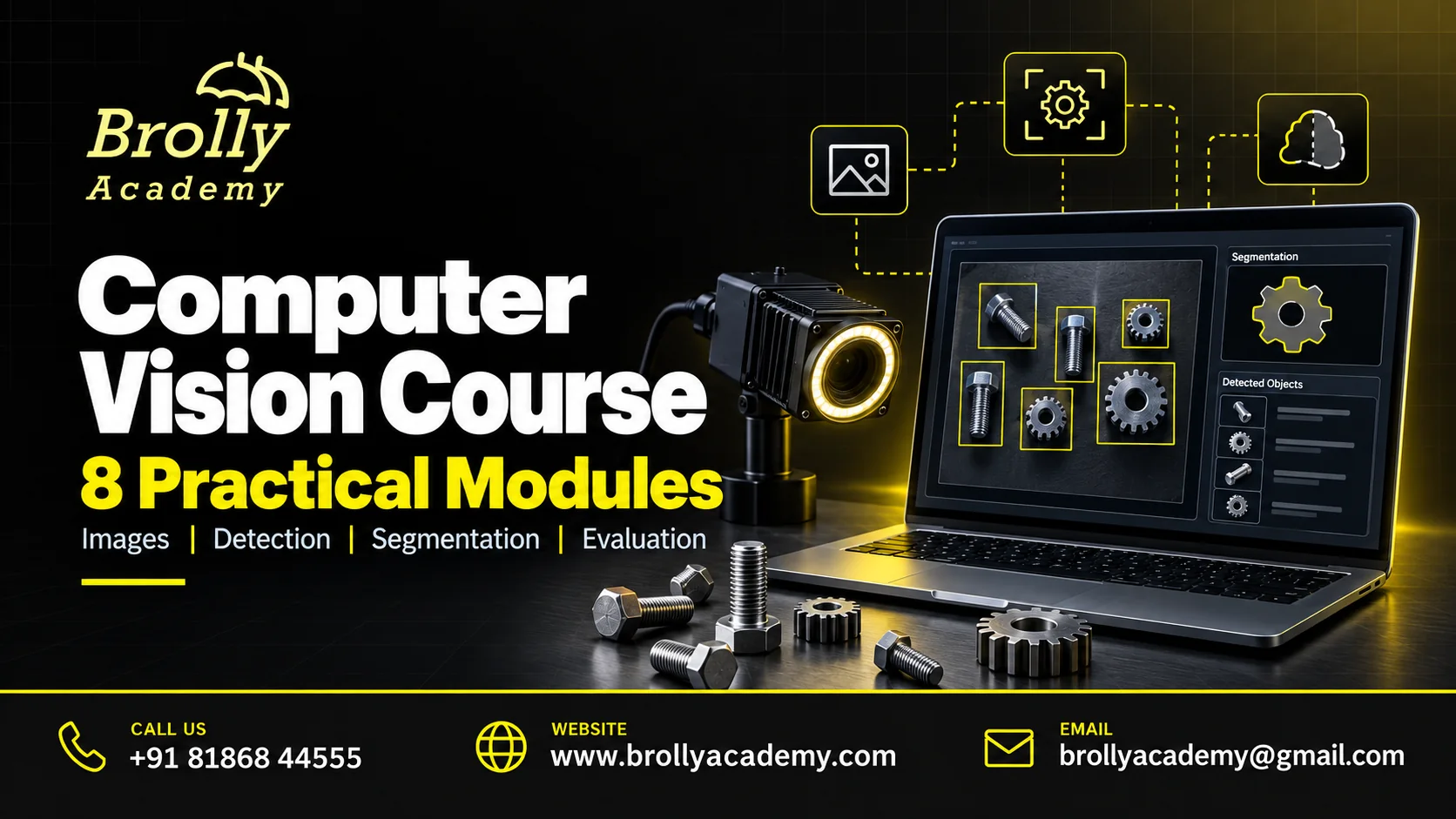
About the Computer Vision Course
Computer vision focuses on extracting information from images and video. A classification system labels an image; a detector locates objects; segmentation identifies regions at pixel level. These tasks need different labels and evaluation methods. You begin with image operations and a clear problem definition, then choose a model that fits the required output.
This course is about visual analysis, not a duplicate of Generative AI image creation. It does not focus on text-to-image prompting or artistic image generation. The learning path covers data preparation, visual models and reliable evaluation, with a small application that processes permitted images.
For product-specific terminology and behaviour, use OpenCV tutorials. Match the documentation to the environment used in your exercises.
Benefits of Learning Computer Vision
Turn the syllabus into practical advantages you can demonstrate in your own work. These outcomes come from building, checking and explaining the exercises.
Choose the right vision taskDistinguish classification, detection and segmentation before deciding what data to label.
Improve data qualityInspect labels, duplicates and image conditions before assuming the model is the main problem.
Measure errors that matterReview missed objects, false detections and class-level results with suitable metrics.
Test realistic image changesCompare behaviour under changes such as lighting, scale and background.
Consider deployment limitsCheck inference time and resource needs alongside visual accuracy.
Build an inspectable portfolioPresent annotations, evaluation examples and limitations rather than only a live camera demonstration.
Who Should Join?
Python, arrays and basic machine-learning concepts are expected. Some linear algebra and tensor familiarity help. A webcam is optional, not a requirement; exercises can use stored, openly licensed images. Larger training tasks may require GPU access agreed in advance.
ML and data science learnersDevelop practical image-data and evaluation skills.
Python developersIntegrate image-processing and inference into applications.
Engineering professionalsExplore bounded inspection tasks using permitted visual data.
For complementary learning, explore Generative AI Training. Choose the broader program if you need an introduction to AI models, prompting and the wider application landscape before specialising.
Computer Vision Prerequisites and Readiness Checklist
Use these three checks to decide whether you are ready to start or need a short foundation step first. Bring any gaps to your demo discussion.
Python and arraysRead an image as an array and inspect its dimensions, channels and data type.
Learning fundamentalsUnderstand training, validation and testing before comparing image-model results.
Images and computeUse licensed or synthetic images, check annotation quality and confirm the hardware available for the selected exercises.
Computer Vision Course Syllabus: 8 Practical Modules
Each module connects a concept to an exercise and an output you can explain. Work through the foundations before attempting the integrated project.
1. Vision tasks and data permissions
Define whether the output is a class, bounding box or pixel mask. Select permitted images and document their source. Avoid personal surveillance or identity inference as a default classroom task, and establish the evaluation criteria before collecting more data.
2. Image processing with OpenCV
Read images and inspect shape, channels and data types. Apply resizing, colour conversion and basic filtering. Check how an operation changes important details and keep the training and inference preprocessing consistent.
3. Annotation and dataset splits
Create or inspect labels, boxes or masks for a small dataset. Check annotation consistency and separate related images across splits appropriately. Prevent near-duplicate frames or images from the same source leaking into the test set.
4. Classification and transfer learning
Build a classification baseline and use a suitable pretrained vision model. Compare frozen features with an appropriate adaptation strategy. Inspect class confusion and test whether background cues are driving predictions instead of the intended object.
5. Object detection
Understand bounding boxes, confidence scores and overlap. Run a permitted detector and evaluate missed objects and false detections. Examine small, partially hidden and poorly lit objects rather than judging the model from a single ideal image.
6. Segmentation and visual measurement
Work with pixel masks and distinguish them from bounding boxes. Use suitable overlap measures and review boundary errors. Discuss when a mask supports a measurement and when calibration or domain expertise is still needed.
7. Robustness and inference performance
Test lighting, blur, orientation and other realistic variations. Measure latency and memory for the intended hardware. Avoid using a model confidence score as a guaranteed probability of correctness or a substitute for application review.
8. Vision application capstone
Package a small image-processing application with a fixed input contract and clear output. Include source permissions, annotation notes, evaluation and failure examples. Demonstrate how the application handles an invalid file or an image outside its supported scope.
Discuss Your Learning Goals
Tell the team about your experience and preferred schedule. Book a free demo to discuss the course, lab access and the practical work expected from you.
Practical Skills You Will Develop
Use the exercises to build an explanation as well as a result. You should be able to show what you did, how you checked it and where the limits are.
Image handlingControl channels, dimensions and preprocessing consistently.
Dataset qualityInspect labels and prevent leakage between related images.
Task selectionChoose classification, detection or segmentation from the actual need.
Model evaluationUse task-appropriate metrics and visual error review.
Robustness testingMeasure how realistic image changes affect behaviour.
Application deliveryPackage inference with input checks and documented limitations.
Tools and Lab Requirements
Use a personal practice environment with synthetic or openly licensed data. Keep credentials outside notebooks and source control. Confirm software access, hardware and any paid API usage with the course team before enrolling.
OpenCV and PythonUse image operations and inspection tools in a reproducible environment.
Vision model frameworkA compatible tensor library and selected pretrained model.
Permitted image datasetOpenly licensed or synthetic data with a documented split and annotation process.
Consult PyTorch vision documentation during practice. Use documentation matching the installed version and check applicable permissions and service costs.
Your Learning Roadmap
Build confidence in stages. Practice time and your starting knowledge matter as much as the number of scheduled sessions.
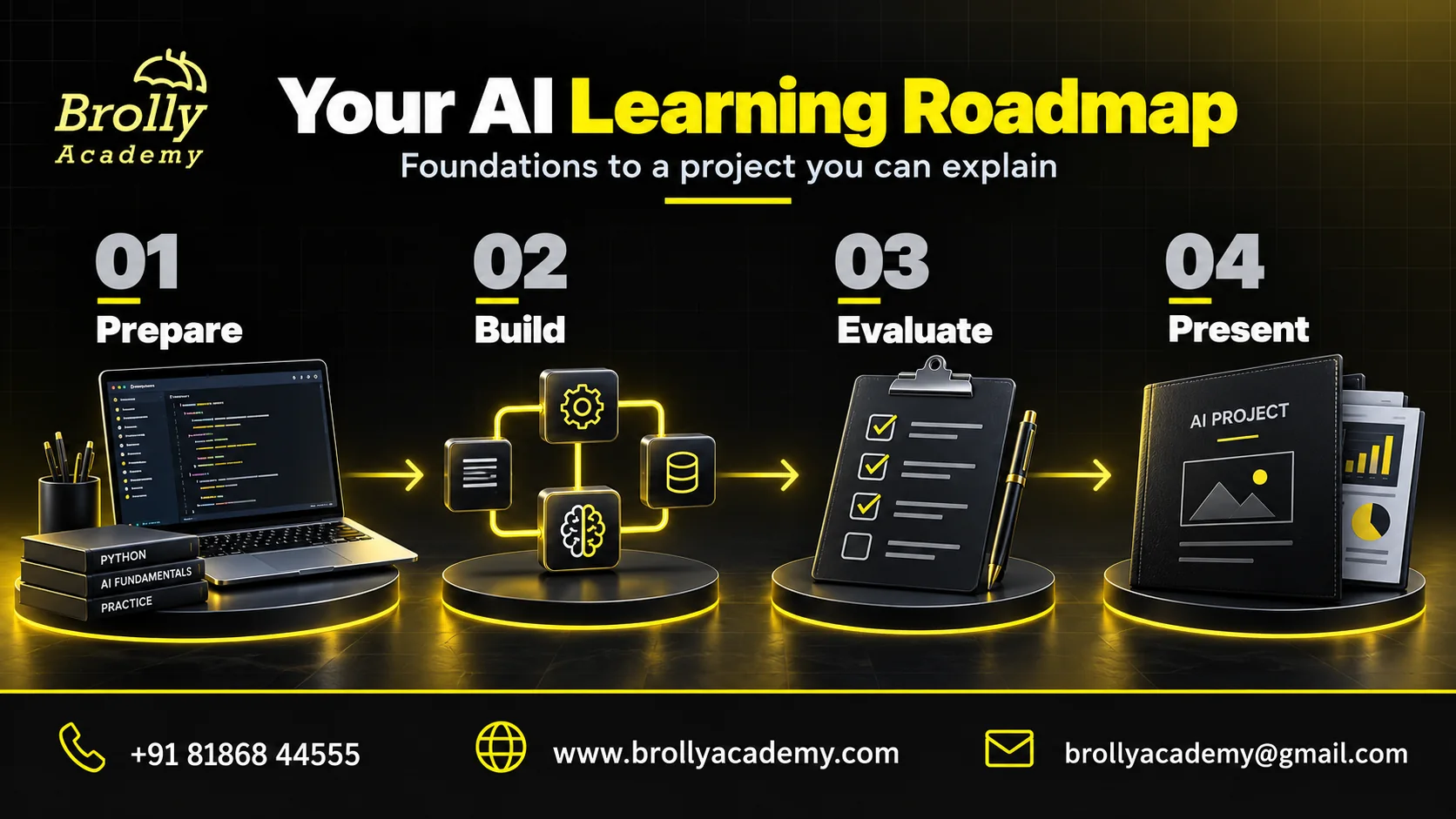
1. Set up and understandCheck the prerequisites and lab access. Complete the first two modules and explain the basic workflow in your own words.
2. Build and investigateWork through the middle modules. Keep notes of errors, what you tried and the evidence that supported a fix.
3. Test and presentComplete the final modules and an integrated scenario. Present your output, validation and a short handover guide.
Your Computer Vision project milestone: Include dataset permissions, sample annotations, split rationale, per-class metrics and examples of missed or false detections. Use the existing syllabus checklist to track progress; follow the stages during the 2-month course and confirm assignment dates with your trainer.
3 Practical Project Scenarios
These are teaching scenarios using approved lab systems and synthetic data. They are not claims about live client work or previous student results.
Visual category classifierClassify a small set of permitted object images. Test background changes and compare a baseline with transfer learning.
Synthetic inventory detectorLocate objects in staged or synthetic shelf images. Report missed items, duplicate detections and difficult lighting cases.
Document region segmentationIdentify agreed regions in synthetic document images. Evaluate masks and explain where extraction or measurement requires additional processing.
How the Skills Work in Practice
A classifier seems to recognise two product categories, but one category was photographed on a dark background and the other on a light background. Test the same objects with swapped backgrounds to discover whether the model learned the object or the photography setup.
Improve the dataset and evaluation design before changing the model architecture. Your project report should show the misleading initial result, the controlled test and the revised limitation. This is more useful than reporting a high score from a leaked or unrepresentative test set.
Why Learn with Brolly Academy?
Choose a course that connects the subject to work you can actually demonstrate. Use a demo to discuss the learning path and decide whether it fits your starting point.
A connected learning pathThe eight-module outline moves from foundations to an integrated task. Each module identifies an output rather than leaving practice as a vague promise.
Discuss your own learning goalShare your experience and preferred format with the course team. Use a demo to assess whether the technical depth, pace and project expectations fit your needs.
Clear course boundariesThe page explains prerequisites, product scope and the difference between training completion and independent certification. You can compare the offer with your actual requirements.
Compare Brolly Academy with Other Training Institutes
Compare the same evidence from each provider: what you will build, what you will test and which services the fee includes. Ask for specific examples rather than relying on broad claims about advanced AI.
What to discuss with Brolly AcademyReview these eight modules and the three project scenarios.
Ask for the assigned trainer profile.
Check the lab version and access period.
Review the fee, schedule and certificate terms.
Use the demo to assess the teaching approach.
What to check with any instituteRequest a detailed outline, not just product names.
Verify the trainer information supplied.
Separate demonstrations from your own lab work.
Check licences, exam costs and refund conditions.
Compare the total commitment, not only the advertised price.
Classroom, Online and Corporate Learning
Discuss the currently available delivery format with the academy before booking. Batch availability and session timings should be agreed in writing.
Classroom learning enquiryConfirm the venue, next available batch and computer requirements before arranging travel.
Live online enquiryCheck the session time zone, remote lab access and arrangements for asking questions or catching up on a missed session.
Corporate team enquiryShare your team size, current tools and learning objectives. Agree a scoped program without sharing confidential business data.
For a team program, explore Brolly Academy corporate training.
Computer Vision Course Fee and Duration
The Computer Vision Course runs for 2 months. The fee is ₹20,000 for online training or ₹25,000 for classroom (offline) training. Ask for a written quotation confirming taxes, payment and refund terms, lab access and any separate software or API charges.
Classroom training: ₹25,000Learn in the classroom over 2 months. Confirm the venue, batch start date and session timings with the academy before arranging travel.
Online training: ₹20,000Choose online learning over 2 months. Confirm the session time zone, lab access and arrangements for questions or missed sessions before enrolling.
Duration: 2 monthsPlan time for lessons, independent practice and the course project. Ask for the batch calendar, instructor-led hours, assignment deadlines and support period.
Course Completion and Certification Guidance
Brolly Academy course completion recognizes the training and assessment work agreed for your batch. It is separate from a credential awarded by a software vendor or another certification body.
Brolly Academy course completionAsk for the attendance, assignment and assessment requirements, the certificate wording and how completion will be verified.
Independent certificationUse official vendor information to check whether a relevant credential is currently offered and what preparation it requires. No vendor authorization, exam voucher or pass guarantee is implied.
Career Roles and Skill Applications
Match the learning path to a role, then compare its requirements with your existing experience. The course can support skill development; it does not guarantee employment.
Computer vision developerBuild bounded image-analysis applications.
Applied ML engineerTrain and evaluate models for visual tasks.
Vision QA practitionerInvestigate image-data failures and deployment behaviour.
You can also explore MLOps Training. Extend a working prototype into a monitored, repeatable deployment workflow.
Where These Skills Are Used
Vision systems can assist with product categorisation, controlled inspection and document processing. Results depend on the images, labels and deployment environment. Medical interpretation, safety-critical inspection and surveillance need specialised oversight beyond a general training project.
Interview and Portfolio Preparation
Prepare evidence you can discuss clearly. Label practice work as training work and do not present a teaching scenario as paid client experience.
Explain a projectDescribe the requirement, your decisions, the result and one limitation. Be ready to answer what you would change for a real deployment.
Show useful evidenceKeep approved files, test results and a concise README or runbook. Remove secrets and private information before sharing a portfolio.
Discuss support servicesAsk the academy which resume, mock-interview or job-search services are included in your batch. Placement assistance is not a job or salary guarantee.
Placement Preparation and Career Support
Use this checklist during your demo to agree the career-support services included with your batch. The preparation below builds on your course project; recruitment and interview outcomes remain with the employer.
Choose a target roleStart with the responsibilities of a Computer vision developer. Compare several relevant job descriptions and note the skills you can already prove.
Prepare a project evidence packInclude dataset permissions, sample annotations, split rationale, per-class metrics and examples of missed or false detections.
Practise a technical discussionHow would you investigate a model that works on training images but fails under different lighting? Explain your decision with a test or project example.
Write an honest resume entryState the project goal, your contribution and the checks you ran. Label it as a learning project and report only results you actually measured.
Request focused feedbackAsk whether the batch includes a resume review, portfolio review or mock interview. Agree the format, number of reviews and support period before enrolling.
Plan applications and follow-upKeep a record of role requirements, applications and feedback. Use the next practice session to address a specific gap rather than adding unsupported claims to your profile.
Career Planning and Salary Expectations
Salary depends on the role, prior experience, location and the employer. A tool course alone does not establish a salary band. Compare recent job descriptions, required experience and responsibilities rather than relying on a headline income promise.
Meet Your Trainer: Dinesh
Dinesh is the trainer for the Computer Vision Course. Use a demo to discuss your learning goals, ask about a practical Computer Vision scenario and understand how project feedback is provided.
Relevant experienceAsk for examples of work with Computer Vision that can be discussed without revealing confidential client information.
Practical explanationAsk the trainer to explain a failure scenario and how a learner would investigate it, rather than only showing a finished result.
Feedback and supportDiscuss how assignments are reviewed, how questions are handled and the support period included in the course.
Brolly Academy Learner Feedback
Read available academy feedback and ask whether a review relates to this particular course, trainer and delivery format. General academy reviews should not be mistaken for verified results from this new course.
The excerpts below are published on Brolly Academy's academy reviews page. They describe Data Science and Machine Learning courses, not this new Computer Vision course.
Aditya - Data Science"The instructors provided a clear and practical understanding of data science concepts."
Read the original academy testimonial
Kavita Singh - Data Science"The hands-on projects helped me apply the concepts effectively."
Read the original academy testimonial
Rahul Desai - Machine Learning"The trainers were experienced professionals who explained complex algorithms with ease."
Read the original academy testimonial
Student Community and Continued Learning
Keep learning visible: ask precise questions, share permitted examples and record what changed after feedback. Check with the course team about any batch-specific discussion group or mentor access.
Academy updatesFollow the Brolly Academy WhatsApp channel for public academy updates. A public channel is separate from individual technical support.
Computer Vision peer-practice ideaReview the same image annotations and agree how to handle partial objects and ambiguous boundaries.
Share safely and ask clearlyInclude the tool version, a small permitted example, the expected result and what happened. Remove API keys, employer documents and personal data before asking for help.
For continued technical learning, use OpenCV tutorials. Recheck examples against the version you are using.
Download Your Practice Checklists
Use these editable CSV files to organize your learning. They open in common spreadsheet tools and contain real module and project-checklist content.
Download Syllabus (CSV) Project Checklist (CSV)Official Documentation for Further Reading
Use the documentation that matches your product version and environment. These sources support technical learning; linking to them does not imply endorsement of Brolly Academy.
OpenCV tutorials
PyTorch vision documentation
PyTorch tutorials
Related Courses at Brolly Academy
Choose complementary learning based on your current skill gaps. These are separate courses, not automatically included in this program.
Generative AI TrainingChoose the broader program if you need an introduction to AI models, prompting and the wider application landscape before specialising.
View Generative AI Training
Machine Learning CourseStrengthen model selection, supervised learning and evaluation foundations.
View Machine Learning Course
MLOps TrainingExtend a working prototype into a monitored, repeatable deployment workflow.
View MLOps Training
To broaden your experience with pretrained model tooling and reusable datasets, explore the Hugging Face Course.
For projects that also process captions, descriptions or other text, build the language foundations in the NLP Course.
For a separate path into managed foundation-model applications on AWS, explore the Amazon Bedrock Course. Check model support for the visual task you intend to build.
Talk to the Computer Vision Course Team
Call +91 81868 44555 or send a course enquiry to discuss the syllabus and current batch options. For a classroom visit, confirm the venue and appointment with Brolly Academy before travelling.
Read our contact details for the academy location and enquiry options. Online delivery, session time zones and tool access should be confirmed for your batch.
Call +91 81868 44555Computer Vision Course FAQs
Is this an AI image-generation course?
No. The focus is analysing images through classification, detection and segmentation. Generating artwork from a prompt is a different learning goal.
Do I need expensive hardware?
Basic image operations and small inference exercises can run on a laptop. Training larger models may need a GPU. Confirm the selected lab workload and any compute costs before enrolling.
What is the difference between detection and segmentation?
Detection usually returns object locations as bounding boxes. Segmentation labels image regions at pixel level. The right output depends on what the application needs to do.
Is high confidence proof that a prediction is right?
No. A model can be confidently wrong, especially on unfamiliar data. Evaluate it on representative cases and define how uncertain or unsupported inputs are handled.
Can I use images found online?
Only when you have appropriate rights and permission for the intended use. Keep the dataset source and licence information. Public visibility does not automatically allow unrestricted reuse.
Will I build a face-recognition system?
It is not part of the core outline. The proposed projects avoid identity recognition and use bounded object or document tasks. Any sensitive biometric project requires separate justification and safeguards.
How much does the Computer Vision Course cost?
The Computer Vision Course fee is ₹20,000 for online training and ₹25,000 for classroom (offline) training. Confirm taxes, payment and refund terms, lab access and any separate software, API or examination costs in your written quotation.
What is the course duration and batch schedule?
The course duration is 2 months for both online and classroom training. Contact Brolly Academy for the next batch start date, session timings, instructor-led hours and independent practice expectations.
Can I attend a free demo before enrolling?
Use Book Free Demo to open the enquiry form, or contact the team on WhatsApp. Share your experience and learning goal so the counsellor can discuss a suitable session and current availability.
What certificate will I receive?
Discuss the Brolly Academy course-completion requirements for your batch, including attendance, assignments and project assessment. Course completion is separate from any credential issued by a software vendor or independent examination body.
Does the course guarantee a job or salary?
No. The learning path is designed to build demonstrable skills. Ask which portfolio, resume or interview-support services are included. Hiring decisions depend on your wider experience, preparation, location and employer requirements.
How should I compare this course with another institute?
Compare the actual syllabus, your own lab work, trainer experience, project feedback, tool costs and written terms. Ask each provider the same questions and use a demo to assess the teaching style before committing.
Got More Questions About Computer Vision?
Talk to the Brolly Academy team about your starting skills, learning goal and available batch options. Request a free demo before choosing your course.