Azure AI Course

with

Practical Projects & Certification Guidance

Classroom | Live Online | 2 Months | 8 Modules | Free Demo Class

Move from trying AI prompts to building an application you can explain. Brolly Academy’s Azure AI Course connects Python, Microsoft Foundry, Azure OpenAI and Azure AI Search through practical work in retrieval, agents, document processing, evaluation and deployment. Learn with Bavya over two months, with live online tuition of INR 20,000 or classroom tuition of INR 25,000. Start with a free demo, discuss your starting skills and explore the learning path before choosing a batch.

Course Contents

Azure AI Course

Batch Details

Use these details to plan your next step. Choose a learning format, check the fee and discuss a suitable batch with the team. The free demo is a chance to review your goals and the teaching approach before enrolling.

Course DetailInformation
TrainerBavya
Training modesLive online, classroom, video course and corporate training
Duration2 months for live online and classroom batches; confirm video access and corporate schedules separately
Online feeINR 20,000
Classroom feeINR 25,000
Next batchContact us for the confirmed start date and teaching hours
Call+91 81868 44555
Emailbrollyacademy@gmail.com
Free demoUse Book Free Demo below to open the enquiry form.
Video and corporate feesRequest a quote for video-course access or team-training requirements
EMI optionAvailable; request eligibility, instalment schedule and applicable charges before enrolment

Why Choose Brolly Academy for Azure AI Training?

2 Months

A connected path with practice between sessions

8 Modules

Build from foundations to project handover

Bavya

Meet your trainer in the free demo

5 Projects

Choose a scenario and explain your results

Online

INR 20,000 course fee

Classroom

INR 25,000 course fee

Flexible Modes

Choose online, classroom, video or team learning

Free Demo

Check the learning fit before enrolling

Why Choose Brolly Academy for the Azure AI Course?

Key Features of Our Azure AI Course

Azure AI Course Curriculum

Azure AI Course Syllabus: 8 Practical Modules

Understand the foundation: Distinguish a predictive model, a generative model and an agent. Review Python functions, dictionaries, JSON, virtual environments and HTTP requests. Identify your Azure tenant, subscription, resource group, region and permissions so you know where the application will run and who owns its usage costs.

Practise: Write a small Python program that checks an input and reads configuration without printing secrets. Try a missing value and an invalid input instead of testing only the successful path.

Learning checkpoint: Produce a setup checklist and a sample environment file with no real credentials. Explain which part is application logic, which part is configuration and what another learner needs to run your example.

Connect a model to a real task: Explore Microsoft Foundry and compare model capability, availability, response time and usage cost. Learn the difference between trying a prompt in a playground and connecting a Python application to a permitted deployment.

Practise: Build a small text-assistance endpoint with clear input and output rules. Read a successful response and handle a request that fails because access or quota is unavailable. Keep the model, endpoint approach and SDK version in your setup notes.

Learning checkpoint: Demonstrate both paths and explain what the user should see when the model cannot respond. Your evidence should show an application flow, not just a copied playground answer.

Make outputs usable: Write instructions around a specific task, permitted evidence and the required response format. Compare prose with structured output where supported. Validate returned fields in code, handle missing values and distinguish a suggested action from an approved action.

Practise: Classify synthetic support requests into a small set of allowed categories. Route an unknown case for review and retain an example that breaks the first prompt. Treat document and tool content as data, not trusted instructions.

Learning checkpoint: Show the input, accepted output and validation failure. Explain why clearer instructions help but do not replace application checks or business rules.

Build answers from evidence: Prepare a permitted document collection and preserve source identifiers. Explore embeddings and compare keyword, vector and hybrid retrieval. Follow the full path from a user’s question to retrieved passages, an answer and usable citations.

Practise: Build a document question-answering feature. Test a question the documents answer, one outside their scope and one involving conflicting passages. Inspect the retrieved evidence separately from the generated response.

Learning checkpoint: Keep a source map and reviewed test cases. Explain whether a failure came from retrieval or answer generation, and when the application should report insufficient evidence rather than guess.

Give tools clear boundaries: Define a narrow agent task, allowed inputs and permitted actions. Keep conversation state separate from business records. Enforce permissions in code, add timeouts and bounded retries, and compare an agent with a simpler fixed workflow.

Practise: Create a service-desk assistant that looks up a fictional ticket and drafts an update. Require human approval before the simulated change. Test denied access, duplicate requests and an unavailable tool without connecting to live customer records.

Learning checkpoint: Present the tool contract and approval flow. Explain why the agent can suggest an action while the application decides whether that action is allowed.

Work with more than chat text: Choose a processing approach for documents, images, text or audio. Explore OCR and layout limitations, structured extraction, classification and a simple speech workflow. Separate extracted information from model inference.

Practise: Extract selected fields from synthetic invoices, validate totals and required values, and include a poor-quality document. Route uncertain results to review. As an extension, turn synthetic or consented audio into a note and inspect transcription errors.

Learning checkpoint: Show the source, extracted fields, checks and review decision. Explain why a fluent summary or completed form is not proof that the original information was read correctly.

Make quality measurable: Design representative cases for relevance, grounding, tool behaviour, access boundaries and recovery. Combine deterministic checks, reviewed rubrics and human judgement. Include authorized adversarial tests and accidental-disclosure checks.

Practise: Compare two prompt or retrieval versions on the same cases. Retain successes and failures, state the sample size and investigate disagreements between a reviewer and an automated score.

Learning checkpoint: Prepare a release checklist with explicit blockers. Explain what the evidence supports, what remains uncertain and why a single accuracy percentage cannot describe every application risk.

Prepare a project others can understand: Package reproducible configuration for an agreed deployment target. Capture useful traces without unnecessary personal data. Track response time, errors and usage, and plan retry limits, rollback, model-change checks and resource cleanup.

Practise: Demonstrate your capstone, a repeatable test run and recovery from a failed operation. Present an architecture sketch, redacted evaluation evidence and a README covering setup and cleanup.

Learning checkpoint: Explain your contribution, one limitation and the next experiment you would run. Distinguish a working course deployment from production readiness, which needs wider operational and security review.

Azure AI Training Roadmap: Beginner to Advanced

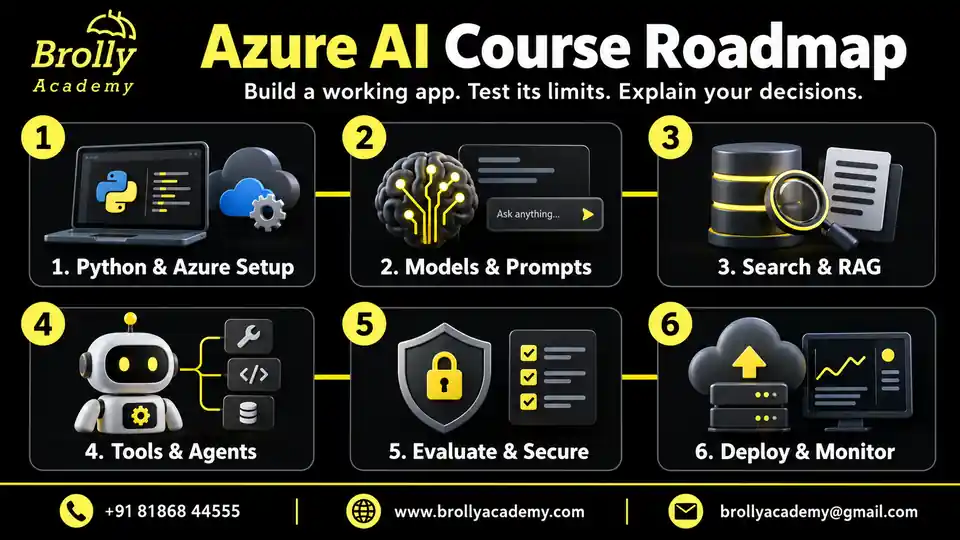
A useful learning path helps you see how one skill supports the next. First, prepare Python and Azure access. Next, connect models to documents and controlled tools. Finally, test the application and present what you built. This eight-week practice guide fits the two-month live course; the admissions team will confirm your actual class dates and teaching hours.

New to programming? Complete the Python preparation before the application labs. For a broader, platform-independent foundation, compare our Generative AI Training. The path below concentrates on building with Azure.

Azure AI course roadmap: Python setup, models, RAG, agents, evaluation and deployment
Azure AI Course roadmap from foundations through retrieval, agents, evaluation and deployment.

01

Weeks 1-2: Python, Azure and Model Integration

Build your foundation: Practise Python functions, JSON, exceptions and environment configuration. Understand which Azure subscription and region your lab uses, who can access it and who pays for usage.

Your first checkpoint: Run a small model-backed task, reject an invalid input and handle a failed request. Keep a setup note with the SDK and deployment details, without exposing API keys. You should be able to explain the request and response, not just repeat a tutorial.

02

Weeks 3-5: RAG, Documents and Agent Tools

Give the application useful information: Prepare permitted documents, preserve their source references and build a question-answering flow. Inspect what the search step retrieved before judging the final answer.

Your next checkpoint: Handle a question the documents cannot answer, then add a document-extraction or narrow tool workflow. Validate inputs, check access and require approval before a simulated update. This connects helpful AI behaviour with ordinary software controls.

03

Weeks 6-8: Evaluation, Deployment and Portfolio

Make improvement visible: Compare versions using the same test cases, including missing evidence, denied actions and service failures. Record response time, errors and usage without collecting unnecessary personal data.

Your final checkpoint: Demonstrate the capstone, explain one failure and show how you investigated it. Prepare a README covering setup, known limits, rollback and resource cleanup so another person can understand and run your work.

What Is Azure AI?

What does this look like in practice? A handbook assistant searches approved documents before answering and points the reader to supporting passages. An invoice workflow extracts fields, checks totals and sends uncertain records for review. These applications combine models with data, rules and software; they do not require you to train a foundation model from scratch. Explore the Microsoft Foundry overview to understand the platform behind the course topics.

Where Is Azure AI Used?

Azure AI is useful when a team has a clear information or workflow problem. Start by asking what the user needs, which data is permitted and what should happen when the result is uncertain. The examples below connect an application pattern with a practical task you can understand before choosing tools.

Illustrative use cases, not claims of Brolly Academy client deployments.
Industry or TeamApplication PatternPractical Example
Customer supportKnowledge retrieval with escalationAnswer a product question from approved help documents and cite the source.
Finance operationsDocument extraction and validationRead a synthetic invoice and route inconsistent totals to a reviewer.
EducationEvidence-based learning supportAnswer syllabus questions without inventing dates or course rules.
IT service deskControlled tool useLook up a fictional ticket and request approval before updating it.
RetailProduct information assistanceCompare catalogue fields and flag unavailable information.
Internal operationsPermission-aware document searchRetrieve only documents the signed-in user may access.
Media and accessibilitySpeech-to-text workflowTranscribe consented audio and review recognition errors.
Software and QAEvaluation automationRerun representative cases after a prompt, model or retrieval change.
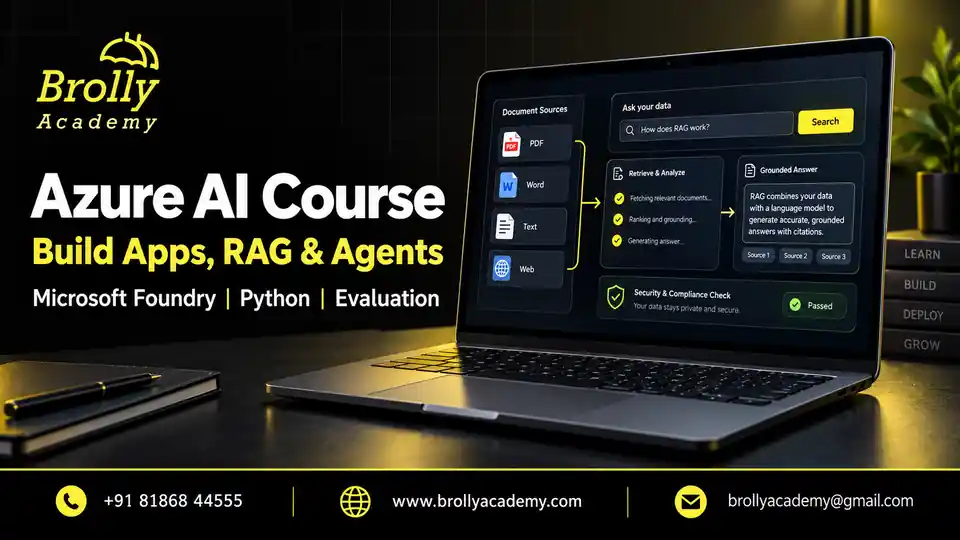
Azure AI Course at Brolly Academy: build apps, RAG and agents with Microsoft Foundry
Azure AI Course: Microsoft Foundry, Azure OpenAI, RAG, agents and practical projects.

Benefits of the Azure AI Course

The value of learning Azure AI is being able to turn a useful idea into a small, understandable application. The benefits below connect each course topic to something you can practise: build a feature, test its limits, explain a decision or prepare evidence of your work. Choose online or classroom learning to match your circumstances; progress comes from practising between sessions as well as attending them.

1. Learn with Bavya

Bring your starting skills and a project idea to the free demo with Bavya. Use practical examples to connect a new concept with a task you can build, test and discuss.

2. Use the Azure AI Stack

Understand what each part contributes: Foundry for the AI development workflow, a model for generation, search for relevant evidence and operational services for access and monitoring.

3. Build Practical Projects

Start with a permitted document collection or a synthetic business task. Build a small working flow, record a failed case and explain the improvement instead of presenting a screenshot alone.

4. Prepare for Interviews

Turn your project into a clear technical conversation. Explain the problem, your contribution, the architecture and a design trade-off, using code and test results to support your answers.

5. Understand Certification

Know what an academy completion certificate records and what a Microsoft exam assesses. Compare your skills with the current official objectives and identify topics that need further preparation.

6. Strengthen Python Skills

Use functions, JSON, configuration and exceptions in application labs. These skills help you understand a broken request, validate a response and make code easier to maintain.

7. Select Models for a Task

Choose a model for the task, not only for its name. Compare useful answers, response time, availability and cost on the same examples before deciding what fits your application.

8. Build Grounded Answers

Connect a question to relevant source material and return citations the reader can check. Learn to recognise missing evidence and give an honest answer instead of filling the gap with invented detail.

9. Process Documents

Extract fields from sample documents and check that required values and totals make sense. Keep uncertain records visible so a human can review them before a later workflow uses the data.

10. Control Agent Actions

Define exactly what a tool may do and which inputs it accepts. Enforce permissions and approval in application code so a persuasive prompt cannot grant an action the user is not allowed to take.

11. Evaluate Quality

Replace guesswork with repeatable cases and clear review criteria. Compare a revised prompt or search setup against the same examples, including failures, before calling it an improvement.

12. Plan Cloud Costs

Estimate the resources for a small lab, limit repeated requests and track usage while you experiment. Plan resource cleanup and remember that a budget alert does not automatically stop every charge.

13. Deploy and Observe

Prepare configuration, useful error traces and a rollback plan alongside the application. A successful lab deployment is a starting point for learning reliability, not proof of production readiness.

14. Compare Clear Fees

Compare INR 20,000 online and INR 25,000 classroom tuition with the written inclusions. Check separate taxes, cloud usage and examination costs so you can plan the full learning expense.

15. Learn with Peers

Explain a problem, exchange safe examples and review another learner’s reasoning. Ask about available community channels and remove credentials or private records before sharing your work.

16. Build Transferable Skills

Practise evidence checking, secure integration and reproducible testing. These habits help you adapt when a model, SDK or product name changes instead of depending on memorised interface steps.

Azure AI Training: Other Institutes vs Brolly Academy

Azure AI Training at Brolly Academy

Meet Your Azure AI Trainer

Meet Bavya, your trainer for the Azure AI Course. The teaching path connects Python-based development with retrieval, agents, evaluation and project presentation. Use the free demo to discuss what you already know, the kind of application you want to build and how the course fits your next learning step.

TRAINER

Bavya

Azure AI Course Trainer

Teaching focus: Python | Azure AI | RAG

Teaching Profile & Approach
  • Connect concepts with code: The learning path moves from a small Python example to an Azure AI feature you can run and explain.
  • Understand the application: Work through how model integration, Azure AI Search, source evidence and agent tools fit together.
  • Ask practical questions: Bring the expected result, the actual output and the error you observed so discussions focus on the problem you need to solve.
  • Learn through testing: Examine answer quality, debugging and permissions alongside successful demonstrations.
  • Explain your progress: Prepare architecture, test results and design decisions from your own project for portfolio and interview discussions.

Skills You Will Gain from Azure AI Training

Skills You Will Gain

Azure AI Capstone Projects

Practical Azure AI Projects

A project becomes useful when you can explain the problem, show the working flow and describe its limits. Choose one capstone from these five learning scenarios, then use the others to extend practice. Each should include code, a normal run, at least one failed case, a reviewed test record and a README. Begin with synthetic or explicitly permitted data. These are course projects, not claims of live client engagements.

Evidence-Based Knowledge Assistant

The problem: People need an answer they can trace to a handbook, not a confident guess.
Build: Connect Azure AI Search to a model-backed assistant and preserve source references.
Test: Ask about missing information, conflicting passages and restricted documents.
Show: Your source map, working application, reviewed questions and known limitations.

Invoice Extraction and Review

The problem: Extracted invoice data may be incomplete or inconsistent.
Build: Read selected fields from synthetic invoices and check required values and totals.
Test: Include an unclear document and a record that needs review.
Show: Your field schema, reviewed examples, exception path and explanation of what a human must approve.

Service-Desk Agent with Approvals

The problem: A helpful assistant must not update a record without permission.
Build: Look up a fictional ticket and propose a change through a narrow tool.
Test: Denied access, duplicate requests and an unavailable tool; require approval before the simulated update.
Show: The tool contract, approval flow and failure evidence without touching real customer systems.

Consented Audio Notes Workflow

The problem: A generated note can misrepresent an unclear recording.
Build: Turn synthetic or consented audio into a transcript and a concise, reviewed note.
Test: Difficult terms, incomplete audio and unsupported summary claims.
Show: Corrections, the difference between spoken facts and generated wording, and your privacy and retention choices.

AI Evaluation and Release Dashboard

The problem: One improved answer does not prove a new version is better.
Build: Compare two prompt or retrieval versions on a fixed test set.
Test: Reviewed answer quality, latency, errors and usage, including release-blocking cases.
Show: The comparison, remaining failures and a reasoned release decision rather than one unexplained score.

Tools Covered in Azure AI Training

Tools Covered

Python

Write integrations and validate data

Microsoft Foundry

Connect models, agents and tools

Azure OpenAI

Use model capabilities in an application

Azure AI Search

Retrieve evidence for grounded answers

Document Intelligence

Extract and review document fields

Speech Capabilities

Transcribe and inspect audio results

Language Capabilities

Process text for a defined task

Azure Identity

Understand authentication and access

Azure Monitor

Investigate operational signals

Git

Track changes and compare revisions

Code Editor

Read, run and debug your code

Evaluation Tools

Compare results on repeatable cases

Azure AI Course Fee and Offerings

Course Fees & Offerings

Free Demo

No Course Commitment

Classroom Training

INR 25,000

Online Course

INR 20,000

Video Course

Request Price & Access

Corporate Training

Custom Team Quote

EMI Payment Option

EMI Available

Choose a format that fits your learning: Live online tuition is INR 20,000 and classroom tuition is INR 25,000 for the two-month course. Video learning lets you revisit recorded lessons during the agreed access period; corporate training is scoped around a team’s needs. Ask for separate video and corporate quotes.

Start with a free demo: Discuss the syllabus, your starting skills and available batches before making a payment decision. EMI options are available; request eligibility, any initial payment, instalment dates and applicable charges in writing.

Know what is included: Check taxes, lab access, Azure usage, exam fees, recordings and support in your quotation. Microsoft examinations and unlimited cloud credits are not automatically included. Read our refund policy and terms and conditions before payment.

Placement Preparation for Azure AI Learners
Placement and Career Preparation

Career preparation starts with work you can explain honestly. Use the areas below to turn your learning into a focused resume, a demonstrable project and clear interview answers. Match vacancies to your wider skills and experience, and ask which guided preparation sessions are included in your batch. Course completion does not guarantee interviews, employment or a particular salary.

Resume Building

Describe your project, contribution and evidence without claiming experience you do not have.

Role Research

Compare responsibilities, location and required experience before deciding which vacancy fits.

Interview Questions

Practise explaining models, retrieval, tools and deployment using examples from your work.

Project Practice

Finish a scoped project and keep notes on the failures you investigated and resolved.

Practical Demonstrations

Show a normal run, a failed case and the evidence behind your improvement.

Offer Evaluation

Read the role, responsibilities and written employment terms before comparing offers.

Application Planning

Track suitable vacancies and choose the next skill gap to address.

Mock Interview Preparation

Rehearse a concise project explanation and prepare for questions about your choices.

Communication Skills

Explain what the application does and where it needs human review to different audiences.

Problem Solving

Break a failure into smaller checks and use evidence to decide what to try next.

Student Testimonials and Academy Reviews

Selected Reviews from Other Academy Courses

Rakesh THR

Generative AI | Google Review

“The trainers explain topics clearly and patiently, with hands-on exercises that make complex concepts easier to understand.”

View Google Source

Pranav Pranav

Generative AI | Google Review

“Sandeep sir made Generative AI concepts very easy. Real-time practice helped me a lot.”

View Google Source

Sana Hari

Generative AI | Google Review

“I Recently Completed the Generative AI Training at Brolly Academy and it was an excellent experience.”

View Google Source

PAVAN

Generative AI | Google Review

“Sandeep sir explains step by step in simple English. After modules, we worked on real-time projects.”

View Google Source

Poojasri Baru

Online Classes | Google Review

“I liked the online classes. Sandeep sir gives examples for every topic.”

View Google Source

Roshan Mahapatra

Azure Data Factory | Google Review

“Brolly Academy provides the best Azure Data Factory training program in Hyderabad.”

View Google Source

Azure AI Student Community

Student Community

Learning with others can help when your code runs differently from the example or an answer looks convincing but is wrong. Share a small, safe example, explain the checks you tried and compare approaches. Ask which batch groups and support channels are available, who moderates them and how long access lasts. Never post credentials, private documents or personal records.

Make each discussion useful: bring a clear question, a reproducible example and a willingness to explain what you learned.

Learning and Collaboration

Share the task, expected result and a small safe example. Compare approaches and explain why a change helped, so the discussion produces learning rather than a copied answer.

Resources and Tools

Use official documentation and permitted sample data. Record the SDK version and setup steps so another learner can reproduce the example you are discussing.

Professional Connections

Exchange project ideas and learning goals respectfully. Build connections through useful contributions, without assuming the group includes recruiter introductions or referrals.

Useful Mentor Questions

Bring the specific issue, checks already tried and evidence from the failed run. Ask how to investigate the cause, and confirm available support sessions for your batch.

Career Development

Discuss how your project demonstrates a skill in a real job description. Identify the next gap while keeping private application and employer information out of shared discussions.

Azure AI Course Eligibility

Prerequisites & Eligibility

You do not need to know every Azure service before joining, but you should be ready to write and debug basic Python. This is an application-development course, so the most useful starting point is comfort with simple code, APIs and regular practice. A computer-science degree is not a universal entry requirement for the course. Use the free demo to identify any foundation work you need before the labs.

Who Can Join the Azure AI Course?

Prepare your Python basics and authorized Azure access first, then follow the learning path one working example at a time.

What You Need Before Joining

Who Should Join Azure AI Training?

Choose this Azure AI training when you want to build, test and explain applications on Azure. Your existing role can provide a useful starting point: software development, cloud operations, data work or QA. For broader foundations, compare the Generative AI course; for deeper retrieval-focused study, explore RAG Training. Select the path that matches what you want to do next.

Start with a problem you understand, then learn the model, data and software skills needed to solve it responsibly.

Azure AI Career Opportunities

Career Opportunities

Azure AI Salary: Freshers to Experienced Professionals

What can you earn after learning Azure AI? For a useful starting point, compare the India-wide AI salary benchmarks below. They describe the broader AI market, not Azure-only jobs or Brolly Academy placement results.

India AI salary benchmarks by experience – foundit, October 2025
ExperienceAnnual Salary RangeHow to Read This Band
Freshers & early-career
0-3 years
INR 7.92-13.76 LPAIncludes professionals with up to three years of experience; it is not a fresher-only starting salary.
4-6 yearsINR 14.68-23.64 LPACompare with roles that match your relevant AI experience and delivery responsibilities.
7-10 yearsINR 20.14-30.13 LPACheck technical ownership, production experience and the scope of the role.
11-15 yearsINR 27.86-39.84 LPACompare senior roles with similar architecture, leadership and business responsibilities.

Salary evidence: foundit Salary Trends Report, October 2025, page 10: Artificial Intelligence. The report labels these as minimum and maximum average salaries. LPA means lakh per annum. These are national benchmarks, not Hyderabad-specific figures. Individual offers and take-home pay vary; course completion does not guarantee a salary or job.

Qualifications and Skills for Azure AI Jobs

  • Freshers: Build a foundation in Python, APIs, Git and Azure services. Prepare a working RAG or AI application project and explain its code, test results and limitations. A relevant CS, IT or engineering degree can help, but each employer sets its own education requirements.
  • Experienced applicants: Show evidence of integrating, deploying and monitoring AI applications, including access control and evaluation. For example, Accenture’s Azure AI/ML Engineer role lists at least three years of relevant experience and 15 years of full-time education.
  • Senior roles: Expect role-specific experience and education checks. This PwC Azure AI manager role in Hyderabad lists 7-10 years of experience and a Bachelor of Technology requirement. These are employer examples, not universal entry rules or promised vacancies.

Which Microsoft Certification Is Relevant?

The Microsoft Certified: Azure AI Apps and Agents Developer Associate (AI-103) covers building AI applications and agents. Microsoft expects Python development experience and familiarity with AI and Azure. A Brolly Academy course-completion certificate is separate from Microsoft’s certification and exam.

Sources checked: 8 October 2026. Salary data period: October 2025. Employer listings and certification requirements may change.

Companies to Research for Azure AI Careers

Use these companies as starting points for career research. On each employer’s official careers site, compare the actual responsibilities, location, experience and education requirements with your skills. The logos do not represent Brolly Academy hiring partnerships, confirmed Azure AI vacancies or guaranteed placements.

Learning Achievements in the Azure AI Course

Your Learning Milestones

Model Integration

Run a model request, validate the response and handle a failed call.

Grounded Answers

Retrieve supporting passages and check that each citation supports the answer.

Controlled Tools

Demonstrate allowed actions, denied access and the required approval step.

Evaluation Evidence

Keep repeatable cases that show successes, failures and revisions.

Project Handover

Explain your contribution, setup, known limits and resource cleanup.

Azure AI Course Completion and Certification Guidance

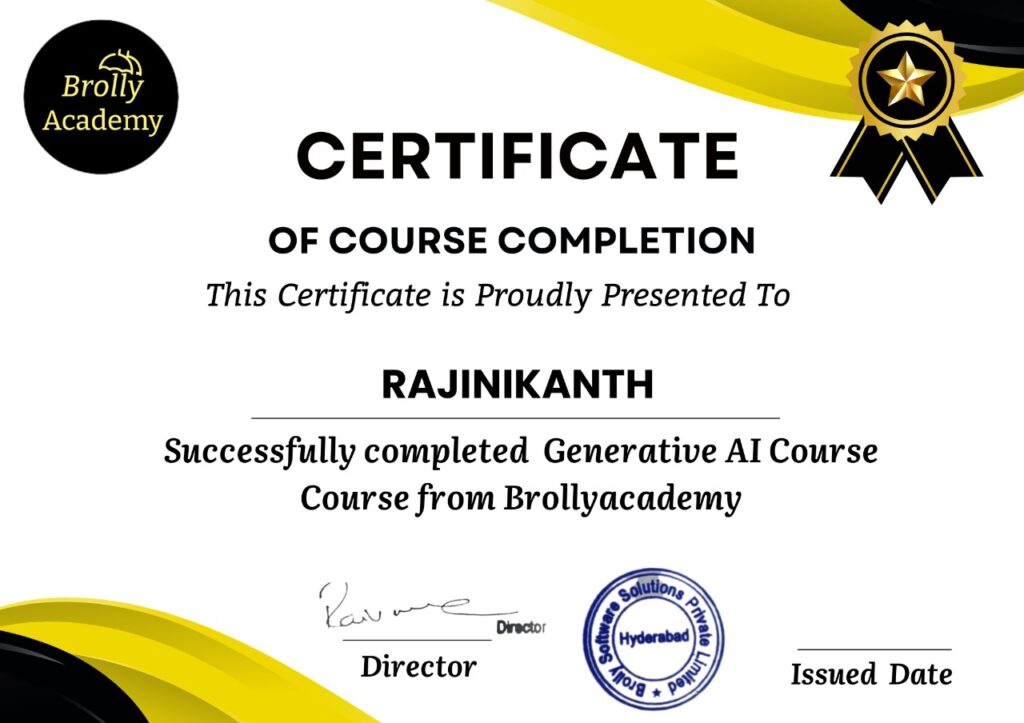
A certificate is most useful when you can explain the learning behind it. Brolly Academy provides an academy course completion certificate after the coursework and assessment agreed for your batch. Prepare the assignments and project evidence as well as attending sessions. Microsoft certification is separate: Microsoft controls its examinations and credential awards; this course does not confer a Microsoft certificate, imply authorized-partner status or guarantee an exam pass.

Academy certificate illustration. Completion requirements are agreed for your batch; Microsoft certification is separate.

Course Completion and Microsoft Exam Preparation

Use the AI-103 study guide to compare exam objectives with what you can already demonstrate. Check the Microsoft exam retirement list before planning an examination. Your academy certificate records course completion; it does not replace Microsoft’s assessment. The image shown is an academy certificate illustration, not a Microsoft credential.

Azure AI Market Trends and Learning Priorities

Market Trends

Azure AI Job-Market Comparison: What to Check

Look beyond the words “AI engineer” in a job title. One employer may need application integration, another document retrieval, and another deployment and monitoring. Compare the actual work with evidence from your projects and identify the wider skills or experience the role requires.

Compare real vacancies by responsibilities and location. These are role patterns, not measured job-growth percentages.
Opportunity TypeCommon FocusEvidence to Prepare
Software and IT services teamsIntegrating AI features into an existing product or workflowMaintainable code, API integration, tests and a clear handover.
Data and knowledge platformsDocument preparation, search and grounded answersSource tracking, retrieval comparisons and permission-aware evaluation.
Cloud and platform teamsDeployment, identity, monitoring and cost controlsConfiguration, failure traces, usage estimates and rollback steps.

Azure AI Course FAQs

Frequently Asked Questions

1. What is an Azure AI course?

An Azure AI course teaches you to build applications that combine AI models with data and software controls on Azure. Here, you practise Python integration, retrieval, agent tools, document processing, evaluation and deployment. The goal is to understand a working application: what it does, why it gives an answer and how it handles a failure. It is not just a chatbot-use or cloud-administration course.

2. Is this course suitable for beginners?

Yes, if you already understand basic Python and APIs. The foundations module connects those skills with Azure application work. If programming is completely new to you, first practise functions, JSON, exceptions and simple HTTP requests. Bring a small example to the free demo so you can discuss what preparation will make the course easier to follow.

3. Do I need Python, C# or both?

The hands-on path uses Python; learning both languages is not required to start. C# development experience can still help you understand APIs, debugging and application structure. Check the language and environment used by your batch, then practise in that setup so you can explain and maintain your own project rather than depend on translated examples.

4. Is Azure AI the same as Azure OpenAI?

No. Azure OpenAI provides model capabilities within a wider application stack. A useful document assistant also needs relevant source material, retrieval, access controls and evaluation. The course connects these responsibilities so you understand which service or part of your code to investigate when an answer is wrong.

5. What happened to Azure AI Foundry?

Microsoft now uses the Microsoft Foundry name; older tutorials may show Azure AI Studio, Azure AI Foundry or a classic portal. The important step is to match the instructions to your resource type, SDK and available capabilities. Learn the underlying workflow as well as the interface, because older screenshots and code may not work unchanged.

6. Does the course include RAG and Azure AI Search?

Yes. You prepare permitted documents, retain source references, explore retrieval options and build grounded answers. You also test questions without an answer in the documents and passages that conflict. A strong project shows the retrieved evidence and explains its limits; adding RAG alone does not make every answer correct.

7. Will I build an AI agent?

Yes, the project path includes a bounded service-desk agent using a fictional ticket store. It can look up information and propose an update, with approval before the simulated change. You also compare this approach with a fixed workflow. The learning goal is useful, controlled behaviour, not unrestricted access to real systems.

8. Does this train machine-learning models from scratch?

Training large models from scratch is not the main focus. This course uses models and Azure services inside applications, with attention to integration, testing and deployment. Deep-learning research, large-scale training and advanced Azure Machine Learning operations need a separate path. Choose this course when your immediate goal is an AI-enabled application.

9. Is AI-102 still the certification target?

No. Microsoft lists AI-102 as retired on 30 June 2026. Use the current AI-103 study guide when planning Azure AI apps and agents exam preparation. Compare every objective with your own knowledge, because a course project is not the same as complete exam coverage. Check Microsoft's official credential page before booking.

10. Will Brolly Academy issue a Microsoft certificate?

No. The academy course completion certificate records completion of the coursework and assessment agreed for your batch. Microsoft awards its own credentials through its separate assessment process. Keep the two clear on your resume and review Microsoft's requirements, registration and examination arrangements independently.

11. Are exam fees and Azure credits included?

Ask for an itemised quotation rather than assuming they are included. It should explain tuition, taxes, lab access, Azure usage, optional software and any examination voucher. A small lab can use several separately billed services. Knowing who owns the subscription and pays for usage helps you plan practice without relying on unlimited cloud credits.

12. Can I learn without an Azure subscription?

You can begin with local Python exercises, test design and architecture work. Deploying and using Azure resources requires suitable authorized access. Ask whether your batch supplies a lab environment or expects your own account, and check service availability before the labs. Any free offer has eligibility and usage limits.

13. How long does the Azure AI Course take?

The live online and classroom course lasts two months. The roadmap organises practice across eight weeks, but the academy confirms the actual start date, teaching hours and class calendar. Allow time outside class for debugging and project revision. Learners who need Python foundations may need preparation before this period; video access and corporate schedules are agreed separately.

14. What is the Azure AI Course fee?

Live online tuition is INR 20,000 and classroom tuition is INR 25,000 for the two-month course. Video learning and corporate training have separate quotes. EMI options are available; request eligibility, instalments and applicable charges in writing. Before paying, check taxes, Azure usage, lab access, exam fees and the support included in your offer.

15. Can I join online or in a classroom?

Yes. Live online and classroom formats are available, alongside video learning and separately scoped corporate training. Choose online sessions when the batch timings and your connection allow consistent participation. For classroom learning, confirm the venue and equipment. Compare the written arrangements for recordings, missed sessions, labs and support rather than assuming every format has identical inclusions.

16. Can I use company documents in a RAG project?

Only with explicit authorization and an approved environment. Begin with synthetic or public material you are permitted to use. Keep secrets and private records out of repositories, prompts, logs and screenshots. Having access to a document at work does not automatically give permission to upload it to another service or share it in a class.

17. What will my portfolio contain?

A useful portfolio explains the problem, your contribution, architecture, setup, selected code, test evidence and known limits. For example, show a grounded answer, the source passage and a case where evidence was insufficient. Include a README another person can follow. Describe the work as a course project, not as paid client experience.

18. Does the course guarantee a job or salary?

No. The course supports skill development and project preparation, but hiring depends on your wider experience, communication, interview performance and employer requirements. Ask which resume, interview or career-preparation sessions your batch includes. Use your portfolio to demonstrate what you can do rather than treating course completion as a placement or salary promise.

19. Will I receive recordings and lifetime support?

Recording access and support depend on the written batch arrangements. Ask how missed sessions are handled, how to raise practice questions and when access ends. Do not assume lifetime access or unlimited individual assistance. These details matter when planning study around work or deciding between live and video learning.

20. How do I get a demo and syllabus?

Select Book Free Demo to open the enquiry popup, or use WhatsApp Us to discuss your goals with the team. The learning-pack form provides the syllabus and project-review checklists after a successful submission. Use those resources to compare the course with your needs. An enquiry is not a paid enrolment or automatic marketing subscription.

21. Who is the Azure AI trainer?

Bavya is the trainer for the Azure AI Course. The learning path covers Python-based integration, retrieval, agent workflows, evaluation and project explanation. In the demo, discuss your starting skills and a practical exercise so you can understand the approach. Ask directly for any professional credential evidence you need before making your decision.

22. What are the five project scenarios?

The five options are an evidence-based knowledge assistant, invoice extraction and review, a service-desk agent with approvals, a consented audio-notes workflow and an evaluation dashboard. Choose one capstone you can complete and explain, then extend your practice with the others. Each scenario uses synthetic or permitted data and includes failure cases and reviewed results.

23. Do I need a powerful GPU laptop?

A powerful GPU laptop is not normally the starting requirement for this hosted-model path. You need a computer that runs the supported Python environment and code editor, plus reliable internet. Confirm the batch setup and any optional local-model work with the trainer before buying hardware. Hosted processing still requires the appropriate cloud access and usage budget.

24. How do I avoid unexpected Azure charges?

Identify the subscription owner, estimate the resources for the lab and check usage while practising. Limit repeated requests and retries, and remove approved disposable resources when finished. Billing alerts help you notice spending but do not automatically stop every charge. Confirm whether a lab account or credits are included before starting paid services.

25. What is the difference between this and the Generative AI course?

This course concentrates on building and operating applications with the Azure stack. Generative AI training provides a broader foundation across concepts and tools. If your next project uses Azure services, this focused path may fit; if you first need wider foundations, compare the broader course. Choose by your goal and starting skills rather than enrolling in both automatically.

26. Is this a Microsoft Copilot productivity course?

No. This is mainly a Python and Azure application-development course. Copilot productivity training focuses on using assistance within business tools and workflows. The right choice depends on whether you want to build an AI application or use an existing productivity assistant more effectively. Discuss that distinction in the demo.

27. How will I know my RAG application works?

Test questions that are answerable, outside scope, affected by conflicting sources or restricted by permissions. Inspect retrieval separately from generation: did the system find the right passage, and does that passage support the answer? Keep a reviewed record and repeat the same cases after changes. A citation link by itself does not prove the answer is supported.

28. What happens when an agent tool fails?

The application should handle invalid inputs, timeouts and denied access explicitly. Retry only when appropriate and with a limit; otherwise report the failure or route it for review. Do not let a failed tool call become a claimed success. In the service-desk scenario, demonstrate these cases and the approval required before a simulated update.

29. Can a working professional join?

Yes, when your Python readiness and available study time fit the batch. Share your time zone and work commitments when enquiring about weekday or weekend availability. Plan time between sessions for debugging, reviewing results and improving the project, because attending a demonstration is different from being able to reproduce and explain it yourself.

30. How do I enrol after the demo?

After the demo, confirm the trainer, dates, teaching hours, format, tuition and any separate charges. Review lab access, recording and support arrangements, EMI terms where relevant, and completion requirements in writing. Read the academy terms and refund policy before payment. A demo booking or resource request alone does not enrol you in a paid course.

Got more questions?

Talk to Our Team Directly

Contact our team for the Azure AI syllabus, batch schedule and free demo.

Request the Azure AI Syllabus and Project Checklists

See the learning path before deciding: request the editable eight-module syllabus and project-review checklists. Use them to compare the topics with your goals and plan the evidence you want to build. After a successful form submission, the ZIP download opens. These are original academy learning resources, not official Microsoft courseware.

We use your name and email to respond to this resource request. Requesting the pack does not enrol you in a paid course or automatically subscribe you to marketing. Read our Privacy Policy.

Enroll for Course Free Demo Class

Your name, email and mobile number help us respond to your demo enquiry. Read our Privacy Policy for details and privacy requests.