
Brolly Academy | Snowflake
Snowflake Intelligence (Now Snowflake CoWork)
What the Rename Means, How Its AI Agents Work, Features, Setup, Cost, Security and Use Cases (2026)
A plain-English guide to Snowflake Intelligence, the chat-style AI agent app that Snowflake has renamed Snowflake CoWork: what it is, how its agents answer questions over tables and documents, how teams set it up, how it is billed, how it stays governed, where it falls short and which skills you need to work on it.
Snowflake Intelligence, now Snowflake CoWork, explained: how its AI agents work, key features, setup, cost, security, use cases and Cortex comparison.
By Brolly Academy Team · Brolly Academy · Updated 24 October 2026
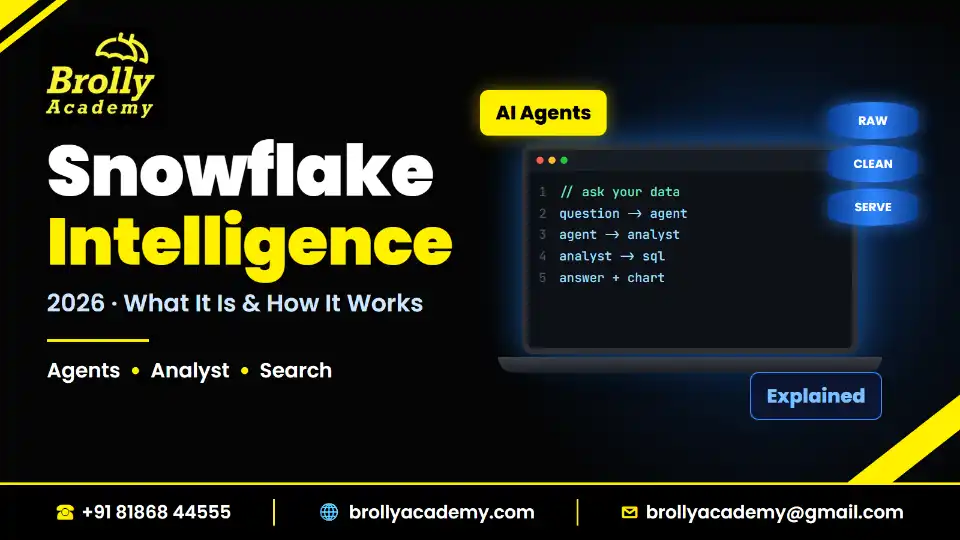
Table of Contents
1. Snowflake Intelligence at a glance
2. Snowflake Intelligence is now Snowflake CoWork: what changed
3. What is Snowflake Intelligence?
4. How Snowflake Intelligence works
5. Key features of Snowflake Intelligence
6. How to set up Snowflake Intelligence (high level)
7. Cost: how Snowflake Intelligence is billed
9. Snowflake Intelligence use cases by team
10. Snowflake Intelligence vs Cortex AI vs Cortex Analyst vs third-party BI copilots
11. Limitations of Snowflake Intelligence
Quick answer
Snowflake Intelligence is Snowflake's ready-to-use AI agent app where business users ask questions in plain English and get answers, charts and actions from their company's structured and unstructured data; Snowflake now calls it Snowflake CoWork, and it has been generally available since 4 November 2025. Behind the chat window sit Cortex Agents, which pick the right tool for each question: Cortex Analyst turns questions into SQL over your tables, and Cortex Search finds answers inside documents. Everything runs inside your Snowflake account and follows your existing roles and policies.
- Current name: Snowflake CoWork (formerly Snowflake Intelligence); existing customers do not need to do anything
- Status: generally available (GA) since 4 November 2025, after an earlier preview
- Built on: Cortex Agents, Cortex Analyst, Cortex Search and Cortex AI Functions
- Billing: AI Credits based on token use, with no per-seat fees, plus normal warehouse compute for the SQL it runs
- Who builds it: data engineers and analysts who create semantic views, search services and agents for business users
Key takeaways
- Snowflake Intelligence and Snowflake CoWork are the same product. The docs, the release note and the pricing page now use "CoWork", while some SQL keywords still say "SNOWFLAKE INTELLIGENCE".
- It is not a single AI model. It is an app on top of Cortex Agents, which plan, call tools such as Cortex Analyst and Cortex Search, and reply with text, tables and charts.
- Answer quality depends on the data work underneath: clean tables, a good semantic view and a well-built search service matter more than the chat window.
- Cost is usage-based in AI Credits and adds up across every tool the agent calls, so admins should set budgets and per-user quotas from day one.
- For Indian data professionals, the skills that matter are SQL, data modelling, semantic views, Cortex Search, RBAC and cost monitoring. A few October 2026 job descriptions already ask for Snowflake Cortex experience.
1. Snowflake Intelligence at a glance
Short answer: Snowflake Intelligence (now Snowflake CoWork) is a conversational AI app inside Snowflake, generally available since November 2025, that answers business questions over governed data using Cortex Agents.
Use this table as your one-screen summary. Every line comes from Snowflake's own documentation, read in October 2026.
If you are new to the platform itself, read our explainer on what Snowflake does first. This post stays on the Intelligence product only.
2. Snowflake Intelligence is now Snowflake CoWork: what changed
Short answer: Only the name changed for users. Snowflake's product page says Snowflake Intelligence is now Snowflake CoWork and existing customers need take no action; the docs and release notes now use the new name.
Here is what we saw when we checked Snowflake's pages on 25 October 2026:
- The GA release note dated 4 November 2025 keeps its "snowflake-intelligence" URL, but its title now reads "Snowflake CoWork (General availability)", and it says the product was previously a preview feature (Snowflake documentation, October 2026).
- The Snowflake CoWork overview page also keeps the old URL slug but uses "Snowflake CoWork" throughout.
- Snowflake's CoWork product page says existing customers do not need to take any action (Snowflake product page, October 2026).
- SQL still carries the old name: the getting-started guide uses a CREATE SNOWFLAKE INTELLIGENCE statement and a schema called SNOWFLAKE_INTELLIGENCE.AGENTS.
Older blogs, YouTube demos and job descriptions say "Snowflake Intelligence"; newer docs say "CoWork". Treat both as one product.
Do not confuse CoWork with Cortex Code, Snowflake's AI coding agent for developers (some Snowflake pages call it "Snowflake CoCo", though the rename is not confirmed). They are different products.
3. What is Snowflake Intelligence?
Short answer: Snowflake Intelligence is an agentic application with a chat interface: a business user types a question, and AI data agents answer it from governed data with text, a table or a chart.
Snowflake describes CoWork as a ready-to-use agentic application with a conversational interface. Business users ask questions in natural language about structured and unstructured enterprise data, and AI-powered data agents interpret the question, run the analysis, produce traceable insights and can take action (Snowflake CoWork overview, October 2026).
A few words you will meet again and again:
- LLM (large language model): an AI model trained on huge amounts of text that can read and write language.
- Agent: an AI system that does more than chat. It plans steps, chooses tools, runs them and checks the result before it answers.
- Cortex: Snowflake's family of built-in AI services. It includes Cortex AI Functions (AI inside SQL), Cortex Analyst, Cortex Search and Cortex Agents. Our Snowflake Cortex AI tutorial covers the functions in a hands-on lab.
- Semantic view: a schema-level object that describes your data in business terms: logical tables, dimensions, facts, metrics and the relationships between tables. It tells the AI what "revenue" or "active customer" means in your company. Snowflake recommends semantic views for Cortex Analyst, while older semantic model YAML files on stages are still supported.
- Cortex Analyst: a fully managed natural-language-to-SQL service. It reads a semantic view, writes SQL and runs that SQL in your warehouse.
- Cortex Search: a hybrid search service (vector search, keyword search and semantic reranking) over text, used for search bars, retrieval-augmented generation (RAG) and agent retrieval.
- Virtual warehouse: a cluster of compute in Snowflake that runs your SQL. It uses credits while it runs.
- Credit: the unit Snowflake uses to bill compute. AI features now use separate "AI Credits".
- RBAC (role-based access control): privileges are granted to roles, and roles are granted to users.
Put simply, Snowflake Intelligence is the "front door" for business users. Data engineers and analysts do the back-end work (tables, semantic views, search services, agents), admins control access and cost, and managers, sales teams or operations staff use the chat window without writing SQL.
4. How Snowflake Intelligence works
Short answer: A user asks a question, a Cortex Agent's orchestrator plans which tools to use, Cortex Analyst answers from tables through a semantic view, Cortex Search answers from documents, and the agent combines the results into a reply, often with a chart.
Snowflake's GA release note says the product uses agents, which are AI models connected to semantic views, semantic models, Cortex Search services and tools, and that it is built on Cortex AI Functions, Cortex Analyst and Cortex Search (Snowflake documentation, October 2026). The overview page adds that an orchestrator LLM selects the tools.
Here is the flow, step by step (we will add a diagram later):
- The user asks a question in the chat window, for example "Which product category grew fastest in Telangana last quarter, and what are customers complaining about?"
- Access is checked. The user's Snowflake role decides which agents, tables and documents they can reach.
- The agent plans. The orchestrator LLM in the Cortex Agent breaks the question into parts and decides which tools to call.
- Structured part goes to Cortex Analyst. Analyst reads the semantic view, writes SQL for "growth by category" and runs it in a virtual warehouse.
- Unstructured part goes to Cortex Search. Search looks through support tickets, call transcripts or PDFs for complaint themes.
- Other tools run if needed. Agents can also call custom tools (stored procedures or user-defined functions), code execution, Data to Chart, MCP connectors and web search, per the Cortex Agents documentation (October 2026).
- The agent reflects and answers. It combines the results, writes a plain-language answer and picks a chart or table.
- The user follows up. The thread keeps context, so the user can ask "Show that by city" without repeating the question.
Cortex Agents themselves became generally available on 4 November 2025, the same day as Snowflake Intelligence, and agents are schema-level objects you can create in Snowsight, SQL or the REST API (Snowflake documentation, October 2026).
A note on documents: Snowflake's older Document AI product was shut down on 16 March 2026; to pull fields from invoices or forms today, use the AI_EXTRACT function instead.
5. Key features of Snowflake Intelligence
Short answer: Natural-language answers over tables and documents, automatic charts, file uploads, custom tools, user memory, Deep Research, document generation and admin cost controls, all inside Snowflake's governance boundary.
These features come from the Snowflake CoWork overview page as we read it in October 2026:
- Structured plus unstructured data together: numbers from tables and insights from documents, spreadsheets and images in one answer.
- Charts: most Vega-Lite chart types, including bar, line, pie and scatter; the agent picks a chart or table, and you can set preferences in its instructions.
- File uploads: users can upload documents, spreadsheets, presentations, JSON and images with zero setup. Limits are 50 MB per file and 5 files per upload.
- Custom tools: agents can call your own user-defined functions or stored procedures. This is how teams add business actions, such as checking a stock level or raising a ticket. Our guide to stored procedures in Snowflake shows how to write them.
- User memory: CoWork can save preferences a user asks it to remember. Users can switch this off under Settings, then Memories.
- Deep Research and extended thinking: longer, multi-step investigations. Snowflake notes that a Deep Research run can take up to 10 minutes.
- Document generation: the agent can produce PDF, Word, PowerPoint and HTML outputs, provided the code execution tool is enabled on the agent.
- Artifacts, automations and user skills: further capabilities listed on the overview page.
- Admin controls: resource budgets, per-user AI quotas and identity provider access (sections 7 and 8).
6. How to set up Snowflake Intelligence (high level)
Short answer: Create the Snowflake Intelligence object as ACCOUNTADMIN, grant an admin role, build a semantic view and a Cortex Search service, create an agent in the SNOWFLAKE_INTELLIGENCE.AGENTS schema, add the tools to the agent, then open the agent in CoWork.
Snowflake's Getting started with Snowflake CoWork guide walks through a retail demo. Its prerequisites are Git, a Snowflake account and access to the ACCOUNTADMIN role (Snowflake documentation, October 2026). Here is the flow in plain steps.
Step 1: Load data
The guide runs a setup.sql file from a GitHub repository in Snowsight Workspaces. It creates a DASH_DB_SI database with a RETAIL schema and sample sales, product, marketing and support-case tables. In real projects, this is where your pipelines land clean, modelled tables.
Step 2: Create the Snowflake Intelligence object and grant access
The guide runs these statements. Note that the SQL keyword still says SNOWFLAKE INTELLIGENCE.
Simplified example (statements from the Snowflake getting-started guide, October 2026):
USE ROLE ACCOUNTADMIN;
CREATE SNOWFLAKE INTELLIGENCE SNOWFLAKE_INTELLIGENCE_OBJECT_DEFAULT;
GRANT USAGE ON SNOWFLAKE INTELLIGENCE SNOWFLAKE_INTELLIGENCE_OBJECT_DEFAULT
TO ROLE snowflake_intelligence_admin;
GRANT CREATE SEMANTIC VIEW ON SCHEMA DASH_DB_SI.RETAIL TO ROLE ACCOUNTADMIN;
The guide also shows an optional statement to turn on cross-region inference, ALTER ACCOUNT SET CORTEX_ENABLED_CROSS_REGION = 'ANY_REGION';, which allows Cortex requests to be processed in other regions. Agree this with your compliance team first. The guide then switches to the SNOWFLAKE_INTELLIGENCE_ADMIN role.
Step 3: Build the tools
- A semantic view for Cortex Analyst. The demo builds SALES_AND_MARKETING_DATA over the marketing, products, sales and social media tables, with suggested relationships and metrics.
- A Cortex Search service for documents. The demo builds Support_Cases over the SUPPORT_CASES table, with TRANSCRIPT as the search column and TITLE and PRODUCT as attributes, using a warehouse.
For reference, the Cortex Search syntax in Snowflake's docs looks like this.
Simplified example (pattern from the Cortex Search documentation, October 2026; names are ours):
CREATE OR REPLACE CORTEX SEARCH SERVICE support_search
ON transcript
ATTRIBUTES title, product
WAREHOUSE = dash_wh_si
TARGET_LAG = '1 hour'
AS (SELECT id, transcript, title, product FROM support_cases);
TARGET_LAG sets how fresh the search index stays. The default embedding model is snowflake-arctic-embed-m-v1.5 unless you choose another (Snowflake documentation, October 2026).
Step 4: Create the agent
In Snowsight, under AI & ML, then Agents, the guide creates an agent in the SNOWFLAKE_INTELLIGENCE.AGENTS schema with the object name Sales_AI and display name "Sales AI".
Step 5: Add tools and instructions
On the agent's Tools tab, add the semantic view under Cortex Analyst (with a warehouse and a query timeout of 60 in the demo) and add the search service under Cortex Search Services (with ID and TITLE columns). On the Orchestration tab, the guide adds an instruction to draw a chart whenever a visual answer is possible.
Step 6: Ask questions in CoWork
Open Snowflake CoWork, pick the Sales AI agent and try the sample prompts about product issues, sales trends by category and growth in one product line.
In real projects, start with one business area, write down the questions users actually ask with the correct answers, and test the agent against that list before you widen access.
7. Cost: how Snowflake Intelligence is billed
Short answer: Snowflake Intelligence is not free. It is billed in AI Credits based on token use, costs add up across the tools each agent calls, there are no per-seat fees, and the SQL it runs also uses normal warehouse credits.
Snowflake's AI pricing page explains the model (Snowflake documentation, October 2026):
- AI Credits vs Platform Credits. AI features are billed in AI Credits, whose price is the same regardless of edition or region. Warehouses, storage and data transfer use Platform Credits, whose price varies by edition and region.
- No per-seat fees. You do not pay per user licence.
- Token-based. CoWork is billed by token consumption. A token is a small chunk of text the model reads or writes, so longer inputs and answers cost more.
- Additive across tools. When an agent calls Cortex Analyst and Cortex Search, those costs add on top of the agent's own cost.
- Model-dependent. The rate depends on the model selected for orchestration.
- Warehouse compute still applies. Any SQL that Cortex Analyst generates runs on a virtual warehouse and uses standard compute credits.
- Cortex Search has its own charges: serving compute per GB per month of indexed data while the service is running, plus embedding compute per token when data is added or changed.
- Monitoring. You can track usage per agent in the SNOWFLAKE_COWORK_USAGE_HISTORY view.
The overview page adds two more cost points: complex document processing may use the user's default warehouse to run Snowpark code, and admins can use resource budgets and per-user quotas, including blocking users who reach their AI quota.
We have not quoted AI Credit prices here because they sit in Snowflake's Service Consumption Table and the exact rate depends on the model. For the warehouse side, Snowflake's on-demand list price in AWS US East in October 2026 was $2, $3, $4 and $6 per Platform Credit for Standard, Enterprise, Business Critical and VPS editions, and prices vary by region and edition (Snowflake Service Consumption Table, effective 15 October 2026).
How to keep the bill under control
Keep in mind that resource monitors only cover warehouses, not AI services, so you need budgets for the AI side (Snowflake documentation, October 2026).
8. Security and governance
Short answer: Snowflake Intelligence runs inside your Snowflake account and inherits your existing controls, including roles, row access policies and column-level security, so a user only sees what their role already allows.
For regulated sectors such as banking and pharma, keeping AI inside the governed platform is a big point. Here is what Snowflake's docs say (October 2026):
- Inherited governance. CoWork inherits and respects row access policies and column-level security. If a manager can only see Telangana rows, the agent's answer for that manager only uses Telangana rows.
- Role-based access. The Snowflake Intelligence object, agents, tables and search services are all reached through roles.
- Uploaded files are customer data. Documents users upload go to a personal stage and fall under the same governance and access controls. They are cleaned up when the thread is deleted or when the thread's time to live expires.
- Identity provider control. Admins can use their existing identity provider to give teams access only to CoWork.
- Model terms. The overview page notes that some models are covered by Snowflake's Model and Service Flow-down Terms, which your legal team should read.
- Cross-region inference is opt-in. The getting-started guide shows it as an optional account setting.
Before go-live, create a dedicated role for users, apply masking and row access policies on sensitive tables before they enter a semantic view, and decide your cross-region inference policy in writing.
9. Snowflake Intelligence use cases by team
Short answer: Any team that asks repeated questions of data in Snowflake can use it: sales, finance, supply chain, customer support, HR and leadership, especially when the answer needs both numbers and documents.
The examples below are general illustrations of how Indian companies could use the product, not named customer stories.
Picture a bank's capability centre in Hyderabad where analysts ask about case volumes while masking hides customer details. The hard part is not the chat; it is getting clean, well-defined data into Snowflake first, which is classic data engineering work.
10. Snowflake Intelligence vs Cortex AI vs Cortex Analyst vs third-party BI copilots
Short answer: Cortex AI Functions are building blocks for developers in SQL, Cortex Analyst is the text-to-SQL engine, Cortex Agents are the orchestration layer, and Snowflake Intelligence (CoWork) is the finished chat app for business users that sits on top of all of them.
Snowflake Intelligence vs Cortex Analyst
Cortex Analyst answers questions about structured data by writing SQL from a semantic view. Snowflake Intelligence uses Analyst as one of its tools but adds documents, charts, memory, file uploads and multi-step planning through Cortex Agents. Snowflake's Cortex Analyst page now recommends moving to Cortex Agents, and calling the Analyst REST API needs the SNOWFLAKE.CORTEX_USER or SNOWFLAKE.CORTEX_ANALYST_USER database role (Snowflake documentation, October 2026). On billing, Analyst used through agents is token-based, while the standalone Analyst API is billed per 1,000 messages (Snowflake AI pricing page, October 2026).
Snowflake Intelligence vs Cortex Agents
Cortex Agents is the engine; Snowflake Intelligence is the car. You configure agents (tools, instructions, orchestration) as schema-level objects, and people pick an agent in the app and chat with it. You can also call agents from your own app through the REST API, but user memory does not apply to those direct calls.
Snowflake Intelligence vs Cortex AI Functions
Cortex AI Functions such as AI_COMPLETE, AI_CLASSIFY, AI_SUMMARIZE and AI_EXTRACT run inside SQL, for example to classify lakhs of support tickets in a nightly batch. Snowflake Intelligence is interactive and aimed at people who do not write SQL. Snowflake's docs say these functions run models from providers including OpenAI, Anthropic, Meta, Mistral AI, DeepSeek and xAI inside Snowflake's service perimeter, though availability varies by region and some functions are in preview (Snowflake documentation, October 2026). For a hands-on lab, see our Snowflake Cortex AI post.
Snowflake Intelligence and the Snowflake MCP server
MCP (Model Context Protocol) is an open standard that lets AI assistants connect to outside tools and data. Snowflake's managed MCP server went into preview on 2 October 2025 and became GA on 4 November 2025, and Snowflake recommends exposing one Cortex Agent as the client-facing tool. That means the same agent your business users reach through Snowflake Intelligence can also be reached from an outside AI client. The older Snowflake-Labs community MCP repo is deprecated. Our Snowflake MCP server guide covers the setup.
Snowflake Intelligence vs third-party BI copilots
Many BI and data platforms now ship their own AI assistants. Databricks, for example, lists Genie and Agent Bricks among its AI tools, and Amazon Redshift offers Amazon Q for SQL generation (vendor pages, October 2026). We found no independent benchmark, so we make no "better or faster" claim. Compare them on where the governed data lives, whose permissions apply (Snowflake's row and column policies or the other tool's), who builds the semantic layer, and how each one bills. If Snowflake is already your main warehouse, Snowflake Intelligence avoids another copy of the data; if most analytics run elsewhere, that platform's assistant may fit better.
11. Limitations of Snowflake Intelligence
Short answer: It is only as good as your data and semantic views, costs grow with usage, some chart types and features have limits, AI features are disabled on free trials until you add a card, and region and model availability need checking.
- Garbage in, garbage out. Vague metrics or messy tables give confident but wrong answers.
- Usage-based cost. Token billing adds up across agent, Analyst, Search and warehouse compute.
- No geographic map charts. State-wise or city-wise maps still need a BI tool.
- File limits. 50 MB per file and 5 files per upload, and only certain file types.
- Feature dependencies. Document generation needs the code execution tool; user memory does not apply to direct Cortex Agent API calls.
- Slow deep runs. A Deep Research investigation can take up to 10 minutes.
- Trial accounts. On a Snowflake free trial, AI features stay disabled until you add a credit card (Snowflake documentation, October 2026).
- Region and model availability. Snowflake's India regions are AWS Mumbai (ap-south-1) and Azure Central India (Pune). We could not confirm which Cortex features or models run natively in those regions, which is why the optional cross-region inference setting matters. Check Snowflake's regional availability page for your account.
- Model choice is not fully transparent. The pages we read do not name the exact model behind each answer; they describe an orchestrator LLM and say rates depend on the orchestration model you select.
- Change is fast. The product was renamed within a year of GA. Re-check the docs before any demo or interview.
12. Skills to learn for Snowflake Intelligence work
Short answer: Strong SQL and data modelling first, then semantic views, Cortex Search, Cortex Agents, RBAC and cost monitoring, with Python for custom tools; this mix suits SQL developers, ETL developers, data analysts and data engineers.
Snowflake Intelligence does not remove data work; it moves it to the layer that makes AI answers correct.
What the job market shows
Job descriptions we read on 25 October 2026 mostly asked for SQL, dbt, Python and core Snowflake features. A few already named Snowflake's AI layer: a TCS Snowflake Data Engineer role in Hyderabad (10 to 14 years) asked for "latest snowflake features like Cortex", an EPAM Senior Snowflake Data Engineer role asked for a background in Snowflake Cortex AI, and a Tredence listing titled "Lead Gen AI (Snowflake Cortex)" (8 to 12 years) appeared on Naukri. All three are senior roles. For freshers, the honest path is to get strong at SQL and core Snowflake first and add Cortex skills as a differentiator.
Learning path by background
- B.Tech, BCA, B.Sc or MCA fresher: SQL and data warehousing, then core Snowflake, then one small agent demo as a portfolio project (see our Snowflake projects for data ideas).
- SQL, ETL or Informatica developer: learn semantic views and Cortex Search, then rebuild one report as an agent and compare answers.
- DBA: focus on RBAC, masking, budgets and usage views, since admins own CoWork access and cost (see our Snowflake admin guide).
- Data analyst: write semantic views with clear metric definitions and test agent answers against approved numbers.
Certification that touches this area
Snowflake's SnowPro Specialty: Gen AI exam (GES-C02) covers generative AI on Snowflake. It has 55 questions in 85 minutes, costs $225 ($180 for exams taken in India) and does not require SnowPro Core, with domains including Gen AI Functions at 38% and Gen AI Governance at 29% (learn.snowflake.com, October 2026). There is no exam named after Snowflake Intelligence or CoWork. Most job descriptions we read did not require any SnowPro certification. Our Snowflake certification guide explains the full path.
13. How Brolly Academy helps
Short answer: Brolly Academy's Snowflake course builds the foundations that Snowflake Intelligence depends on (SQL, data warehousing, loading, roles, security, data sharing and cost), but it does not teach Snowflake Intelligence, CoWork or Cortex as syllabus modules.
The Snowflake Training in Hyderabad programme runs for 45 days in classroom, live online and video formats. Its 15 modules cover architecture, data warehousing, warehouses and roles, loading with stages, COPY INTO and Snowpipe, JSON data, tasks and streams, secure data sharing, cloning, Time Travel, performance, and advanced topics such as data masking, resource monitoring and Python integration through the Snowflake Python connector. These are the skills you need before you build semantic views and agents. Snowflake Intelligence, Cortex and Snowpark are not syllabus modules, so after the course you would learn the AI layer from Snowflake's free documentation and on-demand training.
- Fees: Video ₹8,999, Online ₹17,999, Classroom ₹22,999, with EMI options
- Trainer: Mr. Bala Krishna, with 13+ years in data warehousing, SQL and Snowflake
- Projects: 6 projects, including sales analysis dashboards, an ETL pipeline and a Customer 360 view
- Certificate: a Brolly Academy course completion certificate; SnowPro exam fees are separate and paid to Snowflake
- Support: resume help, mock interviews and placement assistance, as listed on the course page
Build the Snowflake foundations that AI agents depend on
Snowflake Intelligence only gives correct answers when the data underneath is clean, modelled and governed. Join Brolly Academy's 45-day Snowflake course to master SQL, loading, roles, data masking, sharing and cost control with a working trainer, then add Cortex and agents on top with confidence. Book a free demo class to see the syllabus and batch timings.
Frequently asked questions
What is Snowflake Intelligence?
Snowflake Intelligence is Snowflake's ready-to-use AI agent app with a chat interface. Business users ask questions in plain English about structured and unstructured data, and AI data agents plan the work, run analysis and return answers, tables or charts. Snowflake now calls the product Snowflake CoWork. It runs inside your Snowflake account and is built on Cortex Agents, Cortex Analyst, Cortex Search and Cortex AI Functions.
Is Snowflake Intelligence now called Snowflake CoWork?
Yes. Snowflake's product page says Snowflake Intelligence is now Snowflake CoWork and that existing customers do not need to take any action. The documentation and the GA release note now use the CoWork name, although some URLs and SQL keywords, such as the CREATE SNOWFLAKE INTELLIGENCE statement and the SNOWFLAKE_INTELLIGENCE.AGENTS schema, still carry the old name. Treat both names as the same product.
Is Snowflake Intelligence generally available?
Yes. Snowflake's release note dated 4 November 2025 announced general availability, and it says the product was previously available as a preview feature. Cortex Agents, the engine underneath, also became generally available on the same day. Individual features and AI models can still differ by region, so check the documentation for your account before planning a rollout.
How does Snowflake Intelligence work?
A user asks a question, and a Cortex Agent's orchestrator model plans which tools to use. Cortex Analyst answers the table part by writing SQL from a semantic view and running it in a warehouse. Cortex Search finds answers in documents. Custom tools, code execution and charts can also run. The agent then combines the results into one plain-language answer, often with a chart.
Is Snowflake Intelligence free?
No. Snowflake bills it in AI Credits based on token consumption. There are no per-seat fees, but costs add up across every tool the agent calls, such as Cortex Analyst and Cortex Search, and the SQL it generates also uses normal warehouse credits. On a free trial account, AI features stay disabled until you add a credit card.
How much does Snowflake Intelligence cost?
There is no fixed monthly price. Usage is billed in AI Credits by tokens, the rate depends on the model chosen for orchestration, and AI Credit prices are the same across editions and regions. Warehouse compute for generated SQL and Cortex Search serving and embedding charges are extra. You can track spend per agent in the SNOWFLAKE_COWORK_USAGE_HISTORY view.
What LLM does Snowflake Intelligence use?
The Snowflake pages we read do not name one fixed model. They describe an orchestrator LLM that selects tools, and the pricing page says the rate depends on the model selected for orchestration. Separately, Snowflake says its Cortex AI Functions run models from providers including OpenAI, Anthropic, Meta, Mistral AI, DeepSeek and xAI inside its service perimeter, with availability varying by region.
What is the difference between Snowflake Intelligence and Cortex Analyst?
Cortex Analyst is a natural-language-to-SQL service for structured data that uses semantic views. Snowflake Intelligence is the full chat app that uses Analyst as one tool and adds document search, charts, file uploads, memory and multi-step planning through Cortex Agents. Snowflake now recommends moving Analyst use cases to Cortex Agents, and the standalone Analyst API is billed per 1,000 messages.
What is the difference between Snowflake Intelligence and Cortex Agents?
Cortex Agents is the managed agent platform that plans, calls tools and reflects; agents are schema-level objects you build in Snowsight, SQL or the REST API. Snowflake Intelligence is the user-facing app where business users pick an agent and chat with it. Think of agents as the engine and Snowflake Intelligence as the car built around it.
How is Snowflake Intelligence different from Snowflake Cortex AI functions?
Cortex AI Functions, such as AI_COMPLETE, AI_CLASSIFY, AI_SUMMARIZE and AI_EXTRACT, are SQL functions that developers place inside queries and pipelines, for example to classify lakhs of tickets in a batch. Snowflake Intelligence is an interactive chat app for people who do not write SQL. It is built partly on those functions, plus Cortex Analyst, Cortex Search and Cortex Agents.
How do I set up Snowflake Intelligence?
Follow Snowflake's getting-started guide. As ACCOUNTADMIN, create the Snowflake Intelligence object and grant USAGE to an admin role. Build a semantic view for Cortex Analyst and a Cortex Search service for documents. Create an agent in the SNOWFLAKE_INTELLIGENCE.AGENTS schema, add both tools and orchestration instructions, then open the agent in CoWork and test it with sample questions.
What are semantic views in Snowflake?
A semantic view is a schema-level object that describes your data in business terms, with logical tables, dimensions, facts, metrics and relationships. Cortex Analyst reads it to understand what words like revenue or active customer mean before writing SQL. Snowflake recommends semantic views over older semantic model YAML files, which are still supported. Good semantic views are the biggest factor in answer quality.
Can Snowflake Intelligence query PDFs and other unstructured data?
Yes. It can combine structured tables with unstructured content such as documents, spreadsheets, presentations, JSON and images. Documents stored in Snowflake are searched through Cortex Search services, and users can also upload files directly, up to 50 MB per file and 5 files per upload. Uploaded files sit on a personal stage under the same governance as other customer data.
Where do users open Snowflake Intelligence?
According to Snowflake's product page FAQ, users open Snowflake CoWork at ai.snowflake.com. In Snowsight, builders create and configure agents under AI & ML, then Agents. Admins can also use their existing identity provider to give a team access only to CoWork, so business users see the chat app without the full Snowflake interface.
Can I add custom tools to Snowflake Intelligence?
Yes. The Cortex Agents behind Snowflake Intelligence can call your own user-defined functions or stored procedures as custom tools. Teams use this to add business actions, such as checking stock levels or raising a ticket, alongside Cortex Analyst and Cortex Search. Agents can also use code execution, Data to Chart, MCP connectors and web search, depending on how you configure them.
Is Snowflake Intelligence secure for sensitive data?
It runs inside your Snowflake account and inherits your existing controls, including role-based access, row access policies and column-level security, so users only see data their role allows. Uploaded files are treated as customer data. You should still review cross-region inference settings and model terms with your compliance team, and apply masking policies before adding sensitive tables.
How do I control Snowflake Intelligence spending?
Set a resource budget on the CoWork object to get alerts at a spend threshold, and use per-user AI quotas that can block users who hit their limit. Run generated SQL on a small auto-suspending warehouse, suspend idle Cortex Search services and review the usage history view weekly. Remember that resource monitors cover warehouses only, not AI services.
Can I try Snowflake Intelligence on a free trial account?
Not without a card. Snowflake's trial documentation says AI features stay disabled on trial accounts until you add a credit card. Once you add one, usage is billed in AI Credits. Students can still practise the groundwork on a trial, such as building tables, a clean data model and roles, and read the getting-started guide before trying agents.
Is Snowflake Intelligence available in India regions?
Snowflake lists two India regions, AWS Mumbai and Azure Central India in Pune. We could not confirm which Cortex features or models run natively in those regions. Snowflake's setup guide shows an optional cross-region inference setting that lets requests run in another region. Check Snowflake's regional availability page for your account and agree a data residency policy first.
Snowflake Intelligence vs Databricks Genie: which is better?
Neither is simply better. Databricks lists Genie among its AI tools, while Snowflake Intelligence works on data already in Snowflake and inherits Snowflake's governance. We found no independent benchmark comparing them. Choose based on where your company's governed data and semantic layer already live, how each tool handles permissions, and how each one bills.
How does Snowflake Intelligence relate to the Snowflake MCP server?
Both expose Cortex Agents, but to different users. Snowflake Intelligence is the chat app for business users. The Snowflake-managed MCP server, generally available since 4 November 2025, lets outside AI clients call Snowflake agents and tools through the Model Context Protocol. Snowflake recommends exposing one Cortex Agent as the client-facing tool. The old Snowflake-Labs MCP repo is deprecated.
What are the limitations of Snowflake Intelligence?
Answers are only as good as your data and semantic views. Costs grow with token use across tools. Geographic map charts are not supported, uploads are capped at 50 MB per file and 5 files, document generation needs the code execution tool, user memory does not apply to direct agent API calls, and Deep Research can take up to 10 minutes.
What skills do I need to work with Snowflake Intelligence?
Start with strong SQL and data modelling, because you must check the SQL agents write and build clean tables. Then learn semantic views, Cortex Search, Cortex Agents, role-based access, masking and row access policies, and cost monitoring. Python helps for custom tools. Some senior job descriptions in October 2026 already asked for Snowflake Cortex experience.
Is there a Snowflake Intelligence certification?
No exam is named after Snowflake Intelligence or CoWork. The closest official option is the SnowPro Specialty: Gen AI exam (GES-C02), with 55 questions in 85 minutes, priced at $225 or $180 for exams taken in India, and no SnowPro Core requirement. Most Snowflake job descriptions we read in October 2026 did not require any SnowPro certification.
Does the Brolly Academy Snowflake course cover Snowflake Intelligence?
No, not as a module. Brolly Academy's 45-day Snowflake course covers the foundations Snowflake Intelligence depends on, including SQL, data warehousing, loading, roles, data masking, data sharing, resource monitoring and Python through the Snowflake connector. Snowflake Intelligence, Cortex and Snowpark are not syllabus modules, so you would learn the AI layer afterwards from Snowflake's documentation and free on-demand training.
Learn with Brolly Academy
Review the syllabus, practical projects and batch timings, and book a free demo before you enrol.
Related Articles
Continue Your Learning
Snowflake Training in Hyderabad
45-day course covering Snowflake architecture, warehouses, data loading, security, performance and real-time projects, in classroom, live online and recorded plans.
View Coursedbt Course
Learn dbt, the transformation tool most Snowflake job descriptions ask for, to build tested, documented data models.
View CourseDatabricks Course
Add the lakehouse side of modern data engineering with Databricks, Spark and Delta Lake, often used alongside Snowflake.
View Course