
PHOTOSHOP · ILLUSTRATOR · FIGMA
Graphic Designing Course in Hyderabad
Learn Photoshop, Illustrator, CorelDRAW, InDesign, Canva and Figma in a 3–4 month program with real-time design projects, a portfolio and placement assistance. Classroom and live online batches, EMI options and a free demo class before you enrol.
★ 4+ Google rating from 100+ reviews · 9,000+ students trained · 523+ batches completed · Teaching since 2021
Next batch: Monday, 2 November 2026
Trainer: Mr. N. Sudheer, Graphic Designing Expert & Lead Instructor (15+ years) · Updated September 2026
TrainerMr. N. Sudheer · 15+ years
Duration3–4 months
FeesFrom ₹9,999 · EMI
ModesClassroom + online
Graphic Designing Training in Hyderabad
Brolly Academy's Graphic Designing Course in Hyderabad is a 3–4 month, hands-on program in Photoshop, Illustrator, CorelDRAW, InDesign, Canva and Figma, with an introduction to motion graphics, taught by Mr. N. Sudheer (15+ years of design experience). Plans start at ₹9,999, classes run in the classroom or live online, and every student gets a course completion certificate and placement assistance.
The course suits students, working professionals, entrepreneurs and creative enthusiasts, whether you are a beginner or already design. You learn logo creation, branding, social media graphics, UI layouts and digital illustration through hands-on projects, and finish with a portfolio, a resume and interview practice for design roles in Madhapur, Kukatpally and across Hyderabad.
Why choose Brolly Academy for graphic design training?
Training and support✓ Industry-focused curriculum for creative roles
✓ Trainer with 15+ years in design
✓ Photoshop, Illustrator, CorelDRAW, InDesign and Figma
✓ Real-time projects: social posts, ads, brand identity
✓ One-on-one mentorship and portfolio guidance
✓ Resume preparation and interview support
✓ Peer community and design challenges
✓ Placement assistance with studios and agencies
Flexibility and value✓ Classroom, online and hybrid options
✓ Weekday and weekend batches
✓ Free demo class before you enrol
✓ Affordable fees with EMI options
✓ 2026 syllabus: branding, logo and UI/UX trends
✓ AI tools: Adobe Firefly, Canva AI, Figma AI
✓ Brolly Academy course completion certificate
✓ 4+ Google rating from 100+ reviews
Graphic Designing Course Syllabus (18 Modules)
Our graphic designing course in Hyderabad follows an 18-module syllabus that takes you from design foundations and Photoshop to Illustrator, CorelDRAW, InDesign, Canva and Figma, then motion graphics, video basics and portfolio preparation.
Module 1: Design Foundations
Graphic design basics – colours, fonts and layouts – with colour theory, typography and layout principles.
Module 2: Photoshop: Workspace, AI Features & Creative Outcomes
Menus, options bar, tools and panels, PC vs Mac, zoom and hidden tools, plus Generative Fill, AI retouching and background removal, logo, album, thumbnail, flyer and business card design, and Telugu typing without Anu Script.
Module 3: Photoshop: Selections, Adjustments & Toolbar
Geometric, freehand, edge-based and colour-based selections, adjustment layers and presets, and the Blur, Sharpen, Smudge, Dodge, Burn and Sponge tools.
Module 4: Photoshop: Photo Corrections & Enhancements
Image modes, resolution and size, straighten, crop and rotate, colour-cast removal, Replace Color, Clone, Spot Healing, Patch and Content-Aware Fill, Shadows/Highlights, red-eye, sharpening and lens correction.
Module 5: Photoshop: Layers, Styles, Gradients & Masks
Background and regular layers, layer styles, the Gradient tool, masks versus selections, Quick Mask, and the Brush and Channels panels.
Module 6: Photoshop: Camera RAW, Type & Smart Objects
RAW workflow, white balance and DNG, point and paragraph type, type on a path and type masks, pen tools, shape layers and Smart Objects.
Module 7: Photoshop: Animation & Advanced Compositing
Animated GIFs for the web, channels and masking, advanced layered techniques, editing colours in a scene and background ideas for composites.
Module 8: Adobe Illustrator
Vector design concepts and Illustrator tools for logos, icons, illustrations and infographics, with logo design principles and brand identity basics.
Module 9: CorelDRAW: Basics & Workspaces
Screen layout, file management and page setup, multi-page documents, multiple workspaces, toolbar customisation, shortcuts and file backup.
Module 10: CorelDRAW: Objects, Outlines & Fills
Drawing and shaping tools, lines, polygons and perfect shapes, sizing, mirroring, rotating and skewing, the Transform docker, outlines, and uniform, fountain, pattern and mesh fills.
Module 11: CorelDRAW: Arranging, Layers & Special Effects
Grouping and alignment, guidelines and Snap To, weld, intersect and trim, layers and the Object Manager, and Envelope, Extrude, Blend, Lens, PowerClip, Contour, Drop Shadow and Transparency effects.
Module 12: CorelDRAW: Text, Colour & Text Effects
Artistic and paragraph text, colour management and custom palettes, paragraph frames and text wrap, fit text to path, and neon, glow, chrome and bevel text effects.
Module 13: CorelDRAW: Bitmaps, Layouts, Printing & Corel Trace
Symbols and clipart, bitmap effects, web images and GIFs, greeting cards and labels, print preview and export, styles and templates, and image tracing with Corel Trace.
Module 14: Adobe InDesign
Catalogues, magazines and multi-page layouts for print and publishing.
Module 15: Canva & Figma
Quick marketing creatives in Canva, UI/UX basics and wireframing in Figma, and AI features such as Canva Magic Design and Figma AI.
Module 16: Motion Graphics with After Effects
Templates, title and logo animations, layers and precomps, keyframes and easing, text animation, masks and track mattes, effects, 3D layers and lights, and rendering.
Module 17: Video Editing with Premiere Pro
Non-linear editing workflow, project setup, timeline editing and trimming, transitions, speed changes, audio editing and mixing, titles, green-screen keying, colour correction and export.
Module 18: Portfolio & Career Preparation
Ads, presentations and social media campaigns, live project reviews, a professional portfolio with case studies, resume preparation and mock interviews.
Get the full graphic designing syllabus and fee details on WhatsApp
Send us a message and we will share the complete module list, fee plans, EMI options and the next batch dates. New batches start every week, and a free demo class is available.
Graphic Designing Course Roadmap – Beginner to Advanced in 3–4 Months
The course runs for 3–4 months in the classroom or live online. The roadmap below shows the full 4-stage path, with hands-on practice and mentor guidance at every step.
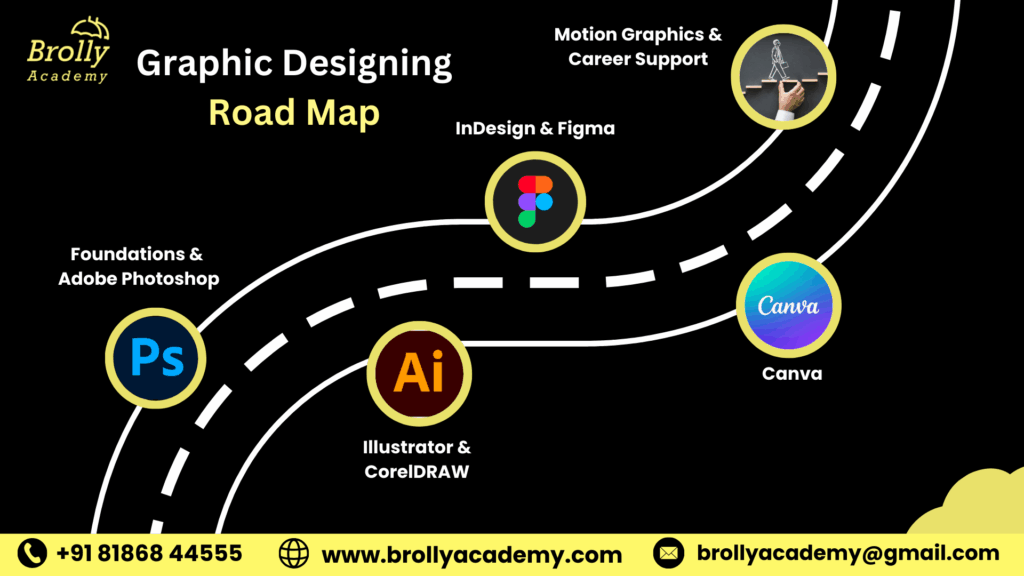
Month 1Foundations & Adobe PhotoshopColours, fonts and layouts, Photoshop layers and retouching, logo design, AI colour correction, and flyers, posters and business cards.
Month 2Illustrator & CorelDRAWVector design for logos, icons, illustrations and infographics, CorelDRAW brochures and print layouts, and branding basics.
Month 3InDesign, Canva & FigmaCatalogues and magazines in InDesign, quick marketing creatives in Canva, UI/UX wireframes in Figma, and live project reviews.
Month 4Motion graphics & career supportAfter Effects and Premiere Pro basics, animated logos, a professional portfolio, resume preparation, mock interviews and placement assistance.
What is Graphic Designing and Why Is It Important?
Graphic design is the skill of creating visuals that explain ideas. Instead of using only words, designers combine pictures, colour, typography and layout to make messages clearer and more attractive, in logos, ads, social media posts, packaging, print and UI layouts. It adds value wherever communication matters, from marketing and film to e-commerce and technology.
Visual communicationImages, text and colour that communicate ideas, information or emotions.
Brand visualsPosters, brochures, ads and digital graphics that build a brand.
Digital experiencesSocial media visuals, web banners and UI layouts that engage audiences.
Print and packagingLogos, business cards, magazines and product packaging.
Art with purposeColour, layout and typography used to solve communication problems.
Marketing and advertisingLogos, posters and campaign graphics that promote brands.
E-commerce and retailProduct images, banners and festive campaigns that build trust online.
Media and entertainmentMovie posters, album covers and OTT campaign creatives.
Education and corporateInfographics, e-learning assets, presentations and brand templates.
Benefits of the Graphic Designing Course in Hyderabad
Choose classroom or live online training at Brolly Academy and get the same expert mentoring, real-time practice and placement assistance in either mode.
01Learn from design professionalsStep-by-step learning from designers experienced in branding and visual communication.
02Master core design toolsPhotoshop, Illustrator, CorelDRAW and InDesign for logos, image editing and layouts.
03Create real-time projectsBrochures, social media posts, flyers and packaging for your portfolio.
04Get placement supportResume building, mock interviews and referrals to design studios, agencies and startups.
05Strong creative foundationColour theory, typography and layout principles to design like a professional.
06Modern design trendsUI/UX, motion graphics, digital marketing visuals and AI design tools.
07Hands-on workshopsLive workshops and creative design sessions for practical exposure.
08Internship opportunitiesLive design assignments under expert mentors for real-time experience.
09Learn your wayClassroom, online or hybrid batches, with EMI options and a free demo class.
Thinking of a Graphic Design Course in Hyderabad?
Here is how hands-on training at Brolly Academy compares with a traditional class.
Traditional training✗ You just watch design demos, with little interaction
✗ Theory and outdated design software
✗ Trainers with limited industry experience
✗ Few assignments and no real projects
✗ You work alone without feedback
✗ Generic lessons with no creative focus
✗ No UI/UX or digital marketing graphics
✗ No guidance after the course
Brolly Academy training✓ Real designs from day one: posters, logos, social creatives
✓ Photoshop, Illustrator, CorelDRAW, InDesign and Figma
✓ Mentors who are experienced design professionals
✓ Daily design practice and portfolio development
✓ Peer reviews, workshops and personal mentoring
✓ Typography, colour theory and layout in live projects
✓ UI/UX, social media and advertising design
✓ Placement support and internship opportunities
Meet Your Graphic Designing Trainer
INSTRUCTOR
Mr. N. Sudheer
Graphic Designing Expert, VFX & Video Editing Specialist, Lead Instructor & Creative Mentor · 15+ years of experience
Mr. N. Sudheer is a graphic designing expert and VFX and video editing specialist who leads Brolly Academy’s design classes as lead instructor and creative mentor, with 15+ years of experience. A self-made design professional, he has worked on creative projects for businesses, startups and agencies, helping them build strong visual identities and branding. He is known for his practical teaching, real-time project guidance and career-focused mentoring that builds industry-ready skills and confidence.
Skills You’ll Gain from the Graphic Designing Course
Professional design toolsPhotoshop, Illustrator, InDesign, CorelDRAW, Canva and Figma.
Logos and marketing creativesLogos, posters, brochures and creatives aligned with brand identity.
Colour, type and layoutBalanced compositions using colour theory, typography and layout design.
Photo retouchingRetouching, background editing and visual enhancement techniques.
Vector illustrationIllustrations, infographics and packaging designs for print and digital.
UI/UX wireframesWebsite and app wireframes and layouts in Figma.
Motion graphicsShort animated creatives for ads and social media.
AI-assisted designGenerative Fill, Canva AI and Figma AI for faster creative output.
Print standards and presentationFile formats, printing standards and presenting work to clients.
Graphic Designing Capstone Projects
Whether you join the classroom or online batch, each project helps you apply creative concepts, master the tools and build a portfolio for design jobs and freelance work.
Project 1Branding & logo designA complete brand identity with logos, colour palettes and typography systems.
Project 2Print media designBrochures, posters, flyers and packaging in Photoshop, Illustrator and CorelDRAW, built to printing standards.
Project 3Social media & digital campaignsSocial posts, ad banners and YouTube thumbnails for digital marketing.
Project 4UI/UX design prototypeA website or mobile app layout in Figma and Canva, using wireframing and responsive design.
Project 5Motion graphics & videoAnimated logos, title sequences and short promo videos in After Effects and Premiere Pro.
PracticeEditorial layoutsCatalogues, magazines and multi-page layouts in InDesign.
Tools you use: Adobe Photoshop · Adobe Illustrator · CorelDRAW · Adobe InDesign · Canva · Figma · Adobe After Effects · Adobe Premiere Pro
Graphic Designing Course Fee & Offerings in Hyderabad
Choose the plan that suits how you learn. Every plan covers basic to advanced graphic design with projects, and EMI options are available.
Video Recording₹9,999Was ₹15,000
Lifetime video access
Basic to advanced level training
80+ recorded classes
1 capstone project
Resume and interview preparation support
Placement assistance
Dedicated student WhatsApp support group
Most popularClassroom Training₹25,000Was ₹35,000
3–4 months of structured training
Taught by working design professionals
Real-time projects: branding, logo design, posters, UI layouts
One-on-one mentorship
Weekly design reviews and creative assignments
Monthly mock interviews
Resume and interview guidance
Soft skills training
Dedicated placement officer
Commute support (offline batches)
WhatsApp support and group access
Online Course₹20,000Was ₹30,000
Live interactive classes with flexible timings
3–4 months duration
Daily recorded sessions for revision
Real-time design projects with Adobe and Figma tools
Weekly mock interviews
Weekly creative challenges and progress feedback
Doubt-clearing sessions
50+ sample resumes
WhatsApp group access
EMI options are available. Ask about the current batch offer when you book your free demo class.
Placement Program for Graphic Designing Training in Hyderabad
Our placement assistance guides you from training to your first design job, with resume and portfolio support, interview practice and referrals to studios, agencies and startups.
Creative resume & portfolioA resume and portfolio that show your design skills, tools and real projects.
LinkedIn optimisationA professional profile that stands out to recruiters and clients.
Industry readiness trainingHow the design industry works and what companies expect from designers.
Internship opportunitiesLive design assignments under expert mentors for real-time experience.
Hands-on design projectsLogos, posters, branding kits and social creatives to strengthen your portfolio.
Creative aptitude practiceLogical thinking, design problem-solving and visualisation skills.
Professional groomingCommunication, presentation and creative confidence for interviews.
Interview practiceMock technical and HR interviews tailored to graphic design roles.
Job connect supportInterviews scheduled with design studios, agencies and IT companies in Hyderabad.
What Our Students Say About Graphic Designing Training in Hyderabad
"I joined the Graphic Designing course with zero design knowledge. The trainer explained every tool step by step and gave us projects to practise. Now I can design posters and social media ads on my own. Placement support was very helpful."Sravani
"The course is very practical. We worked on live projects and got feedback regularly. My portfolio was ready by the end of training, and I cracked my first job interview in Hyderabad with confidence."Mohan
"What I enjoyed most was the personal attention from the trainer. Every doubt was cleared with patience, which made me comfortable while learning. The practical assignments gave me real confidence to work on client projects."Sneha Latha
"I had a career gap and was worried about starting again, but the placement team guided me throughout. I am now employed as a junior graphic designer at a digital agency. Thank you for this opportunity."Lakshmi
"The best part of the course is the balance between creativity and technical tools. We learned Photoshop, Illustrator and InDesign, and how to apply design principles correctly. This is the best Graphic Designing Training in Hyderabad I’ve come across."Priya
"Before joining, I only knew Canva basics. After this training, I can create logos, branding kits and even UI mockups. The mock interviews and resume building sessions really helped me land my first job."Karthik
Student community
Learning & collaborationWork with fellow students on branding, marketing visuals and UI/UX assignments, and share feedback.
Resources and toolsProject templates, design references, recorded sessions and Photoshop, Illustrator and Figma tutorials.
NetworkingConnect with design professionals, mentors and alumni in agencies, startups and studios.
MentorshipReal-world advice on portfolios, client projects and design workflows.
Career developmentUpdates on internships, freelance gigs and placement drives, plus resume sessions.
Pre-requisites & Eligibility
The graphic designing course suits students, working professionals and creative enthusiasts who want to start or grow a design career. Beginners are welcome, and people with some design or art experience can build on it; everything is taught from the fundamentals.
StudentsGraduates and undergraduates with a creative mindset and an interest in visuals.
Working professionalsIT and non-IT professionals switching careers or adding design skills.
Entrepreneurs & freelancersDesign your own brand creatives, marketing materials and client work.
Basic computer knowledgeFamiliarity with files and folders helps; the course starts from the fundamentals.
Creative thinkingA sense of colour, typography and layout balance helps you develop strong concepts.
Software experience optionalPhotoshop, Illustrator or Canva experience helps but is not mandatory.
Who Should Learn the Graphic Designing Course in Hyderabad?
Freshers & studentsBuild a career in graphic design, multimedia or digital marketing.
Working professionalsMarketing, IT and content professionals improving visual communication and branding.
Entrepreneurs & business ownersDesign your own logos, brochures and social media graphics.
Freelancers & artistsIllustrators, photographers and VFX editors expanding into print, infographics and packaging.
Graduates & career changersMove into creative roles in advertising, media and e-commerce.
Visual storytellersAnyone curious about how brands, ads and media communicate visually.
Graphic Designing Career Opportunities in Hyderabad
Graphic designerLogos, banners and posters for brands, agencies and startups.
UI/UX designerInterface design for websites and mobile apps.
Branding & identity designerLogos, colour schemes and typography systems for companies.
Print & packaging designerBrochures, flyers and product packaging for retail and e-commerce.
Motion graphics artistAnimated ads, intros and videos in After Effects and Premiere Pro.
Illustrator & digital artistIllustrations for books, concept art and digital storytelling.
Social media designerVisuals and campaigns for Instagram, Facebook and YouTube.
Layout & editorial designerMagazines, newspapers and reports in InDesign and CorelDRAW.
Freelance graphic designerBranding, UI/UX and digital artwork for local and international clients.
Graphic designer salary in Hyderabad – 2026
Graphic designer₹2.5–8 LPAEntry ₹2.5–4.5 LPA · 3–6 years ₹5–8 LPA · 7+ years ₹8–15 LPA
UI/UX designer₹2.5–12 LPAEntry ₹2.5–6 LPA · 3–6 years ₹6–12 LPA · 7+ years ₹12 LPA+
Branding specialist₹3.6–15 LPAEntry ₹3.6–6 LPA · 3–6 years ₹8–15 LPA · 7+ years ₹20 LPA+
Motion graphics artist₹1.8–8 LPAEntry ₹1.8–4 LPA · 3–6 years ₹5–8 LPA · 7+ years ₹8–12 LPA+
Product designer₹4–12 LPAEntry ₹4–6 LPA · 3–6 years ₹7–12 LPA · 7+ years ₹15 LPA+
Hiring companiesWhere students applyMicrosoft · Google · Amazon · Wipro · Flipkart · Accenture · CRED · Infosys · TCS · Tech Mahindra · Sanofi · Cognizant
Graphic Designing Certification You Will Receive
After completing the course you receive a Brolly Academy Graphic Designing course completion certificate that shows your skills in Photoshop, Illustrator, CorelDRAW, InDesign and Figma. Classroom and online learners receive the same certificate, and together with your portfolio it supports applications for design jobs, freelancing, branding and UI/UX roles.
Want an Adobe credential too? The course prepares you for Adobe Certified Professional exams in Photoshop, Illustrator and InDesign. These are issued and examined by Adobe, not by Brolly Academy, and exam fees are separate.
Market trends for graphic design in Hyderabad
Demand for digital creativesBusinesses are investing in branding and digital presence, so skilled designers are needed.
Rise of UI/UX rolesApps and websites keep UI/UX designers among the most sought-after creatives.
AI-powered toolsAI speeds up editing, background removal and design automation.
Freelancing and remote workDesigners in Hyderabad can work with clients anywhere.
Startups and e-commerceGrowing companies need in-house designers for branding, social media and product visuals.
Motion graphics and videoVideo marketing is lifting demand for designers with motion skills.
Graphic Designing Course in Kukatpally, Hyderabad
Our centre is at Metro Pillar No. A689, Dr Atmaram Estates, 3rd Floor, Nizampet X Roads, near JNTU Metro Station, Hyderabad 500072. Students join from Kukatpally, KPHB Colony, JNTU, Nizampet, Miyapur, Madhapur and Ameerpet (a short metro ride). Can’t make it to class? Join the same course live online.
Other relevant courses
PhotoshopGo deeper into photo editing, retouching and compositing.
Adobe IllustratorVector illustration, logos and icons.
InDesignMulti-page layouts for print and publishing.
2D AnimationBring characters and graphics to life in 2D.
3D AnimationModelling and animation for advanced creative visuals.
AutoCADTechnical drawing and drafting.
Graphic Designing Course in Hyderabad – FAQs
1. What is the fee for the graphic designing course in Hyderabad?
Brolly Academy's graphic designing course starts at ₹9,999 for the video recording plan (was ₹15,000). The live online course is ₹20,000 (was ₹30,000) and classroom training is ₹25,000 (was ₹35,000). EMI options are available, and you can attend a free demo class before you enrol.
2. What is the duration of the graphic designing course?
The course runs for 3–4 months in classroom and online batches. You start with design foundations and Photoshop, move on to Illustrator and CorelDRAW, then InDesign, Canva and Figma, and finish with motion graphics, portfolio building, mock interviews and placement assistance. Weekday and weekend batches are available.
3. Which is the best graphic designing course in Hyderabad?
Brolly Academy is a strong choice because you learn Photoshop, Illustrator, CorelDRAW, InDesign, Canva and Figma from Mr. N. Sudheer, a design professional with 15+ years of experience, build a portfolio through real projects and get placement assistance. Classroom and online batches, EMI options and a free demo class make it easy to start.
4. What does the graphic designing syllabus cover?
The syllabus covers design foundations, Adobe Photoshop from selections to compositing and AI features, Adobe Illustrator, CorelDRAW from drawing tools to Corel Trace, Adobe InDesign, Canva and Figma for UI/UX basics, motion graphics in After Effects, video editing in Premiere Pro, and portfolio and career preparation.
5. What qualifications do I need to join the graphic designing course?
There are no strict prerequisites. Basic computer knowledge and an interest in visuals are enough, because the course starts from the fundamentals. Prior experience with Photoshop, Illustrator or Canva helps but is not mandatory. Students, graduates, working professionals, entrepreneurs and freelancers can all join.
6. Is graphic design hard for beginners?
No. With interactive sessions, live demonstrations and real-time projects, beginners quickly learn the tools and create professional visuals. You do not need coding skills, and students from non-IT and non-design backgrounds learn colour, typography and layout step by step with personal mentoring.
7. What salary can a graphic designer expect in Hyderabad?
In Hyderabad, entry-level graphic designers typically earn ₹2.5–4.5 LPA, rising to ₹5–8 LPA with 3–6 years of experience. UI/UX designers start at ₹2.5–6 LPA and branding specialists at ₹3.6–6 LPA, with higher pay in senior roles. Actual salary depends on your portfolio, skills and employer.
8. Does Brolly Academy provide placement assistance for graphic design?
Yes. Placement assistance includes creative resume and portfolio support, LinkedIn optimisation, industry readiness training, internship opportunities, mock technical and HR interviews, professional grooming and help scheduling interviews with design studios, agencies and IT companies in Hyderabad. Classroom students also get a dedicated placement officer.
9. Will I get a certificate after the graphic designing course?
Yes. You receive a Brolly Academy Graphic Designing course completion certificate, the same for classroom and online learners. The course also prepares you for Adobe Certified Professional exams in Photoshop, Illustrator and InDesign, which are issued by Adobe with separate exam fees, and your portfolio shows employers your real work.
10. Is the graphic designing course available online or in the classroom?
Both cover the same syllabus. Classroom training runs at our centre near JNTU Metro Station, Hyderabad, with weekly design reviews, while live online classes offer flexible timings, daily recordings and weekly creative challenges. A video recording plan is also available, and weekday and weekend batches are offered.
11. Which tools are taught in the graphic designing course?
You learn Adobe Photoshop, Adobe Illustrator, CorelDRAW, Adobe InDesign, Canva and Figma, plus an introduction to motion graphics and video in Adobe After Effects and Premiere Pro. The course also covers AI features such as Photoshop Generative Fill, Canva Magic Design and Figma AI.
12. Graphic design course vs degree: which is better?
A degree takes 3–4 years and a diploma about 2 years, while a focused course like Brolly Academy's takes 3–4 months. Recruiters mainly look for skills and a strong portfolio, so a practical course with real projects is a faster route into design jobs or freelancing.
13. Will I work on real projects during the course?
Yes. You create a complete brand identity with logo, colours and typography, print designs such as brochures, flyers and packaging, social media posts and YouTube thumbnails, a UI/UX prototype in Figma, and motion graphics such as animated logos and promo videos. Together these projects form your portfolio.
14. Will AI replace graphic designers?
AI can automate simple tasks such as background removal and quick edits, but not creativity, concepts or emotional expression. Designers who use AI tools well simply work faster. That is why the course teaches Adobe Firefly, Canva AI and Figma AI alongside core design skills, preparing you for design jobs and freelancing.
15. Where can I find a graphic designing course near me in Hyderabad?
Brolly Academy's centre is at Metro Pillar No. A689, Dr Atmaram Estates, 3rd Floor, Nizampet X Roads, near JNTU Metro Station. Students join from Kukatpally, KPHB Colony, Nizampet, Miyapur, Madhapur and Ameerpet. If you cannot travel, you can join the same graphic designing course live online.
Got more questions? Talk to our team directly
Contact us and our academic counsellor will get in touch with you shortly. A free demo class is available before you enrol.