Brolly Academy | Snowflake
Data Sharing in Snowflake
Secure Data Sharing, Reader Accounts, Listings and Clean Rooms Explained (2026)
A plain-English guide to Secure Data Sharing in Snowflake for October 2026: why no data is copied, how providers and consumers work, the exact steps to create and use a share, reader accounts for partners without Snowflake, listings and Marketplace, sharing across regions from India, data clean rooms, who pays, and the limits that trip people up.
Data sharing in Snowflake explained: how Secure Data Sharing works without copies, provider and consumer SQL, reader accounts, listings and cost.
By Brolly Academy Team · Brolly Academy · Updated 24 October 2026
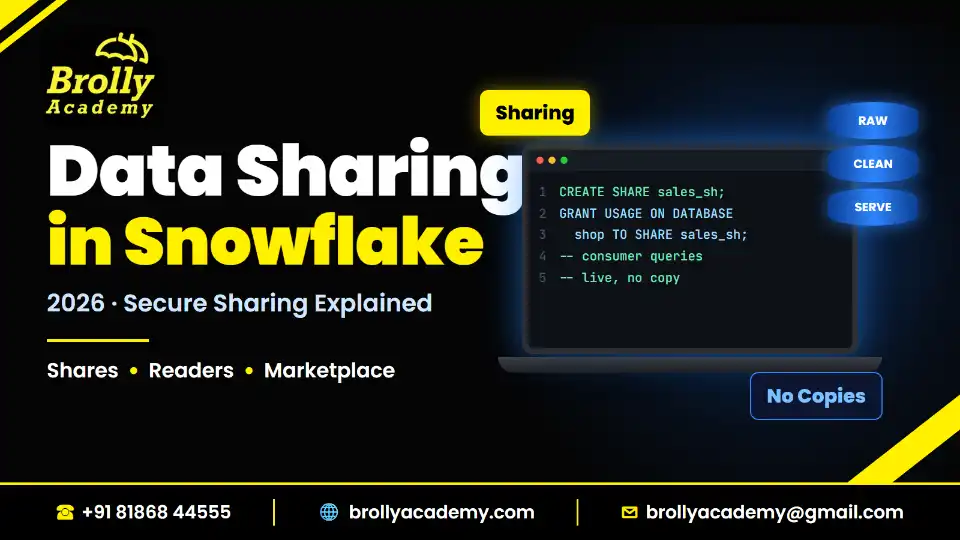
Table of Contents
1. Data sharing in Snowflake at a glance
2. What is Secure Data Sharing in Snowflake?
3. How Snowflake data sharing works: provider, share, consumer
4. How to create a share: provider steps with SQL
5. How to use a share: consumer steps with SQL
6. Controlling what consumers see: secure views and row filtering
7. Reader accounts: sharing with partners who do not use Snowflake
8. Listings and Snowflake Marketplace
9. Cross-region and cross-cloud sharing (the India angle)
10. Data clean rooms in Snowflake
11. Security, governance and cost: who pays for what
12. Data sharing use cases in India
13. Limitations and common errors
14. Data sharing vs replication vs cloning vs file export
Quick answer
Data sharing in Snowflake (Secure Data Sharing) lets one Snowflake account give another account live, read-only access to selected tables, views and other objects without copying or moving the data. The provider creates a named object called a share, adds objects and consumer accounts to it, and the consumer creates a read-only database from that share. The consumer pays only for the compute it uses to query; the provider keeps paying for storage, and can revoke access at any time (Snowflake documentation, October 2026).
- Direct share: account to account, same region only
- Reader account: a Snowflake account the provider creates and pays for, for partners who have no Snowflake account
- Listing: a share (or Native App) packaged with metadata; private to named consumers or public on Snowflake Marketplace
- Across regions or clouds: use a listing with Cross-Cloud Auto-Fulfillment, or replication
- Data clean room: a governed space where partners run approved analyses without seeing each other's raw data
Key takeaways
- Sharing is metadata, not copying: the consumer queries the provider's own stored data, so it is always current.
- Shared databases are read-only for the consumer, and only secure views (not standard views) can go into a share.
- Direct shares work only inside one region. A provider on AWS Mumbai cannot directly share with a consumer on Azure Central India (Pune); that needs a listing with auto-fulfillment or replication.
- Reader accounts solve "my partner does not use Snowflake", but the provider pays all their compute, so put a resource monitor on them.
- Data sharing appears in real Snowflake job descriptions, mostly for data engineer, admin and architect roles, so learn the SQL and the limits, not just the theory.
1. Data sharing in Snowflake at a glance
Short answer: There are four ways to share in Snowflake today: direct shares, reader accounts, listings (private or Marketplace) and data clean rooms, and each suits a different partner and region situation.
Use this table as your map before you read the details. All points come from the Snowflake documentation read in October 2026.
If you are new to Snowflake itself, read what Snowflake does first, then come back. This post assumes you know what a database, schema and table are.
2. What is Secure Data Sharing in Snowflake?
Short answer: Secure Data Sharing is Snowflake's built-in feature for giving other accounts read-only access to your data in place, with no copy, no file transfer and no extra storage for the consumer.
The old way was to export files, send them by SFTP or email and let the partner reload them. Every copy went stale the moment it left and became one more place where data could leak.
Snowflake works differently because of its architecture. Data lives in a central storage layer, and compute comes from separate virtual warehouses (a virtual warehouse is a cluster of compute that runs your queries and bills in credits, Snowflake's unit of compute usage). The cloud services layer keeps the metadata: which account owns which objects and who may read them. You can see the three layers in our Snowflake architecture diagram post.
So sharing becomes a metadata change. The provider tells Snowflake "account X may read these objects". The consumer's queries then read the provider's stored data directly, using the consumer's own warehouse. Snowflake says no data is copied or moved between accounts (Snowflake documentation, October 2026).
This gives you three practical benefits:
- Always live: when the provider loads new rows, the consumer sees them on its next query.
- No duplicate storage: consumers pay nothing for storing shared data; the provider pays storage once.
- Instant control: the provider can remove a consumer, or drop the share, and access ends.
The provider is the account that owns the data and creates the share. The consumer receives the share and creates a database from it. One account can be both.
The idea is close to zero-copy cloning, which also avoids physical copies, but cloning stays inside one account and gives you a writable copy. Sharing crosses accounts and stays read-only.
3. How Snowflake data sharing works: provider, share, consumer
Short answer: The provider builds a share, grants objects to it and adds consumer accounts; the consumer sees the share, creates a database from it and grants access to its own roles.
Here is the full flow as a numbered diagram you can picture:
- Provider prepares data: tables, dynamic tables and secure views sit in a database in the provider account.
- Provider creates a share: an empty, named share object (needs ACCOUNTADMIN or a role with the global CREATE SHARE privilege).
- Provider grants access to the share: USAGE on the database and schema, then SELECT on each table or secure view (or a database role holding those grants).
- Provider adds consumer accounts: with ALTER SHARE ... ADD ACCOUNTS, using each consumer's account identifier.
- Consumer sees an inbound share: SHOW SHARES lists shares offered to the account.
- Consumer creates a database from the share: a read-only database that points to the provider's data.
- Consumer grants imported privileges: to its own roles, so analysts can query.
- Consumer queries with its own warehouse: compute is billed to the consumer; storage stays with the provider.
What objects can you share?
Snowflake lists databases, tables, dynamic tables, several view types, UDFs, Cortex Search services and some models as shareable objects (Snowflake documentation, October 2026). Two details matter in practice:
- Views must be secure views. Snowflake returns an error if you add a standard view to a share (provider guide, October 2026). Secure materialized views and secure UDFs are also supported.
- Not every UDF language can be shared. JavaScript and SQL UDFs can be shared through Secure Data Sharing; Java, Python and Scala UDFs cannot (Snowflake documentation, UDF overview, October 2026).
From any account's point of view, shares are outbound (created by you as a provider) or inbound (offered to you as a consumer). SHOW SHARES lists both kinds.
4. How to create a share: provider steps with SQL
Short answer: Create the share, grant USAGE on the database and schema, grant SELECT on the objects, add the consumer accounts, and check the result with SHOW GRANTS TO SHARE.
Imagine you are a data engineer at a consumer goods company in Hyderabad, giving a distributor live access to a daily sales summary.
Simplified example (provider account, syntax from the Snowflake provider guide):
USE ROLE ACCOUNTADMIN;
CREATE SHARE sales_s;
GRANT USAGE ON DATABASE sales_db TO SHARE sales_s;
GRANT USAGE ON SCHEMA sales_db.aggregates_eula TO SHARE sales_s;
GRANT SELECT ON TABLE sales_db.aggregates_eula.aggregate_1 TO SHARE sales_s;
ALTER SHARE sales_s ADD ACCOUNTS = xy12345;
SHOW GRANTS TO SHARE sales_s;
What each line does:
- USE ROLE ACCOUNTADMIN: creating a share or adding accounts needs ACCOUNTADMIN or a role with the global CREATE SHARE privilege. Preparing the objects can be done with any role.
- CREATE SHARE: makes an empty share.
- GRANT USAGE and SELECT: lets the share see the database and schema, then adds the table. Grant database USAGE before adding accounts, or ALTER SHARE fails.
- ALTER SHARE ... ADD ACCOUNTS: names the consumer. A non-existent account completes without error but does not update the share, so double-check the identifier.
- SHOW GRANTS TO SHARE: confirms exactly what you are sharing.
All of these rules come from the Snowflake provider guide (October 2026). To manage an existing share later, you need OWNERSHIP of the share plus the CREATE SHARE global privilege.
Using a database role instead of direct grants
For bigger shares, Snowflake lets you put grants on a database role and grant that role to the share. A database role is a role that lives inside one database. This keeps the share tidy and lets consumers map different database roles to different internal teams.
Simplified example (database role pattern from the provider guide):
CREATE DATABASE ROLE sales_db.dr1;
GRANT USAGE ON DATABASE sales_db TO DATABASE ROLE sales_db.dr1;
GRANT USAGE ON SCHEMA sales_db.aggregates_eula TO DATABASE ROLE sales_db.dr1;
GRANT SELECT ON TABLE sales_db.aggregates_eula.aggregate_1 TO DATABASE ROLE sales_db.dr1;
GRANT USAGE ON DATABASE sales_db TO SHARE sales_s;
GRANT DATABASE ROLE sales_db.dr1 TO SHARE sales_s;
One catch: shared database roles do not support future grants, so new tables are not added automatically. Grant them on purpose.
Testing what a consumer will see
Before you add a real consumer, you can preview a secure view as that consumer would see it. Snowflake documents the session parameter SIMULATED_DATA_SHARING_CONSUMER for this, for example ALTER SESSION SET SIMULATED_DATA_SHARING_CONSUMER = xy12345;. It works for secure views but not for secure UDFs.
5. How to use a share: consumer steps with SQL
Short answer: The consumer finds the share with SHOW SHARES, creates a database from it, and grants IMPORTED PRIVILEGES on that database to the roles that need to query it.
Now switch seats. You work at the distributor in Pune, in the same Snowflake region as the provider.
Simplified example (consumer account, syntax from the Snowflake consumer guide):
USE ROLE ACCOUNTADMIN;
SHOW SHARES;
CREATE DATABASE snow_sales FROM SHARE provider_acct.sales_s;
GRANT IMPORTED PRIVILEGES ON DATABASE snow_sales TO ROLE r2;
USE ROLE r2;
SELECT * FROM snow_sales.aggregates_eula.aggregate_1 LIMIT 10;
Replace provider_acct with the provider's account identifier shown in SHOW SHARES. The consumer's analysts now query the data with their own warehouse, and the consumer pays only for that compute.
What a consumer cannot do with an imported database
The Snowflake consumer guide (October 2026) lists these restrictions:
- Read-only: you cannot insert, update or create objects in an imported database.
- No cloning: you cannot clone the imported database or its schemas or tables.
- No Time Travel: Time Travel (Snowflake's feature for querying or restoring data as it was in the past) does not work on an imported database.
- No comment edits on the imported database, and no storage lifecycle policies on its tables.
- No replication of imported databases.
- Resharing is limited: you can reshare only when resharing is allowed, and a direct share cannot be reshared outside your organization.
If a consumer needs to transform shared data, the usual pattern is to query it and write results into the consumer's own database, for example with CREATE TABLE ... AS SELECT or a scheduled task.
6. Controlling what consumers see: secure views and row filtering
Short answer: Share secure views instead of raw tables when you want to hide columns, filter rows per consumer, or keep your business logic private.
A secure view is a view whose definition is hidden from users who do not own it, and whose filters always run before the user's own conditions. Snowflake explains that a normal view could let the optimizer reorder predicates and leak hidden rows through tricks such as a division-by-zero error; a secure view prevents that. The trade-off is speed: secure views can run more slowly, so use them when privacy is the goal (Snowflake documentation, secure views, October 2026).
For sharing, the most useful trick is filtering by account. Inside a shared view, CURRENT_ROLE and CURRENT_USER return NULL, so Snowflake suggests using CURRENT_ACCOUNT to decide which rows each consumer can read.
Simplified example (pattern adapted from the secure views page; the access table is your own design):
CREATE OR REPLACE SECURE VIEW sales_db.aggregates_eula.agg_secure AS
SELECT s.region, s.sale_date, s.units, s.revenue
FROM sales_db.aggregates_eula.daily_sales AS s
JOIN sales_db.aggregates_eula.partner_access AS a
ON s.region = a.region
WHERE a.account_name = CURRENT_ACCOUNT();
GRANT SELECT ON VIEW sales_db.aggregates_eula.agg_secure TO SHARE sales_s;
With one view and one mapping table, the Hyderabad distributor sees only Telangana rows and the Chennai distributor sees only Tamil Nadu rows, from the same share.
The provider guide adds that secure objects using CURRENT_USER or CURRENT_ROLE fail for consumers, and that secure views referencing another database, external tables, secure materialized views and secure UDFs must be added to shares with SQL, not the web interface.
7. Reader accounts: sharing with partners who do not use Snowflake
Short answer: A reader account is a Snowflake account that the provider creates, owns and pays for, so a partner without its own Snowflake account can still query your shared data.
Many Indian partners, such as a small distributor, a regional hospital chain or a startup vendor, do not have a Snowflake contract. Reader accounts (Snowflake also calls them managed accounts) fill that gap (Snowflake documentation, October 2026).
Simplified example (provider account, from the Snowflake reader account guide):
USE ROLE ACCOUNTADMIN;
CREATE MANAGED ACCOUNT distributor_reader
ADMIN_NAME = reader_admin, ADMIN_PASSWORD = '<strong_password>',
TYPE = READER;
You need ACCOUNTADMIN or a role with the CREATE ACCOUNT global privilege, and provisioning can take up to five minutes. Then you add the reader account to your share with ALTER SHARE ... ADD ACCOUNTS, just as for any consumer.
Key facts from the Snowflake reader account guide (October 2026):
- Provider pays: the provider takes responsibility for all credit charges incurred in the reader account.
- Unlimited credits by default: warehouses in a reader account can consume an unlimited number of credits, so Snowflake recommends a resource monitor (a limit that can notify or suspend a warehouse after a credit quota).
- Limit of 75: by default a provider can create 75 reader accounts; contact Snowflake Support for more. A dropped reader account still counts for 7 days.
- Query-only: reader accounts cannot upload or modify data. They cannot run INSERT, UPDATE, DELETE, MERGE, COPY INTO a table, CREATE STAGE, CREATE PIPE, CREATE SHARE, CREATE MASKING POLICY or CREATE ROW ACCESS POLICY, among others.
- Allowed: querying shared data and building things like materialized views on it.
One note for admins: Snowflake's phased rollout that ends single-factor password sign-in for human users does not apply to reader accounts, according to its MFA rollout page (October 2026). Give reader admins strong passwords anyway and review who has access. Setting up these accounts and their resource monitors is a typical task in our Snowflake admin guide.
8. Listings and Snowflake Marketplace
Short answer: A listing wraps a share (or a Snowflake Native App) with a title, description and terms, so you can offer it privately to chosen accounts in any region or publicly on Snowflake Marketplace.
Direct shares suit a few partners in one region. For many consumers, other regions or selling data, use listings.
From the Snowflake listings documentation (October 2026):
- Private listings go to specific consumers, and those consumers can be in any region.
- Public listings appear on Snowflake Marketplace, where any Snowflake customer can discover them.
- Listing types: free, limited trial (Marketplace only, from 1 to 90 days), paid (in specific regions only), and personalized pricing plans or offers.
- What a listing carries: data (a share) or a Snowflake Native App, plus metadata such as descriptions and usage examples.
Direct share vs private listing vs Marketplace listing
Older tutorials mention "Snowflake Data Exchange" for private group sharing. The current documentation we read in October 2026 describes private sharing through private listings and, inside one company, the Internal Marketplace that is part of Horizon Catalog (Snowflake documentation, Horizon, October 2026). For new work, learn listings.
9. Cross-region and cross-cloud sharing (the India angle)
Short answer: Direct shares only work within one Snowflake region, so to share between regions or clouds you use a listing with Cross-Cloud Auto-Fulfillment, or set up database replication yourself.
This matters a lot in India. Snowflake lists exactly two India regions: AWS Asia Pacific (Mumbai) and Azure Central India (Pune). There is no Google Cloud India region (Snowflake documentation, regions, October 2026). So if your company runs on AWS Mumbai and your partner bank runs on Azure Central India, you are in different regions, and a direct share will not reach them. The provider guide is clear that direct shares can add only accounts in the same region.
You have two options (Snowflake documentation, October 2026):
- Listing with Cross-Cloud Auto-Fulfillment: you publish a private or Marketplace listing, and Snowflake replicates the data product to the consumer's region for you. Snowflake manages a "secure share area" in each target region and keeps it in sync on a schedule, an interval or a manual trigger. Auto-fulfillment is not available on trial accounts, and the provider pays additional costs for making data available in other regions (Snowflake documentation, auto-fulfillment, October 2026).
- Replication you manage: you replicate the database to an account you own in the consumer's region, then create a direct share from that account. Database and share replication is available on all editions (Snowflake documentation, replication, October 2026).
In short: same region, use a direct share; no Snowflake account, use a reader account; other region and you want Snowflake to handle the copy, use a private listing; full control of the replica, replicate and then share. Note that inbound shares are not replicated: a consumer cannot replicate a database it received from a provider.
10. Data clean rooms in Snowflake
Short answer: Snowflake Data Clean Rooms let two or more companies run approved analyses on combined data without either side seeing the other's raw records.
Sometimes giving a consumer rows is too much. A bank and a retailer may want to count shared customers for a co-branded card campaign without either handing over its customer list. A clean room solves this.
From the Snowflake Data Clean Rooms documentation (October 2026):
- Collaborations: clean rooms are governed "collaborations". Participants act as owner, data provider or analysis runner.
- Templates: analysis runners run only approved templates on the providers' data offerings, so free-form SELECT * is not possible.
- Where you manage it: in Snowsight or through the Collaboration API.
- Availability: generally available in select regions; not in government or VPS deployments and not in trial accounts.
- Editions: data providers need Enterprise Edition; owners and analysis runners can be on Standard.
- Cost: the analysis runner pays for the analyses.
Because availability is "select regions", check the clean rooms page for your region before you promise a clean room project to an Indian client. Do not assume it is live in AWS Mumbai or Azure Central India.
11. Security, governance and cost: who pays for what
Short answer: The provider pays storage and controls access; the consumer pays compute for its own queries; the provider pays everything in a reader account; and governance features such as secure views, masking and revocation keep the provider in charge.
Cost split
Compute prices vary by cloud, region and edition, so check your own contract or Snowflake's consumption table before estimating a partner's bill. Snowflake bills warehouses per second with a 60-second minimum each time they start (Snowflake documentation, cost overview, October 2026), which keeps small, occasional partner queries cheap if auto-suspend is on.
Governance checklist for providers
- Share only what is needed: secure views with selected columns, filtered by CURRENT_ACCOUNT, beat whole tables.
- Review grants: run SHOW GRANTS TO SHARE before and after every change.
- Limit who can share: keep CREATE SHARE and ACCOUNTADMIN with very few people. Our admin guide covers role design.
- Cap reader spend: a resource monitor on every reader account warehouse.
- Know how to revoke: removing an account from a share, or dropping the share, cuts access immediately. Snowflake notes that existing consumer databases then become invalid, and a recreated share needs new consumer databases.
- Mind sensitive data: Business Critical and VPS editions add Tri-Secret Secure (customer-managed keys) and PrivateLink (Snowflake documentation, editions, October 2026). Check with your compliance team before sharing personal or health data.
12. Data sharing use cases in India
Short answer: Indian companies use Snowflake sharing to send live data to partners, distributors, group companies and global headquarters, replacing file exports in banking, retail, healthcare and IT services.
These are general patterns, not named customer stories.
- Banking and financial services: a bank shares aggregated transaction trends with a fintech partner through a secure view that hides customer identifiers, or measures customer overlap with a retailer for a co-branded campaign inside a clean room, where available.
- Retail and consumer goods: a brand shares sell-through data with distributors, each seeing only its territory, or a retailer offers suppliers a private listing of store-level sales so they plan stock without asking for reports.
- Healthcare and pharma: a pharma company shares de-identified supply chain or trial metrics with a research partner. Health data needs stricter controls, so teams agree on edition features and policies with their compliance group first.
- IT services and GCCs: service firms and global capability centres (GCCs) in Hyderabad, Bengaluru, Pune and Chennai build shares, secure views, listings and reader accounts for overseas clients, and publish internal data products so global teams use one trusted version.
13. Limitations and common errors
Short answer: Most problems come from region rules, standard views, missing USAGE grants, wrong account identifiers and expecting write access on shared data.
The provider guide adds that shared tags are read-only for consumers and that provider sharing is not enabled for every account, so contact Snowflake Support if you hit unexpected errors.
14. Data sharing vs replication vs cloning vs file export
Short answer: Sharing gives other accounts live read-only access with no copy; replication copies data to another account or region; cloning makes a writable copy inside your account; file export sends static files.
Failover needs Business Critical or higher (Snowflake documentation, replication, October 2026). For most partner scenarios, sharing is simpler because there is nothing to sync. If you are comparing how other platforms handle sharing, our Snowflake competitors post gives a one-screen view of Databricks, Redshift, BigQuery and others.
15. Data sharing skills for Snowflake jobs and interviews
Short answer: Data sharing shows up in real Snowflake job descriptions for data engineers, admins and architects, and interviewers like scenario questions about cross-region sharing and reader accounts.
Of 14 Snowflake job descriptions we read on 25 October 2026 (Naukri and LinkedIn listings seen that day), data sharing was named in three: a TCS Snowflake Data Engineer role in Hyderabad, an Infosys Snowflake admin role (Hyderabad, Pune, Bengaluru) and a Deloitte Snowflake Architect role. SQL appeared in all 14. This is a small sample, but it shows where sharing sits: it is a mid-level and senior skill, often grouped with Time Travel, cloning, replication and RBAC (role-based access control, where privileges go to roles and roles go to users).
Practise creating a share, a CURRENT_ACCOUNT secure view and a reader account, and be ready to explain why a Mumbai-to-Pune share needs a listing or replication, and who pays in each option. Typical scenario questions sound like "A partner on a different cloud needs our daily sales; what do you do?" or "A consumer complains a new table is missing from the share; why?". Practise more of these in our Snowflake scenario-based interview questions post, and revise concept questions in Snowflake interview questions.
For hands-on practice, a direct share needs two accounts in the same region (see our Snowflake account setup guide for creating an account). Snowflake notes that provider sharing is not enabled for every account, so if CREATE SHARE fails on a trial, that may be why. Trial accounts cannot use auto-fulfillment or clean rooms at all, so learn those parts from the docs.
16. How Brolly Academy helps
Short answer: Brolly Academy's 45-day Snowflake course includes a dedicated secure data sharing module, plus the roles, cloning and Time Travel topics that sharing questions usually mix in.
The Snowflake Training in Hyderabad course runs for 45 days in classroom, live online and video formats. Module 11 of its 15 modules is Secure Data Sharing: sharing with other accounts, reader accounts, privileges, cross-region sharing and replication, BI tools and limitations. Related modules cover cloning, Time Travel and Fail-safe, and RBAC basics.
- Trainer: Mr. Bala Krishna, with 13+ years in data warehousing, SQL and Snowflake.
- Projects: 6 projects, including a real-time data sharing project.
- Fees: Video ₹8,999, Online ₹17,999, Classroom ₹22,999, with EMI available.
- Certificate: a Brolly Academy completion certificate. The course prepares you for SnowPro exams, but those are issued by Snowflake and exam fees are separate.
- Interview prep: mock interviews and resume support in week 6.
You can book a free demo class before you enroll.
Learn Snowflake data sharing hands-on in 45 days
Want to build shares, secure views and reader accounts yourself, with a trainer checking your work? Brolly Academy's Snowflake course covers secure data sharing as a full module, alongside loading, cloning, Time Travel and RBAC, with classroom, live online and video options. Book a free demo class to see the syllabus and next batch dates.
Frequently asked questions
What is data sharing in Snowflake?
Data sharing in Snowflake, called Secure Data Sharing, lets one Snowflake account give another account live, read-only access to selected objects without copying or moving data. The provider creates a share, adds tables or secure views and names consumer accounts. The consumer creates a read-only database from the share and queries it with its own warehouse. The provider can revoke access at any time.
How does Snowflake secure data sharing work?
Secure data sharing works through metadata. The provider creates a share, grants USAGE on the database and schema, grants SELECT on tables or secure views, and adds consumer accounts. Snowflake's cloud services layer records who may read what. The consumer creates a database from the share and grants imported privileges to its roles. Queries then read the provider's stored data directly, using the consumer's compute.
Is data copied when you share data in Snowflake?
No, data is not copied or moved when you use a direct share. The consumer reads the provider's stored data in place, so it always sees the latest rows and pays nothing for storage. Copies happen only when you choose them, for example when a listing is auto-fulfilled to another region or when you set up replication to an account in another region.
What objects can be shared in Snowflake?
Snowflake lets you share databases, tables, dynamic tables, several view types, UDFs, Cortex Search services and some models. Views must be secure views, because Snowflake returns an error for standard views in a share. Secure materialized views and secure UDFs are supported. JavaScript and SQL UDFs can be shared, but Java, Python and Scala UDFs cannot.
What is a share in Snowflake?
A share is a named Snowflake object that holds the grants a provider wants to give other accounts. You create it empty with CREATE SHARE, grant USAGE on a database and schema to it, grant SELECT on tables or secure views, and then add consumer accounts with ALTER SHARE. SHOW GRANTS TO SHARE lists exactly what the share exposes.
Who can create a share in Snowflake?
Creating a share or adding consumer accounts needs the ACCOUNTADMIN role or a role granted the global CREATE SHARE privilege. Preparing the objects to share can be done with any role. Managing an existing share needs OWNERSHIP of the share plus the CREATE SHARE privilege. Keep these privileges with a very small group of administrators.
What is a reader account in Snowflake?
A reader account is a Snowflake account that a provider creates, owns and pays for, so a partner without its own Snowflake account can query shared data. You create it with CREATE MANAGED ACCOUNT and TYPE set to READER, then add it to a share. Reader accounts can query and build things like materialized views, but cannot upload or modify data.
Who pays for a Snowflake reader account?
The provider pays for everything in a reader account, including all compute credits its users consume. Warehouses in a reader account can use unlimited credits by default, so Snowflake recommends attaching a resource monitor that notifies or suspends the warehouse at a credit quota. Agree on a quota with your finance team before giving partners access.
How many reader accounts can a provider create?
By default, a provider can create 75 reader accounts, according to the Snowflake documentation in October 2026. If you need more, you contact Snowflake Support. A dropped reader account still counts toward the limit for 7 days, so deleting and recreating accounts quickly will not free up slots straight away.
Who pays for compute when data is shared in Snowflake?
In a direct share or listing to a full Snowflake account, the consumer pays compute for its own queries and the provider pays storage. In a reader account, the provider pays both. For listings fulfilled to other regions, the provider also pays additional fulfillment costs. In a data clean room, the analysis runner pays for the analyses.
Can you share data across regions or clouds in Snowflake?
Yes, but not with a direct share, which works only within one region. To reach another region or cloud, publish a listing with Cross-Cloud Auto-Fulfillment, where Snowflake replicates the data product for you, or replicate the database to your own account in the consumer's region and share from there. Auto-fulfillment is not available on trial accounts.
Can a company on AWS Mumbai share directly with a company on Azure Pune?
No, not with a direct share. AWS Mumbai and Azure Central India (Pune) are different Snowflake regions, and direct shares only add accounts in the same region. The provider can use a private listing with Cross-Cloud Auto-Fulfillment, or replicate the data to its own account in the Azure Central India region and create a direct share from there.
What is the difference between a share and a listing in Snowflake?
A share is the basic object that grants access to data for named accounts in the same region. A listing wraps a share or a Snowflake Native App with metadata such as descriptions and terms. Private listings go to chosen consumers in any region, public listings appear on Snowflake Marketplace, and listings can be free, limited trial or paid.
What is Snowflake Marketplace?
Snowflake Marketplace is where providers publish public listings that any Snowflake customer can discover and get. Listings can be free, limited trials lasting 1 to 90 days, paid in specific regions, or offered with personalized pricing. Consumers get live data in their own account without file transfers, and Marketplace listings can reach other regions through auto-fulfillment.
What is Snowflake Data Exchange?
Snowflake Data Exchange is a term older tutorials use for private sharing among a group of accounts. The current Snowflake documentation we read in October 2026 describes private sharing through private listings, and sharing inside one company through the Internal Marketplace in Horizon Catalog. For new projects, learn listings and the Internal Marketplace.
Can a consumer modify shared data in Snowflake?
No, a consumer cannot modify shared data, because imported databases are read-only. The consumer cannot insert, update or create objects in them, cannot clone them, cannot use Time Travel on them and cannot replicate them. To transform shared data, query it and write the results into a table in the consumer's own database.
Why do shared views have to be secure views?
Snowflake allows only secure views in shares and returns an error for standard views. A secure view hides its definition from non-owners and applies its own filters before the user's conditions, so the optimizer cannot leak hidden rows. The trade-off is that secure views can run more slowly, which is acceptable when protecting data is the goal.
How do you show different rows to different consumers from one share?
Use a secure view that filters on CURRENT_ACCOUNT, usually joined to a mapping table of accounts and allowed regions or customers. CURRENT_USER and CURRENT_ROLE return NULL in shared views, and secure objects that use them fail for consumers. With one view, each consumer account sees only its own rows from the same share.
What are the limitations of Snowflake data sharing?
The main limits are that direct shares work only within one region, only secure views can be shared, imported databases are read-only with no cloning or Time Travel, and shared database roles do not support future grants. Java, Python and Scala UDFs cannot be shared. Reader accounts cannot load or modify data, and are limited to 75 by default.
What happens when a provider revokes a share?
When a provider removes a consumer account from a share or drops the share, the consumer loses access immediately. Snowflake notes that the consumer's existing database built from that share becomes invalid. If the provider recreates the share later, the consumer has to create a new database from it, rather than reusing the old one.
What is the difference between Snowflake data sharing and replication?
Data sharing gives other accounts live, read-only access with no copy. Replication copies databases to other accounts you own, often in other regions, and keeps them refreshed. Database and share replication works on all editions, while failover needs Business Critical or higher. Imported databases received through a share cannot be replicated by the consumer.
What is a data clean room in Snowflake?
A Snowflake Data Clean Room is a governed collaboration where companies run approved analysis templates on each other's data without seeing raw records. Participants act as owner, data provider or analysis runner. It is generally available in select regions, not in trial accounts, data providers need Enterprise Edition, and the analysis runner pays for analyses.
Is data sharing available in Snowflake trial accounts?
Partly. A direct share needs two accounts in the same region, and Snowflake notes that provider sharing is not enabled for every account, so CREATE SHARE may fail on a trial. Some features are clearly excluded from trials: Cross-Cloud Auto-Fulfillment for listings and Snowflake Data Clean Rooms are not available on trial accounts, so learn those from the documentation.
Is data sharing asked in Snowflake interviews?
Yes, data sharing comes up often, especially for data engineer, admin and architect roles. In 14 Snowflake job descriptions read in October 2026, three named data sharing, alongside Time Travel, cloning and RBAC. Expect scenario questions on cross-region sharing, reader account costs, secure views and why a new table is missing from a share.
Does Brolly Academy teach Snowflake data sharing?
Yes. Brolly Academy's 45-day Snowflake course has a dedicated secure data sharing module covering sharing with other accounts, reader accounts, privileges, cross-region sharing and replication, BI tools and limitations. It also includes a real-time data sharing project among its six projects, and related modules on cloning, Time Travel and RBAC basics.
Learn with Brolly Academy
Review the syllabus, practical projects and batch timings, and book a free demo before you enrol.
Related Articles
Continue Your Learning
Snowflake Training in Hyderabad
45-day course covering Snowflake architecture, warehouses, data loading, security, performance and real-time projects, in classroom, live online and recorded plans.
View Coursedbt Course
Learn dbt, the transformation tool most Snowflake job descriptions ask for, to build tested, documented data models.
View CourseDatabricks Course
Add the lakehouse side of modern data engineering with Databricks, Spark and Delta Lake, often used alongside Snowflake.
View Course