

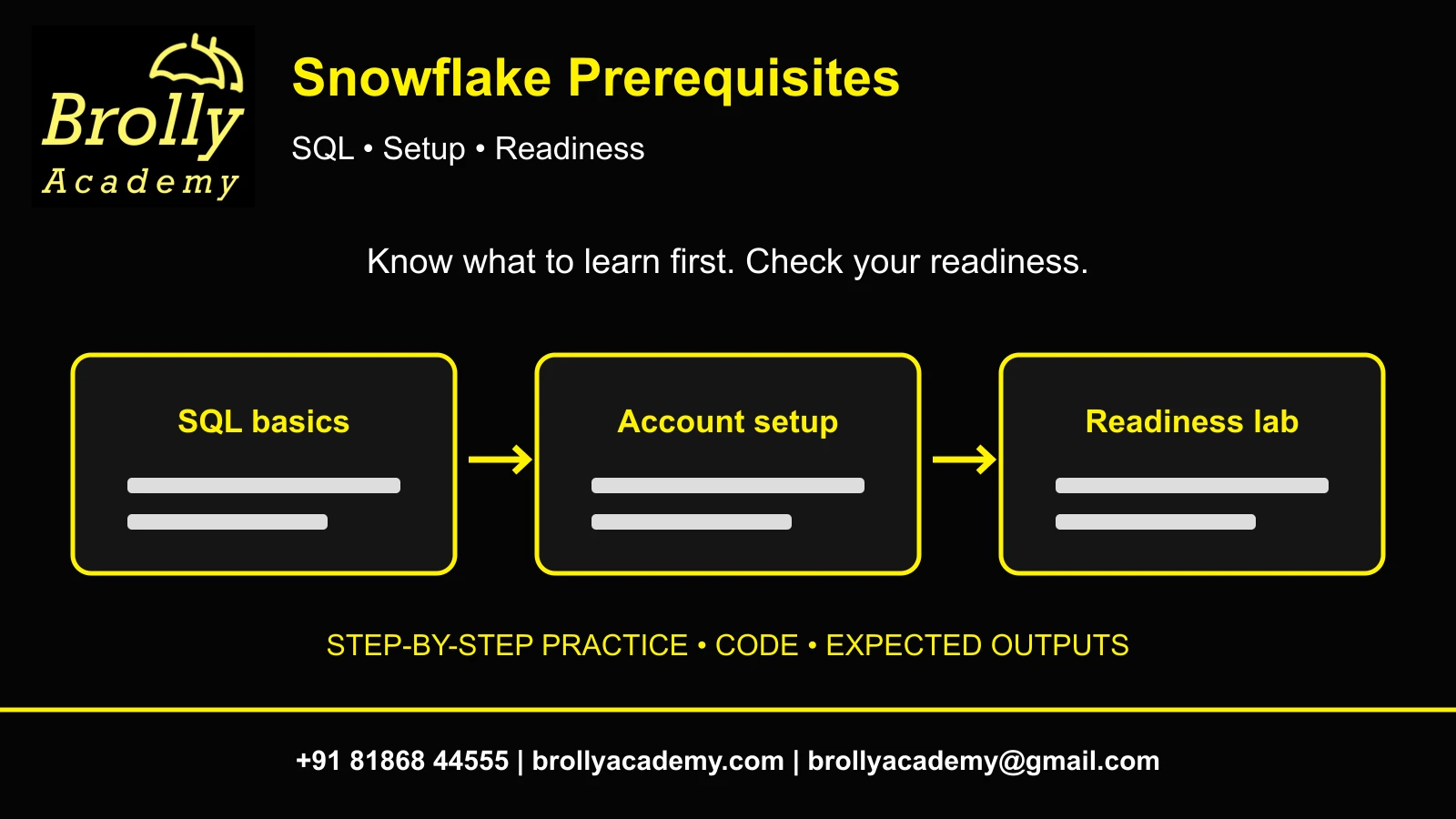
1. What are the prerequisites for learning Snowflake?
Snowflake prerequisites for a beginner learning path are basic computer skills, an understanding of tables and a plan to practise SQL. You do not need to master Python, AWS administration or every database concept before starting. An approved practice account becomes necessary for hands-on work; your SQL readiness determines the best starting lesson.
This guide helps freshers, non-IT career switchers and professionals moving from Excel, testing or another database identify preparation gaps. A beginner course may teach SQL from scratch; an intermediate course may expect it already. Check the actual starting level rather than assuming every course has the same requirements.
You will build a skills checklist, run a six-row readiness exercise, explain its results and choose a preparation plan. This is a readiness guide rather than a complete project catalogue or certification eligibility policy. Compare the Snowflake course syllabus with the foundations you already have.
2. Separate essential, helpful and later skills
| Area | Start with | Learn alongside Snowflake | Later when needed |
|---|---|---|---|
| Computer skills | Browser, files, folders and safe sign-in | Save scripts and query results | CLI workflows |
| SQL | Rows, columns and first SELECT | Filters, joins, aggregates and NULLs | Window functions and tuning |
| Data | What one row represents | Keys, duplicate records and data types | Historical modelling |
| Cloud | Remote services and account access | Storage versus compute | IAM and event notifications |
| Programming | No Python requirement for SQL-only practice | Reason through steps and errors | Snowpark or application coding |
Essential means needed for the task you are attempting, not a universal admission requirement. If SELECT is unfamiliar, start with SQL foundations. If you can query tables but cannot configure S3, you can still complete an internal SQL lab. Prerequisites are dependencies between exercises, not a list of technologies to collect.
First demonstrate a small answer, then add a tool when a requirement needs it. Learning five cloud products before your first query delays useful practice. Keep a gap list with concrete tasks such as “cannot explain LEFT JOIN” instead of a vague label such as “weak in databases.”
3. How much SQL should you know?
For the first lesson, practise SELECT, WHERE and ORDER BY. Before a project, add SUM, COUNT, GROUP BY, joins, CASE, data types and NULL handling. A query can execute successfully while answering the wrong business question, so checking the result matters as much as knowing syntax.
- SELECT chooses result columns; it does not necessarily change the stored table.
- WHERE filters rows before aggregation.
- GROUP BY defines summary grain, such as one row per category.
- A join can multiply rows when a key is not unique.
- NULL represents a missing or unknown value; use IS NULL rather than = NULL.
- A number stored as text can behave differently from a numeric column.
Do not memorize the entire function reference. Explain why a condition is present and compare a small result with hand calculations. An experienced SQL learner can move quickly through the diagnostic; a complete beginner should repeat it after foundation lessons. Save the query and explanation so a correct answer is reproducible.
Reference: SELECT reference.
4. Understand data before memorizing feature names
A database groups data objects; a schema groups objects inside a database; tables hold rows and columns; a view represents a query. A virtual warehouse provides compute for many SQL operations. It is not the folder where the table lives. A role determines permitted actions, rather than your job title.
| Concept | Example | Question to answer |
|---|---|---|
| Row grain | One row per order | Can two records share an order ID legitimately? |
| Key | order_id identifies an order | Is it unique in this input? |
| Type | amount is NUMBER(10,2) | How will missing or invalid values appear? |
| Source versus report | Orders versus category totals | Does the summary reconcile with the input? |
| Transformation | Apply a paid-only rule | Which rows changed or were excluded? |
An order-line dataset may legitimately repeat order IDs. Removing those records as duplicates can delete valid sales. State the grain before selecting a key or joining tables. Use the Snowflake architecture guide for platform context; keep dimensional modelling terminology separate from the Snowflake product name.
5. Can freshers and non-IT learners start?
Yes, beginners can start learning concepts and SQL. Your preparation depends on existing skills and the chosen course entry level. Learning access, course completion, certification eligibility and employer recruitment requirements are different questions. This article does not claim every job accepts every educational background.
- Excel or finance background: translate a filter, lookup and category total into SQL; check missing values and duplicate keys.
- Manual testing background: use expected-versus-actual checks, then add SQL writing and data grain.
- Support or operations background: apply investigation habits to context, permissions and load errors.
- Another database background: transfer SQL skills, but verify Snowflake-specific identifiers, roles, temporary objects and costs.
- Fresher: start with one table and one question, then practise explaining the result without copying.
Being non-IT is not a reason to avoid technical learning. Existing IT experience is not a substitute for hands-on practice either. Choose your starting exercise from evidence of what you can do independently today, then repeat the smallest skill that needs work.
6. Do you need Python, AWS or Azure first?
Python is optional for this SQL readiness exercise. It becomes relevant for Python connectors, Snowpark Python or applications. External cloud knowledge becomes more important when your project introduces storage permissions and integrations. A browser-based SQL lab does not require a separate personal AWS account.
| Goal | Useful prerequisite | Can wait |
|---|---|---|
| First report | Basic SQL and approved practice objects | Python, Docker and IAM |
| Local CSV loading | File formats and internal stages | S3 event notifications |
| S3 auto-ingest | Loading basics and approved integration access | Unrelated cloud certifications |
| Python transformations | Python plus SQL/data types | Advanced machine learning theory |
Understand storage, compute and access control at a basic level. You do not need to administer a virtual machine to run a Snowflake query. On a training account, use the assigned role and warehouse; do not attempt account-wide grants. The Snowpipe guide belongs after loading fundamentals, not before your first SQL lesson.
7. Prepare your device, account and permissions
Use a laptop or desktop, a suitable browser and reliable internet. You do not install the Snowflake database server locally for browser SQL exercises. Keep a text editor or notes file for scripts and an approved place for output evidence. A phone helps with reading, but longer SQL and tables are easier to inspect on a computer.
- Use the organization/training account provided, if available; confirm the permitted lab scope and who pays for usage.
- For a personal trial, review the current official terms and account balance before starting compute.
- Follow the account owner’s sign-in and MFA requirements. Never share credentials.
- Ask for an existing practice warehouse and approved database/schema with the required permissions.
- Open a SQL-capable workspace or worksheet in Snowsight and check the active context.
SELECT CURRENT_ROLE() AS role_name,
 CURRENT_WAREHOUSE() AS warehouse_name,
 CURRENT_DATABASE() AS database_name,
 CURRENT_SCHEMA() AS schema_name;
Record actual values. Missing context or a permission error is a setup issue, not evidence that you cannot learn. Ask the owner for exact object names rather than guessing or switching to an administrative role.
8. Know your practice-account cost boundaries
The official trial documentation describes a trial lasting 30 days or until its free usage balance is depleted, whichever occurs first. Review the allowance shown for your account. Do not assume permanent free access or a fixed allowance copied from an older article.
- Check warehouse size before resuming; this tiny dataset does not justify a large warehouse.
- Keep auto-suspend enabled with the owner’s recommended interval.
- Compute, storage and optional serverless services can consume balance. Suspending one warehouse is not a universal spending cap.
- Use synthetic data; company/customer files are unnecessary for this exercise.
- Check balance after a session. Confirm lab duration and costs separately with a training provider.
Do not add payment details merely to complete this SQL check. It does not require AI functions or external cloud integrations. Trial restrictions and available features can change, so use the official account documentation for current conditions.
Reference: Trial accounts.
Reference: Warehouse considerations.
9. Run a six-row SQL readiness exercise
Scenario: a shop needs paid sales by category and a separate list of missing amounts. This synthetic input is small enough to calculate by hand. It tests filtering and aggregation, not production pipeline design or overall job readiness.
Use an approved warehouse, database and schema. The role needs relevant USAGE and CREATE TABLE access. Replace the three YOUR_ identifiers first. Run in one session because the table is temporary. CREATE intentionally fails if that name already exists; inspect previous work rather than overwriting it.
-- Replace the YOUR_ identifiers with approved practice values.
USE WAREHOUSE YOUR_PRACTICE_WAREHOUSE;
USE DATABASE YOUR_PRACTICE_DATABASE;
USE SCHEMA YOUR_PRACTICE_SCHEMA;
CREATE TEMP TABLE BA_READY_ORDERS (
 order_id NUMBER, category VARCHAR, amount NUMBER(10,2), status VARCHAR
);
INSERT INTO BA_READY_ORDERS VALUES
 (1,'Books',100,'paid'),(2,'Books',150,'paid'),
 (3,'Tools',200,'paid'),(4,'Tools',50,'refunded'),
 (5,'Books',NULL,'paid'),(6,'Tools',75,'pending');
SELECT * FROM BA_READY_ORDERS ORDER BY order_id;
SELECT COUNT(*) AS input_rows FROM BA_READY_ORDERS;
SELECT order_id FROM BA_READY_ORDERS
WHERE status='paid' AND amount IS NULL;Expect six input rows and order_id 5 in the missing-amount result. Order 4 is refunded; order 6 is pending. Define the reporting policy before calculating a total: include only paid orders with known amounts, while surfacing the missing amount separately. Expected values here are calculated from the input, not connected-account execution evidence.
10. Reconcile the result and test a changed filter
SELECT category,COUNT(*) AS included_orders,SUM(amount) AS paid_amount
FROM BA_READY_ORDERS
WHERE status='paid' AND amount IS NOT NULL
GROUP BY category ORDER BY category;| category | included_orders | paid_amount |
|---|---|---|
| Books | 2 | 250.00 |
| Tools | 1 | 200.00 |
The known paid total is 450.00 across three included orders. There are four paid records altogether, including the missing amount. COUNT(*) counts rows; COUNT(amount) counts non-NULL amounts. Explain the distinction before presenting the report.
SELECT COUNT(*) AS paid_rows,COUNT(amount) AS paid_rows_with_amount,
 SUM(amount) AS known_paid_amount
FROM BA_READY_ORDERS WHERE status='paid';
Expect 4, 3 and 450.00. Next change only the report filter to include pending orders; the known total becomes 525.00. Restore the paid-only filter. This tests the business rule without modifying stored records. A total alone does not establish correct row selection, so inspect the included IDs too.
-- Save evidence first; remove only this disposable temporary table.
DROP TABLE BA_READY_ORDERS;
Recreate the report without copying after your next SQL lesson. For an end-to-end build, use Snowflake Projects; this short diagnostic is deliberately narrower.
11. Diagnose gaps instead of collecting prerequisites
| Symptom | Check | Next step |
|---|---|---|
| No active warehouse | Compute context | Select the assigned warehouse |
| Object not found or unauthorized | Names, context and role | Ask the owner for scoped access |
| Table already exists | Same-session rerun | Inspect it or choose a fresh lab name |
| Unexpected 50 or 75 in paid total | Status filter | Check refunded/pending values |
| Missing amount is not found | NULL predicate | Use IS NULL |
| Table disappears after reconnect | Temporary-table lifetime | Rerun saved setup in the new session |
Keep an error log containing the query, message, expected result, context and the single change attempted. Do not post credentials or private data publicly. Avoid changing several conditions at once: it makes the cause difficult to identify.
After a successful run, explain why six input rows become three included rows and why four paid rows have only three known amounts. If you cannot explain it yet, repeat filters, NULLs and aggregation. That is a specific preparation task, not a reason to postpone all Snowflake learning.
12. Choose a preparation plan and assess a course
| Practice session | Task | Evidence |
|---|---|---|
| 1 | Rows, columns, types and grain | Describe a sample table |
| 2 | SELECT, WHERE and ORDER BY | Three saved queries |
| 3 | SUM, COUNT and GROUP BY | Hand-reconciled summary |
| 4 | NULLs and basic joins | Explain missing values and duplicate keys |
| 5 | Context and readiness lab | Actual six-row checks |
| 6 | Repeat independently | Gap list and next lesson |
These are suggested sessions, not a six-day proficiency guarantee. A SQL professional may combine them; a beginner may repeat several. Give each session reading time, hands-on work and a short explanation of the output. Extend the plan around work and account availability.
Before enrolling, ask whether SQL starts from basics, how labs are provided, what project reviews and doubt-clearing arrangements exist, and what the selected batch includes. Compare the Snowflake course syllabus with your actual gap list. A course completion certificate, Snowflake-issued certification and employment are separate outcomes. Keep proof of what you have completed rather than claiming experience from a checklist.
13. Snowflake prerequisites FAQs
Can I learn Snowflake without SQL?
You can begin concepts, but querying needs SQL. Choose foundations taught from scratch or practise filters, aggregates and NULLs before project labs.
Is Python compulsory?
Not for SQL-based introductory work. Add it when your chosen Snowpark, connector or application exercise requires Python.
Is AWS certification required?
No for this internal SQL lab. S3 integrations need relevant access and cloud knowledge later, with administrator support.
Can non-IT graduates start?
Yes. Begin with tables and SQL. Employer education requirements are separate and vary by role.
Do I install Snowflake on my laptop?
Not for these browser exercises. The database runs remotely; save your scripts and evidence locally.
Can I practise on a phone?
Reading is possible; a computer is more practical for SQL editing, tables and evidence files. Confirm device requirements with the provider.
Do I need a personal cloud account?
Not for the readiness exercise. An approved Snowflake environment and assigned practice objects are enough.
What if my role cannot create a table?
Ask for an approved lab schema or permitted alternative. Do not attempt broad grants or use another person’s account.
How do I check my SQL readiness?
Recreate the seed, explain the two paid-row counts and reconcile 450.00 without copying the answer.
Does this checklist make me job ready?
No. It establishes learning foundations. Independent projects, troubleshooting and role-specific evidence require further work.
Are course and certification prerequisites the same?
No. Check the current official guide for the exact exam; a training entry level does not define exam policy.
Were these examples executed in Snowflake?
No connected execution was performed. Expected counts and totals follow the synthetic input; retain real outputs from your own approved account.
Related Snowflake Articles
Snowflake Projects
Choose a portfolio exercise with SQL, expected results and validation steps.
Snowflake Interview Questions
Practise explaining SQL, validation and project decisions.
Snowflake Certification
Explore the separate certification learning path and exam preparation.
Related Courses
Snowflake Training
Explore the syllabus, practical learning topics and available Snowflake training formats.
Azure Data Factory Training
Explore data integration, orchestration and cloud pipeline training.