

1. Choose Snowpipe for a file-arrival problem
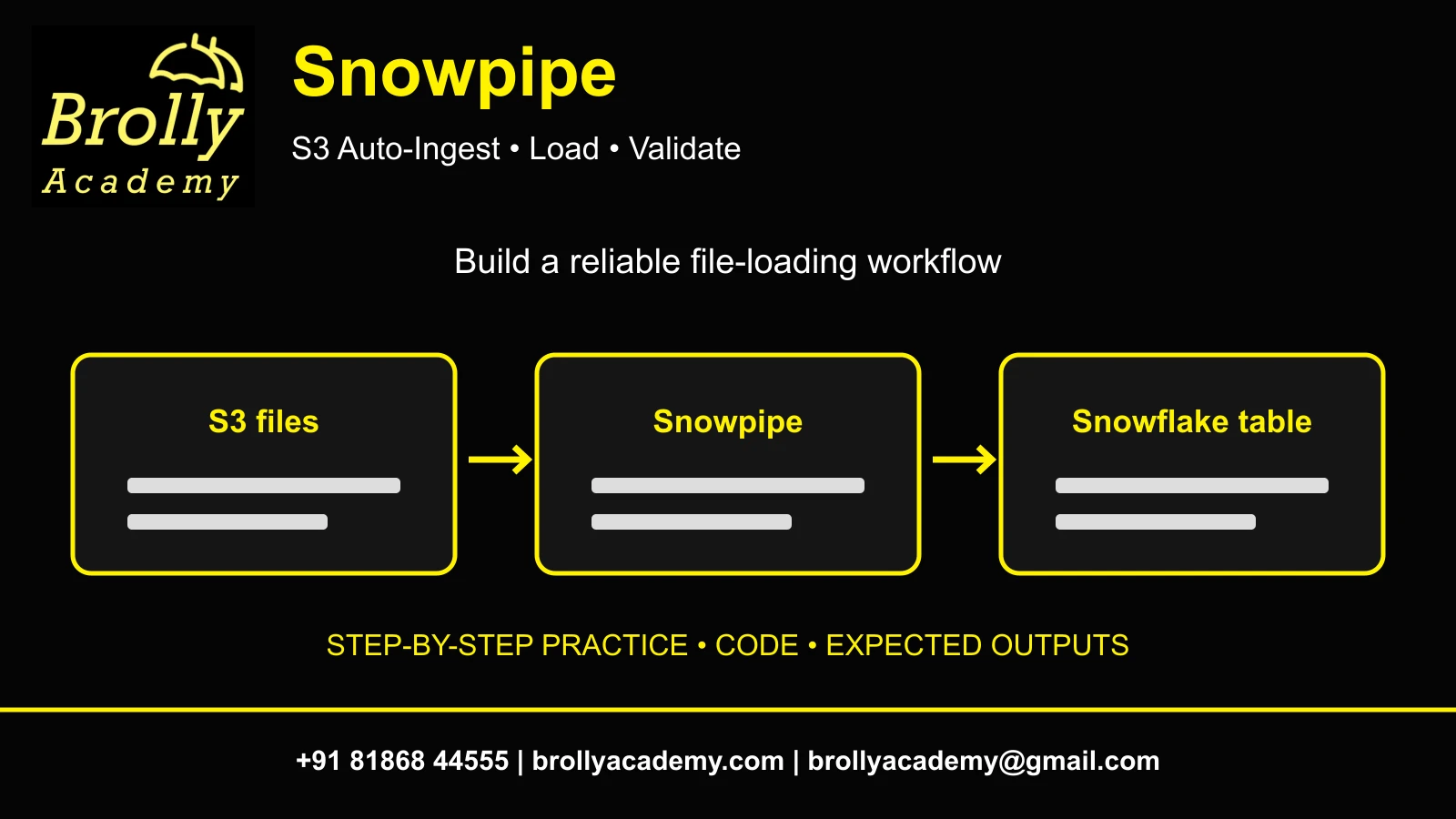
Snowpipe continuously loads files from a stage into a Snowflake table using managed ingestion compute. This guide builds an S3 auto-ingest pipeline, checks individual files and reconciles business rows. It is for learners who already know basic SQL and can use an approved AWS practice environment.
A retailer receives order-event files during the day. The analyst needs an accurate order total, not merely a running pipe. Your deliverable is a five-row raw landing table, a four-order reporting view and evidence explaining why a repeated business event did not inflate revenue.
| Requirement | Choose | Reason |
|---|---|---|
| Occasional large controlled batch | COPY INTO | Operator controls when the warehouse loads the files |
| New cloud files should load automatically | Snowpipe auto-ingest | Cloud object events notify the ingestion service |
| Application sends rows without staging files | Evaluate Snowpipe Streaming | Different ingestion interface; this tutorial does not implement it |
| Rows are already in Snowflake and need CDC processing | Streams and Tasks | Downstream processing, not the file-arrival service |
Keep the boundaries clear: this article owns file ingestion, delivery evidence and replay checks. Continue to Streams and Tasks for table-change processing, or Dynamic Tables for downstream SQL refresh design.
Reference: Snowpipe overview.
2. Confirm accounts, permissions and cost boundaries
Allow 90–150 minutes for a first lab, with additional time for cloud permissions. This is an intermediate exercise, not a promise about provisioning speed or ingestion latency. Use a new isolated prefix and schema so unrelated files cannot enter the test.
- Obtain a Snowflake practice database and a small existing warehouse for setup and validation queries. The pipe itself uses managed ingestion compute.
- Ask an administrator to create an AWS IAM role with read access to the exact practice bucket prefix and a Snowflake storage integration. Do not paste access keys into SQL.
- Confirm database/schema usage and object-creation privileges for your setup role. The pipe-owning role needs database/schema usage, stage usage, table INSERT and CREATE PIPE on the schema. Grant monitoring/select access separately for validation.
- Use AWS S3 with permission to upload files and configure event notifications. The SQS route below assumes the prefix has no conflicting existing event subscription.
- Record the bucket, region, database, schema, integration name, pipe owner and cleanup owner in a private lab README.
Charges can include Snowpipe ingestion, validation warehouse compute, retained data and cloud storage/requests. Pricing depends on region, service and account terms. Set a small practice budget and inspect actual usage; do not treat a suspended SQL warehouse as a spending cap on Snowpipe. This lab does not quote a universal per-file price.
Reference: Snowpipe cost documentation.
3. Understand the two independent paths
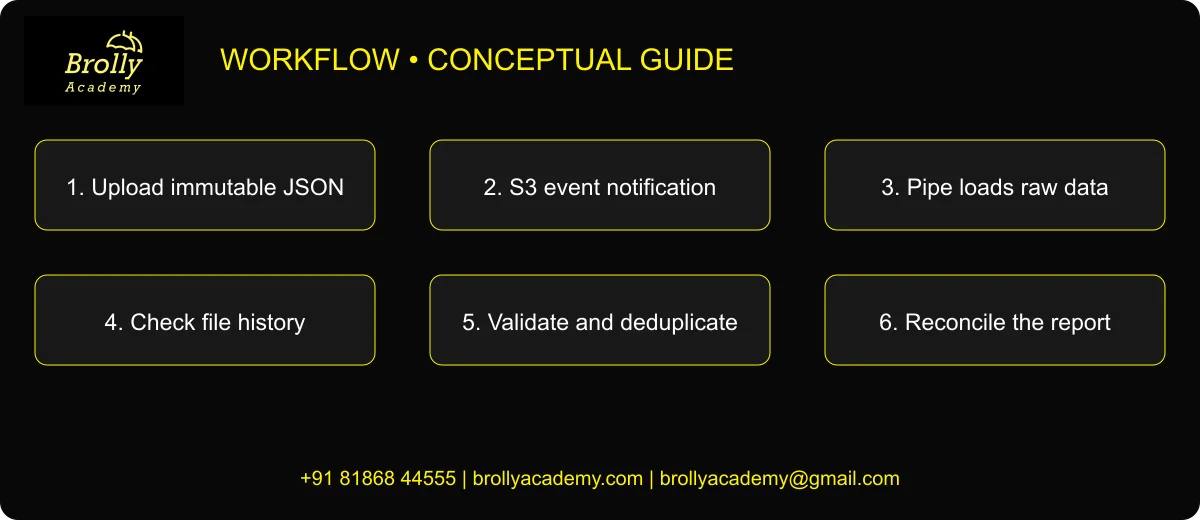
The event carries a notification about a file; it does not replace permission to read that file. A notification can arrive while storage access is broken. Conversely, LIST can succeed while the event route is missing. Test these paths independently.
- Data path: producer → S3 orders prefix → external stage → raw VARIANT table.
- Control path: S3 object-created event → Snowflake-managed SQS queue → pipe.
- Quality path: raw payload → typed checks → business-key deduplication → reporting view.
Use the direct SQS option only for a disposable prefix without conflicting notifications. Existing applications may require SNS or EventBridge fan-out; do not overwrite bucket-wide notification configuration to make a training lab work.
Reference: Amazon S3 auto-ingest setup.
4. Prepare deterministic input files
Create UTF-8 newline-delimited JSON files without an outer JSON array. The following seed is synthetic and contains no customer information. Each line is an event. Keep the filenames unique and immutable after uploading.
4.1 orders_001.json
{"event_id":1001,"event_ts":"2026-10-01T09:00:00Z","amount":100.00}
{"event_id":1002,"event_ts":"2026-10-01T09:01:00Z","amount":200.00}
{"event_id":1003,"event_ts":"2026-10-01T09:02:00Z","amount":50.00}
4.2 orders_002.json
{"event_id":1002,"event_ts":"2026-10-01T09:01:00Z","amount":200.00}
{"event_id":1004,"event_ts":"2026-10-01T09:03:00Z","amount":75.00}
After file one, expect three raw rows and a total of 350.00. After file two, expect five raw rows and a raw numeric total of 625.00. The repeated 1002 event is intentional: the correct distinct-order total remains 425.00 across four event IDs. A file-level load check alone cannot establish this business result.
5. Establish scoped storage access before creating the pipe
Replace every uppercase placeholder with your approved lab values. These are not commands to run unchanged. An AWS administrator first creates the IAM role and read policy for YOUR_BUCKET/orders/. The policy needs bucket listing/location access and object reads, including version reads when applicable. Restrict resources to the intended bucket and objects.
-- Run using a role authorized to manage integrations.
CREATE STORAGE INTEGRATION BA_SP_S3_INT
 TYPE=EXTERNAL_STAGE
 STORAGE_PROVIDER='S3'
 ENABLED=TRUE
 STORAGE_AWS_ROLE_ARN='arn:aws:iam::YOUR_AWS_ACCOUNT:role/YOUR_READ_ROLE'
 STORAGE_ALLOWED_LOCATIONS=('s3://YOUR_BUCKET/orders/');
DESC INTEGRATION BA_SP_S3_INT;- Record STORAGE_AWS_IAM_USER_ARN and STORAGE_AWS_EXTERNAL_ID from the actual DESC output. These are account-specific values, not values to invent.
- In the AWS role trust relationship, allow that returned principal to call sts:AssumeRole and require the returned external ID. Keep the existing organization approval process.
- Grant your setup role USAGE on BA_SP_S3_INT. If the role is not allowed to manage integrations, request this scoped grant from the administrator.
- Confirm that the bucket path in STORAGE_ALLOWED_LOCATIONS and the later stage URL match exactly, including the final slash.
Follow the official integration procedure for the complete IAM policy and trust-policy fields. Do not use a wildcard principal or remove the external-ID condition as a troubleshooting shortcut. This is an administrator prerequisite, not an automated change made by the tutorial.
Reference: Snowflake S3 storage integration and IAM policy.
5.1 Example least-scope policy and trust relationship
Have the cloud administrator review these templates and substitute real account-specific values. Bucket-policy, encryption-key and organization restrictions can add requirements. GetBucketLocation is kept in its own statement because it has no object-prefix context.
{
  "Version": "2012-10-17",
  "Statement": [
    {
      "Effect": "Allow",
      "Action": "s3:GetBucketLocation",
      "Resource": "arn:aws:s3:::YOUR_BUCKET"
    },
    {
      "Effect": "Allow",
      "Action": [
        "s3:ListBucket"
      ],
      "Resource": "arn:aws:s3:::YOUR_BUCKET",
      "Condition": {
        "StringLike": {
          "s3:prefix": [
            "orders/",
            "orders/*"
          ]
        }
      }
    },
    {
      "Effect": "Allow",
      "Action": [
        "s3:GetObject",
        "s3:GetObjectVersion"
      ],
      "Resource": "arn:aws:s3:::YOUR_BUCKET/orders/*"
    }
  ]
}
Attach the read policy to the AWS role. After DESC INTEGRATION, replace the two RETURNED values in the role trust policy:
{
  "Version": "2012-10-17",
  "Statement": [
    {
      "Effect": "Allow",
      "Principal": {
        "AWS": "RETURNED_STORAGE_AWS_IAM_USER_ARN"
      },
      "Action": "sts:AssumeRole",
      "Condition": {
        "StringEquals": {
          "sts:ExternalId": "RETURNED_STORAGE_AWS_EXTERNAL_ID"
        }
      }
    }
  ]
}
These JSON documents are policy templates, not SQL. Do not grant public bucket access. For SSE-KMS or cross-account controls, obtain the required reviewed key/bucket-policy permissions from the cloud administrator.
6. Create the lab schema, format and raw landing table
Select an approved database first. Use a fresh schema name; CREATE is deliberate so a rerun cannot silently replace the table or pipe and reset evidence.
USE DATABASE YOUR_LAB_DATABASE;
USE WAREHOUSE YOUR_LAB_WAREHOUSE;
CREATE SCHEMA BA_SP_LAB;
USE SCHEMA BA_SP_LAB;
CREATE FILE FORMAT FF_ORDER_JSON TYPE=JSON;
CREATE TABLE RAW_ORDER_EVENTS (payload VARIANT);
CREATE STAGE ORDER_STAGE
 URL='s3://YOUR_BUCKET/orders/'
 STORAGE_INTEGRATION=BA_SP_S3_INT
 FILE_FORMAT=FF_ORDER_JSON;
LIST @ORDER_STAGE;
SELECT COUNT(*) AS initial_rows FROM RAW_ORDER_EVENTS;
The raw count should be zero. LIST can also return zero rows when the prefix is accessible but empty. An access error is different from an empty result: fix storage access before continuing. Keep the main prefix empty until notifications and the pipe are ready.
The raw table deliberately preserves the JSON payload instead of casting amounts inside COPY. This separates file parsing from business validation and keeps the simple pipe load compatible with the error inspection used below.
7. Create the pipe and connect S3 notifications
CREATE PIPE ORDER_PIPE AUTO_INGEST=TRUE AS
 COPY INTO RAW_ORDER_EVENTS
 FROM @ORDER_STAGE
 FILE_FORMAT=(FORMAT_NAME=FF_ORDER_JSON)
 ON_ERROR='SKIP_FILE';
SHOW PIPES LIKE 'ORDER_PIPE' IN SCHEMA BA_SP_LAB;
SELECT SYSTEM$PIPE_STATUS('BA_SP_LAB.ORDER_PIPE');- From the actual SHOW PIPES result, copy notification_channel: the Snowflake-managed SQS queue ARN. Never substitute an example ARN.
- In the S3 bucket Properties → Event notifications, create a lab notification for object-created events, prefix orders/ and suffix .json. Choose the returned SQS queue destination.
- Preserve existing bucket notifications. If AWS rejects overlapping rules, stop and evaluate the documented SNS route with the cloud owner.
- Save the notification and only then upload orders_001.json into orders/. The AWS Console upload flow is sufficient; no local CLI is required.
- Query the raw count and history until the file has a recorded outcome. Record observed latency without turning it into a guaranteed SLA.
A created pipe is not proof that the cloud notification is configured. Likewise, a running state is not proof that every expected file loaded. The file history and row reconciliation in the next section provide the acceptance evidence.
Reference: CREATE PIPE reference.
8. Verify file one, then introduce the duplicate event
SELECT payload:event_id::NUMBER AS event_id,
 payload:amount::NUMBER(12,2) AS amount
FROM RAW_ORDER_EVENTS ORDER BY event_id;
SELECT * FROM TABLE(INFORMATION_SCHEMA.COPY_HISTORY(
 TABLE_NAME=>'BA_SP_LAB.RAW_ORDER_EVENTS',
 START_TIME=>DATEADD('hour',-2,CURRENT_TIMESTAMP())
)) ORDER BY LAST_LOAD_TIME DESC;
Expect IDs 1001, 1002 and 1003 after the first file. Check the actual filename, rows loaded, status and error fields. An empty result can reflect the wrong database/schema, time window, permissions or a file that has not completed; do not infer success from silence.
Next upload orders_002.json. Wait for its recorded outcome, then run:
SELECT COUNT(*) AS raw_rows,
 SUM(TRY_TO_DECIMAL(payload:amount::STRING,12,2)) AS raw_amount
FROM RAW_ORDER_EVENTS;
SELECT payload:event_id::NUMBER AS event_id,COUNT(*) AS copies
FROM RAW_ORDER_EVENTS GROUP BY 1 HAVING COUNT(*)>1;
Expected: five raw rows, 625.00 raw amount and one duplicate key, 1002 with two copies. Snowpipe file loading does not replace order-level uniqueness rules.
Reference: COPY_HISTORY table function.
9. Publish a typed, deduplicated reporting view
CREATE VIEW ORDER_EVENT_QUALITY AS
SELECT payload,
 TRY_TO_NUMBER(payload:event_id::STRING) AS event_id,
 TRY_TO_TIMESTAMP_TZ(payload:event_ts::STRING) AS event_ts,
 TRY_TO_DECIMAL(payload:amount::STRING,12,2) AS amount
FROM RAW_ORDER_EVENTS;

CREATE VIEW ORDERS_CURRENT AS
SELECT event_id,event_ts,amount FROM ORDER_EVENT_QUALITY
WHERE event_id IS NOT NULL AND event_ts IS NOT NULL
 AND amount IS NOT NULL AND amount>=0
QUALIFY ROW_NUMBER() OVER(
 PARTITION BY event_id
 ORDER BY event_ts DESC,TO_JSON(payload) DESC
)=1;

SELECT COUNT(*) AS distinct_orders,SUM(amount) AS revenue
FROM ORDERS_CURRENT;
SELECT * FROM ORDERS_CURRENT ORDER BY event_id;| event_id | amount |
|---|---|
| 1001 | 100.00 |
| 1002 | 200.00 |
| 1003 | 50.00 |
| 1004 | 75.00 |
Expected report: four orders and 425.00. This lab treats event_id as the business key and event_ts as the version ordering field. Exact repeated payloads can choose either physical copy because the selected output is identical. The JSON tie-breaker makes differing same-time payloads deterministic; it is not a business approval rule. A production producer should provide an authoritative version or sequence number and define how conflicting events are resolved.
Do not apply this rule blindly to line items or financial adjustments: those may legitimately share an order ID. First establish the actual grain, then choose the key.
10. Test business rejects and malformed files separately
10.1 Valid JSON with an invalid amount
Upload orders_003.json containing this one line:
{"event_id":1005,"event_ts":"2026-10-01T09:04:00Z","amount":"bad"}SELECT payload FROM ORDER_EVENT_QUALITY
WHERE event_id IS NULL OR event_ts IS NULL OR amount IS NULL OR amount<0;
SELECT COUNT(*) AS raw_rows FROM RAW_ORDER_EVENTS;
SELECT COUNT(*) AS report_rows,SUM(amount) AS revenue FROM ORDERS_CURRENT;Expected: raw rows become six; one quality reject appears; report rows remain four and revenue remains 425.00. The file can load successfully while a record fails a business/type rule.
10.2 Invalid JSON syntax
Upload orders_bad_001.json with a deliberately broken JSON line, such as a missing closing brace. Keep it separate from good records. The pipe uses SKIP_FILE, so investigate the rejected file instead of assuming it partially loaded.
SELECT * FROM TABLE(INFORMATION_SCHEMA.VALIDATE_PIPE_LOAD(
 PIPE_NAME=>'BA_SP_LAB.ORDER_PIPE',
 START_TIME=>DATEADD('hour',-2,CURRENT_TIMESTAMP())
));
SELECT SYSTEM$PIPE_STATUS('BA_SP_LAB.ORDER_PIPE');
Save the filename and parser error. Fix the source, publish a new uniquely named file with an approved event and reconcile it explicitly. Do not keep overwriting one filename and expect it to behave like a new business event.
Reference: VALIDATE_PIPE_LOAD and its permissions.
11. Reconcile replay, backlog and operational failures
| Symptom | Evidence to inspect | Action |
|---|---|---|
| LIST fails | Stage path, role and IAM trust | Restore scoped read access before changing the pipe |
| LIST works but no loads | S3 event filter, queue destination, pipe status | Trace event delivery separately from storage access |
| History says loaded; totals are wrong | Business keys and typed rejects | Inspect duplicates, missing IDs and invalid amounts |
| Old files never appeared | Upload time and notification creation time | Assess a controlled backfill; do not recreate objects |
| Same filename was overwritten | Immutable-file convention and load history | Use a new filename with explicit deduplication rules |
For a recent, documented backlog, review ALTER PIPE REFRESH before using it. Its eligible file window and load metadata rules matter; it is not an unlimited historical replay command.
-- Optional recovery action, only after inspecting the backlog:
ALTER PIPE ORDER_PIPE REFRESH PREFIX='backfill/';
This path is relative to the stage, so it refers to orders/backfill/. Keep a manifest of the exact filenames, expected event keys and before/after counts. Do not simultaneously run uncontrolled bulk COPY and auto-ingest against the same source set.
Reference: ALTER PIPE REFRESH limitations.
Reference: SYSTEM$PIPE_STATUS fields.
12. Package evidence and clean up only your lab
Keep a repository containing README.md, setup.sql, validation.sql, the three valid JSON files, the intentionally malformed sample, expected-results.csv and an observed-results folder. Publish only sanitized configuration; never include credentials, private account identifiers or unreviewed operational logs.
- Document the producer contract, business key, allowed event types and replay policy.
- Capture your own file-history output, reject query and four-row final report. The outputs in this article are expected values, not connected-account test results.
- Explain why raw count six and report count four can both be correct after the reject test.
- Pause ORDER_PIPE before cleanup, disable only the lab event notification, and confirm no producer still writes to the lab prefix.
- Drop only your disposable schema after evidence review. Ask the administrator before removing an integration or IAM role, since those may be shared.
-- Execute only when the disposable lab is no longer needed.
ALTER PIPE ORDER_PIPE SET PIPE_EXECUTION_PAUSED=TRUE;
-- After cloud notification and producer cleanup, and after review:
DROP SCHEMA BA_SP_LAB;
Use a precise résumé point only after completing the lab: “Built an S3-to-Snowflake ingestion exercise with file-level load evidence, typed rejects and event-key reconciliation.” Do not claim production scale, zero latency or measured cost savings without your own evidence. Find additional exercises in Snowflake Projects and practise explaining the choices with Snowflake interview questions.
13. Snowpipe FAQs
What is Snowpipe in Snowflake?
A managed service for continuously loading staged files into tables. Auto-ingest uses cloud file-arrival notifications; the resulting rows still need business validation.
Does Snowpipe need my virtual warehouse?
The ingestion service uses managed compute. Setup, validation and reporting queries in this lab use your selected warehouse and can incur separate charges.
Is Snowpipe the same as Snowpipe Streaming?
No. This walkthrough is file based. Streaming interfaces send rows through a different ingestion path and require their own implementation and delivery guarantees.
Why can LIST succeed when no files load?
LIST tests access to storage. Auto-ingest also needs the correct object-created notification, prefix/suffix filter, queue and running pipe.
Why use a raw VARIANT table?
It separates JSON parsing from typing and business checks. A valid JSON record with amount=”bad” can be retained for investigation rather than silently treated as a valid sale.
Does a loaded file prove that orders are unique?
No. A second filename can contain an already-seen event ID. The reporting layer must enforce the correct business grain and duplicate policy.
Should I overwrite a source filename to correct it?
Use an immutable-file workflow and a deliberate correction policy. A reused name is not a reliable way to announce a new load. Inspect history before any recovery action.
Can I rely on a fixed ingestion delay?
Record the observed delay in your environment. This article does not promise an SLA or a universal number of seconds.
How do I find parsing errors?
Use the actual file load history and VALIDATE_PIPE_LOAD with the correct pipe, role and recent time range. Empty output alone does not prove the whole pipeline is healthy.
Can REFRESH reload every historical file?
No. Review its supported eligibility window and metadata behavior. For older recovery, design a controlled backfill rather than repeatedly recreating the pipe.
What if two versions have the same event timestamp?
Define an authoritative producer sequence or conflict rule. The lab tie-breaker is deterministic for practice but is not a substitute for a business-approved version contract.
Were these SQL examples executed in a Snowflake account?
No connected Snowflake execution was performed. Syntax was reviewed against official references; expected counts and sums follow the supplied synthetic records. Save your own observed results.
Open the phase-by-phase SQL workbook. Read each phase in context; do not execute the complete workbook as one batch.
Related Snowflake Articles
Snowflake Projects
Choose a portfolio exercise with SQL, expected results and validation steps.
Snowflake Interview Questions
Practise explaining SQL, validation and project decisions.
Snowflake Certification
Explore the separate certification learning path and exam preparation.
Related Courses
Snowflake Training
Explore the syllabus, practical learning topics and available Snowflake training formats.
Azure Data Factory Training
Explore data integration, orchestration and cloud pipeline training.