

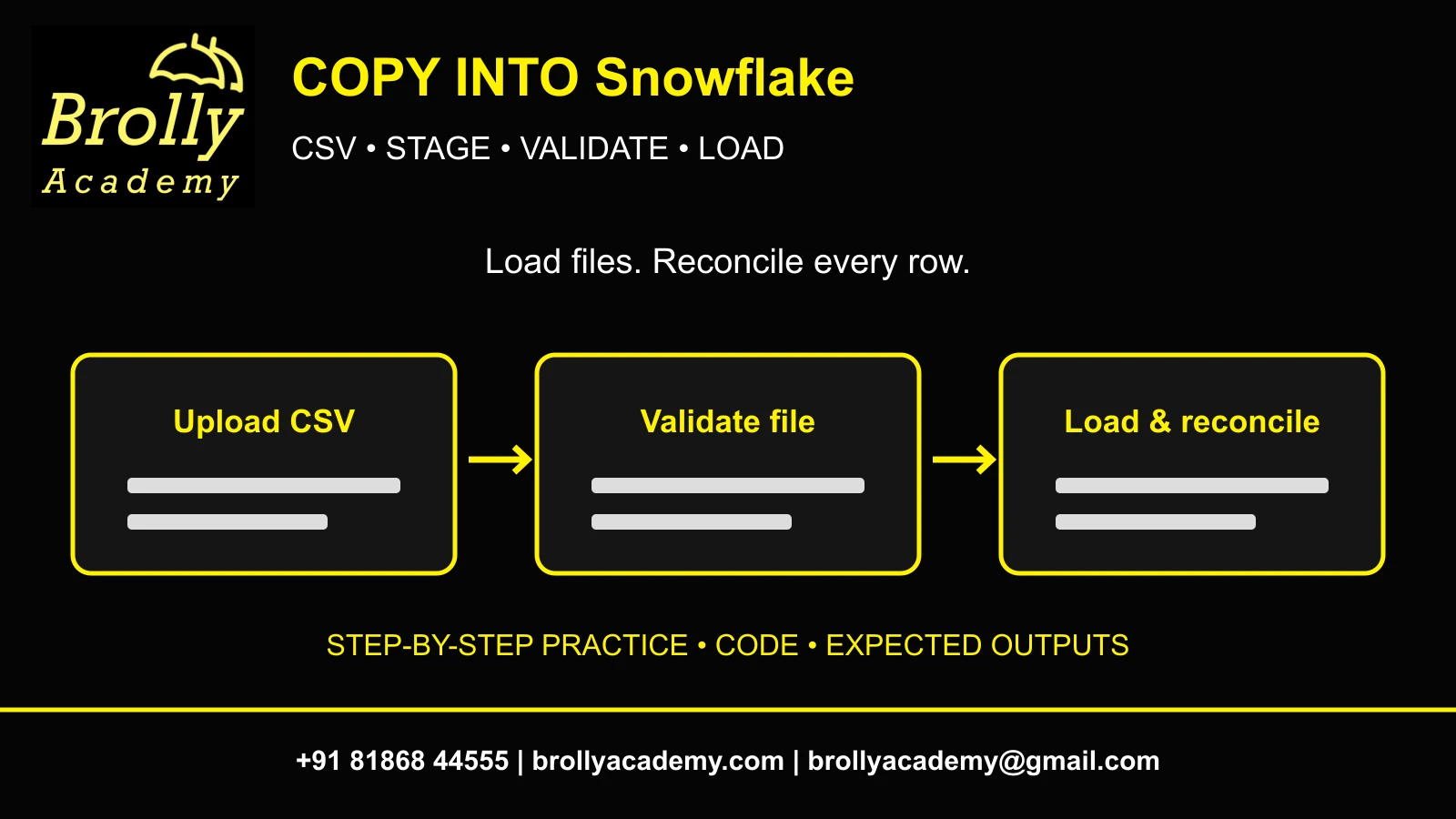
1. What does COPY INTO Snowflake do?
COPY INTO Snowflake loads staged files into an existing table. For a beginner batch load, create the target and file format, upload a CSV to an internal stage, validate it, run COPY INTO, then reconcile row counts and totals. The upload and the table load are separate steps; a file appearing on a stage does not prove the target contains its rows.
You will load three synthetic sales worth 200.00, inspect the result, demonstrate repeat-load protection and reject a separate malformed file. The deliverable is a small loading runbook with source data, SQL, expected results and a recovery decision. You need basic SELECT skills, an authorized account and an assigned practice warehouse. Start with the Snowflake SQL tutorial and Snowflake account setup guide if those prerequisites are missing.
This article teaches a manual file-based batch operation. It does not repeat the continuous-ingestion implementation in the Snowpipe guide, nor the CDC transformations in the Streams and Tasks guide. No connected Snowflake execution or benchmark is claimed; compare your actual evidence with the expected outputs.
2. Understand file, stage, format and target table
| Component | What it does | What it does not prove |
|---|---|---|
| CSV on your computer | Provides the original bytes and header | Not available to a Snowflake SQL query yet |
| Internal stage | Stores uploaded files in Snowflake-managed storage | Does not insert rows into the target |
| File format | Defines delimiter, header and parsing behavior | Does not decide every business-quality rule |
| Target table | Defines typed columns receiving rows | Does not automatically deduplicate business keys |
| Validation | Checks the selected file against the load definition | Does not execute the actual load |
| COPY result and SQL checks | Show file-level outcome and row reconciliation | Do not replace ongoing pipeline monitoring |
Conceptual architecture: local CSV → named internal stage → validation → COPY INTO table → SQL reconciliation → documented release or recovery. Use one explicit file list in the starter lab so unrelated staged files cannot enter the target. Keep the source file until you have saved loading evidence.
COPY INTO has a separate unload form with a location as its target. This guide concentrates on COPY INTO a table; do not confuse it with COPY FILES, a table clone or an INSERT SELECT. Those operations solve different tasks. An internal stage avoids AWS/Azure/GCS account setup for this first exercise.
Reference: COPY INTO table reference.
3. Prepare privileges, context and cost controls
- Select the authorized warehouse, database and schema shown below. Replace YOUR_ names with actual approved objects.
- Use an isolated schema where you may create the BA_COPY_ objects. Ask the owner for scoped privileges rather than using ACCOUNTADMIN by default.
- The role needs context USAGE, target INSERT access for loading and SELECT for verification. Creating objects requires the corresponding schema privileges. Internal-stage upload needs WRITE; reading needs READ.
- Keep compute appropriately small and follow the account owner’s auto-suspend policy. Stored staged files can incur storage usage too.
USE WAREHOUSE YOUR_PRACTICE_WAREHOUSE;
USE DATABASE YOUR_PRACTICE_DATABASE;
USE SCHEMA YOUR_PRACTICE_SCHEMA;
SELECT CURRENT_ROLE(),CURRENT_WAREHOUSE(),CURRENT_DATABASE(),CURRENT_SCHEMA();
CREATE below intentionally fails on existing names. Inspect previous work instead of replacing a table, format or stage you do not recognize. You do not need to provision a new cloud bucket, expose credentials or enable Snowpipe for this lab. If a training role cannot create a stage, ask for an isolated pre-created stage and adjust the names consistently.
Save scripts and the original CSV before starting. A completed load consumes resources even if a later quality check rejects its result. Avoid repeated trial-and-error loading into shared tables; validation and an empty disposable target make the exercise easier to understand.
4. Create the complete three-row CSV
Save the following exact text as sales_clean.csv in UTF-8. Use a text editor so a spreadsheet does not silently change date formatting or remove punctuation. The first line is a header and the three following lines are the data. The quoted comma in the store name is deliberate: it tests the enclosure setting.
sale_id,sale_date,store,amount
1,2026-10-01,Online,100.00
2,2026-10-02,"Hyderabad, West",75.50
3,2026-10-03,Online,24.50| Expected check | Value |
|---|---|
| Data records excluding header | 3 |
| Unique sale IDs | 1, 2, 3 |
| Total amount | 200.00 |
| Online subtotal | 124.50 |
| Hyderabad, West subtotal | 75.50 |
This is synthetic practice data authored for the exercise; no external dataset or customer records are required. Keep the header and column order intact: sale_id, sale_date, store, amount. A header skipped during parsing is not a name-based column-matching policy; ordinary CSV loading here is positional.
If your editor appends .txt, rename the file deliberately and verify its actual filename. Do not add currency symbols or thousands separators to amount. The comma inside the quoted store value should remain part of one field, not become an extra column. A source contract should describe these conventions before a real pipeline is built.
5. Create the target, file format and internal stage
CREATE TABLE BA_COPY_SALES (
 sale_id NUMBER(10,0),sale_date DATE,store VARCHAR(100),amount NUMBER(12,2)
);
CREATE FILE FORMAT BA_COPY_CSV
 TYPE=CSV
 FIELD_DELIMITER=','
 SKIP_HEADER=1
 FIELD_OPTIONALLY_ENCLOSED_BY='"'
 DATE_FORMAT='YYYY-MM-DD'
 ERROR_ON_COLUMN_COUNT_MISMATCH=TRUE;
CREATE STAGE BA_COPY_STAGE FILE_FORMAT=BA_COPY_CSV;
DESC TABLE BA_COPY_SALES;
DESC FILE FORMAT BA_COPY_CSV;
The explicit target type catches invalid amounts and impossible dates during loading. SKIP_HEADER=1 discards the first CSV line. FIELD_OPTIONALLY_ENCLOSED_BY allows the quoted store name to contain its comma. The mismatch option prevents extra or missing field counts from being silently accepted under this definition.
Use the same names throughout the worksheet or fully qualify them. A stage and table can exist in a different schema with a similar name; CURRENT_SCHEMA and DESC checks help avoid loading the wrong object. A named file format is reusable and reviewable, which is useful when several people inspect the same source contract.
This standard table is disposable lab data and remains after a session ends until cleaned up. Its persistence makes reload behavior easier to observe. Do not use CREATE OR REPLACE to reset the target: replacing an object changes the experiment and can discard evidence.
Reference: CSV file format options.
6. Upload the file and confirm its staged name
- In Snowsight, open Ingestion → Add Data → Load files into a Stage. Interface labels can evolve; use the official staging guide if your navigation differs.
- Select sales_clean.csv, the practice database/schema and BA_COPY_STAGE. Do not choose a workflow that loads directly into a table for this stage-only step.
- Upload without a custom path for this starter. If you intentionally use a path, include it in subsequent stage references or file names.
- Run LIST and inspect the returned filename, size and stage location before continuing.
LIST @BA_COPY_STAGE;
-- Locate sales_clean.csv in the returned name column.
If uploading through an approved command-line client instead, PUT transfers a local file to an internal stage. It is a client-supported file transfer, not a normal browser worksheet operation. The example below is an alternative, not an extra step after a successful UI upload. Replace the local path and run it in a client that supports PUT.
-- Alternative in a supported local SQL client, not a browser worksheet:
PUT 'file:///C:/snowflake-lab/sales_clean.csv' @BA_COPY_STAGE
 AUTO_COMPRESS=FALSE OVERWRITE=FALSE;
LIST output is the authority for the staged name. Auto-compression can produce a .gz filename; paths and filenames are case-sensitive. Adapt FILES below to that exact name instead of guessing. Do not repeat uploads with renamed copies merely to make COPY run again, because those copies may be treated as new inputs.
Reference: Upload files onto an internal stage.
Reference: Supported PUT behavior.
7. Validate the chosen file before inserting rows
SELECT COUNT(*) AS rows_before FROM BA_COPY_SALES;
COPY INTO BA_COPY_SALES
 FROM @BA_COPY_STAGE
 FILES=('sales_clean.csv')
 FILE_FORMAT=(FORMAT_NAME='BA_COPY_CSV')
 VALIDATION_MODE=RETURN_ERRORS;
SELECT COUNT(*) AS rows_after_validation FROM BA_COPY_SALES;
Both counts should be zero for the new target. For the supplied clean CSV, RETURN_ERRORS should produce no error records. Validation does not load the data. If error records appear, stop and inspect the filename, row/line, column and message; the exact returned columns depend on the validation result.
A zero-row target after validation is expected, not a failed ingestion. Conversely, validation success does not prove your business totals are correct. It checks the load’s structural/type interpretation; duplicated sale IDs, an implausible negative amount or an incorrect business date can still need separate SQL checks.
Do not attach this VALIDATION_MODE to a COPY statement that transforms data with SELECT: that combination is not supported. This lab deliberately uses a standard load so the validation operation stays straightforward. For transformation needs, first establish a clear landing and quality-check strategy.
Reference: Validation mode and restrictions.
8. Run COPY INTO and inspect the file-level result
COPY INTO BA_COPY_SALES
 FROM @BA_COPY_STAGE
 FILES=('sales_clean.csv')
 FILE_FORMAT=(FORMAT_NAME='BA_COPY_CSV')
 ON_ERROR=ABORT_STATEMENT
 PURGE=FALSE;
For a fresh empty target and the exact clean file, expect a successful load with three parsed and three loaded records and no errors. Inspect the actual result’s file, status, rows_parsed, rows_loaded and errors_seen fields. Save the query ID and result in your own account; these are expected values, not a fabricated execution screenshot.
ON_ERROR=ABORT_STATEMENT makes this clean starter stop on a loading error rather than quietly accepting only some rows. PURGE=FALSE retains the source file for inspection. Never treat “query completed” as a business sign-off: a skipped file or a partially loaded file under another policy requires interpretation.
Use the same warehouse and target context as validation. If the result says no files were processed, verify that an earlier successful load has not already recorded that file for the target. Also check the exact stage prefix and filename. Do not immediately set FORCE=TRUE to override a protection you have not understood.
9. Reconcile the target with the CSV contract
SELECT * FROM BA_COPY_SALES ORDER BY sale_id;
SELECT COUNT(*) AS row_count,COUNT(DISTINCT sale_id) AS unique_ids,
       SUM(amount) AS total_amount
FROM BA_COPY_SALES;
SELECT store,COUNT(*) AS sales,SUM(amount) AS total_amount
FROM BA_COPY_SALES GROUP BY store ORDER BY store;
SELECT sale_id,COUNT(*) AS copies FROM BA_COPY_SALES
GROUP BY sale_id HAVING COUNT(*)>1;
SELECT * FROM BA_COPY_SALES WHERE amount<0 OR sale_date IS NULL;
The baseline is row_count 3, unique_ids 3 and total_amount 200.00. Store totals are Hyderabad, West = 75.50 and Online = 124.50. Both exception queries should return no rows. Confirm that the quoted store field contains the comma as part of the name; incorrect quote handling can shift columns or reject the file.
A matching row count alone is weak evidence. Duplicate sale IDs can coexist with missing records, and a wrong amount can offset another wrong amount. Check IDs, totals, a meaningful grouping and known exceptions together. Save enough evidence that another learner can reproduce the comparison from the supplied CSV.
For a realistic extension, compare a source-provided manifest count and control total before releasing a report. Never invent a successful control total from whatever happens to load. This lab’s 200.00 is independently calculable from the three source values, which is why it is a useful beginner baseline.
10. Test repeat loads without confusing file tracking and deduplication
Immediately repeat the same COPY statement from section 8 with the unchanged staged file and the same target. Snowflake normally skips a file it knows was already loaded into that table. Recheck the target count and total: they should remain three and 200.00 in this controlled repeat experiment.
This is file-load tracking, not a permanent business-key uniqueness guarantee. A renamed file, modified content, a different target or load-history uncertainty can change the outcome. Retention and older-file rules mean you should not promise that every retry forever is safe. Business-level idempotency needs an explicit design.
-- Inspect after repeating the unchanged COPY statement:
SELECT COUNT(*) AS row_count,SUM(amount) AS total_amount FROM BA_COPY_SALES;
-- Expected unchanged baseline: 3 and 200.00.
-- Do not run FORCE=TRUE against this target just to make a retry process files.
If FORCE were deliberately used to reload this same complete file into the same existing target, it could append another three rows and double the total. That is a warning and prediction, not an instruction to corrupt the baseline. Demonstrate risky options only in a separately named disposable target with a documented cleanup plan.
Do not truncate or recreate the target as a shortcut during this experiment; changing its state makes the repeat-load observation harder to interpret. Preserve both the first load result and the second result so the runbook explains why an unchanged count is correct.
Reference: FORCE and load-history behavior.
11. Reject a bad file and recover deliberately
Save a second file named sales_bad.csv with the following complete contents, upload it to the same internal stage, and keep it separate from sales_clean.csv. Its nonnumeric amount should fail conversion into the target’s NUMBER column. The single explicit FILES choice prevents the bad experiment from accidentally changing the clean batch definition.
sale_id,sale_date,store,amount
4,2026-10-04,Online,not-a-number
COPY INTO BA_COPY_SALES FROM @BA_COPY_STAGE
FILES=('sales_bad.csv') FILE_FORMAT=(FORMAT_NAME='BA_COPY_CSV')
VALIDATION_MODE=RETURN_ERRORS;
SELECT COUNT(*),SUM(amount) FROM BA_COPY_SALES;
-- Expect an amount-conversion error record; target remains 3 and 200.00.Fix the source value only after the owner or exercise contract tells you the correct amount. If the intended amount is 10.00, create sales_corrected.csv with row 4 and amount 10.00, upload it, validate that explicit filename and load it with the same standard COPY pattern. The expected new baseline becomes four rows and 210.00. Do not fabricate a correction in a real source.
ABORT_STATEMENT, CONTINUE and SKIP_FILE represent different error policies. CONTINUE can accept valid rows while skipping errors; SKIP_FILE can skip an affected file. Neither removes the obligation to reconcile accepted/rejected data. For this first lab, keep abort-on-error and a separate validation step so partial loads are not mistaken for complete success.
| Problem | Likely check | Safe next action |
|---|---|---|
| No files processed | Exact filename, path, prior load | Inspect LIST and prior result |
| Column-count mismatch | Quoted commas and header | Correct CSV/format before retry |
| Numeric/date failure | Token and target type | Validate correction with source owner |
| Not authorized | Role, context and stage grants | Request scoped access |
| Unexpected six rows | Duplicate file or forced reload | Inspect IDs and run history before repair |
12. Document the runbook, clean up and choose the next exercise
- Save the two input files and a README with context names, upload method, validation SQL, COPY SQL and expected control totals.
- Keep actual query IDs, load outcomes and exception evidence from your own account. Distinguish the original 200.00 batch from the optional corrected 210.00 extension.
- Verify the exact stage contents and target identity before removing disposable lab objects.
- Save required evidence, then remove only the BA_COPY_ objects created here.
- Choose an end-to-end exercise from Snowflake Projects or review the Snowflake course syllabus for your next guided learning step.
LIST @BA_COPY_STAGE;
-- After saving evidence and confirming these are your isolated lab objects:
DROP STAGE BA_COPY_STAGE;
DROP TABLE BA_COPY_SALES;
DROP FILE FORMAT BA_COPY_CSV;
Dropping the internal stage removes its stored lab files, so retain local sources and necessary evidence first. Do not copy these cleanup commands into an unrelated schema or production workflow. Suspend only exclusively owned practice compute when appropriate; shared warehouse operation belongs to its owner.
Explain the project in an interview as a controlled batch ingestion: source contract, stage, parsing, pre-load validation, file-level outcome, business reconciliation and retry policy. Do not claim production scale or a benchmark from this three-row exercise. Move to Snowpipe only when you need automated continuous file ingestion; query learning and data-quality decisions remain valuable before automation.
13. COPY INTO Snowflake FAQs
Does COPY INTO upload a local CSV?
COPY INTO loads a file already accessible from a stage or supported external location. Upload to an internal stage first using Snowsight or a supported PUT client.
Can I run PUT in a normal Snowsight worksheet?
Use Snowsight’s stage upload interface or a client that supports PUT. A local file-transfer command is different from ordinary worksheet SQL.
Do I need an AWS account?
No. This lab uses a named internal stage and synthetic local CSV, so no external cloud bucket is needed.
Does SKIP_HEADER match columns by header name?
No. It skips the initial line. This standard CSV example maps fields positionally to the target definition.
Why is validation successful but the table empty?
VALIDATION_MODE checks the input without loading it. Run the actual COPY separately after validation passes.
Can validation be combined with a SELECT transformation?
VALIDATION_MODE is not supported for COPY statements that transform data during loading. Use a supported validation and transformation design.
Why does the second COPY skip my file?
It may already be recorded as loaded for the same target. Verify the earlier result and unchanged target totals before forcing a reload.
Does COPY prevent every duplicate business key?
No. File tracking and business deduplication are different. Renamed or changed files and history rules require a deliberate idempotency design.
Should I use ON_ERROR=CONTINUE?
Only with an explicit partial-load policy, rejected-record review and reconciliation. This starter uses abort-on-error to make failures visible.
Does a successful load prove all values are correct?
No. Typed parsing can accept values that violate business rules. Check IDs, totals, signs, dates and source controls.
What is the difference between COPY INTO and Snowpipe?
This guide runs a manual warehouse-backed batch COPY. Snowpipe addresses automated file ingestion; choose it according to a real freshness requirement.
Were the load results measured in a Snowflake account?
No connected Snowflake execution was performed. All stated counts and totals are expectations derived from the complete synthetic files.
Related Snowflake Articles
Snowflake Projects
Choose a portfolio exercise with SQL, expected results and validation steps.
Snowflake Interview Questions
Practise explaining SQL, validation and project decisions.
Snowflake Certification
Explore the separate certification learning path and exam preparation.
Related Courses
Snowflake Training
Explore the syllabus, practical learning topics and available Snowflake training formats.
Azure Data Factory Training
Explore data integration, orchestration and cloud pipeline training.