
Google AdWords Tutorial
7 Practical Steps for Beginners
Learn how to plan a Search campaign, choose keywords, write relevant ads, manage your budget and measure useful results. This Google AdWords Tutorial combines practical examples, a launch checklist and 30 beginner FAQs.

Share
Table of Contents
What is Google Ads?
Google Ads is Google’s paid advertising platform. Google AdWords is its former name. This Google AdWords tutorial explains how a beginner can plan a Search campaign, choose keywords, write ads, control spending and measure useful results. The seven setup steps below lead into practical examples, bidding guidance and 30 frequently asked questions.
Search ads can appear when people look for relevant products or services. Other campaign types reach people through channels such as YouTube, websites and apps. Google Ads is not limited to pay-per-click advertising: charging can depend on clicks, impressions or video interactions, depending on the campaign and bidding option. A click is a visit, not a guaranteed sale.
Start with one offer and one useful outcome, such as a qualified enquiry. If you want guided practice alongside this article, explore our Google Ads training in Hyderabad. Course training and Google’s own certification assessments are separate.
Why Google Ads Matters for Businesses
Google Ads gives a business a way to reach potential customers while controlling its campaign goals and budget. It can complement organic search, but approval, competition, targeting and budget affect whether an ad appears. Paying for ads does not buy better organic rankings.
- Relevant reach: connect an offer with searches that suggest a real need.
- Budget control: choose a spending plan the business can afford and review actual charges.
- Measurable actions: track enquiries or purchases after testing the measurement setup.
- Learning: compare messages and landing pages using evidence instead of guesswork.
For example, 100 clicks with no useful enquiries may be less valuable than 20 clicks that produce two qualified enquiries. Judge the business outcome, not only the traffic total. Tracking also has limits: consent choices, browser restrictions and configuration can affect what is observed or modelled.
Google AdWords Tutorial: What Beginners Need to Know Now
A beginner does not need a headline statistic promising a fixed return. The useful questions are what the campaign can measure, what the offer costs to deliver and how much risk the business can accept.
- Responsive search ads combine the headlines and descriptions you supply; review each asset for accuracy.
- Automation needs suitable goals. Optimising for any form submission is not the same as finding qualified customers.
- A mobile landing page must make the offer, contact options and next step easy to understand.
- Treat published industry averages as context, not a forecast for your own account. Check their date, country, campaign type and method before using them.
This guide uses clearly labelled practice examples. They are not Brolly Academy client results, measured keyword volumes or promises of return.
Pain Points Beginners Face with Google Ads
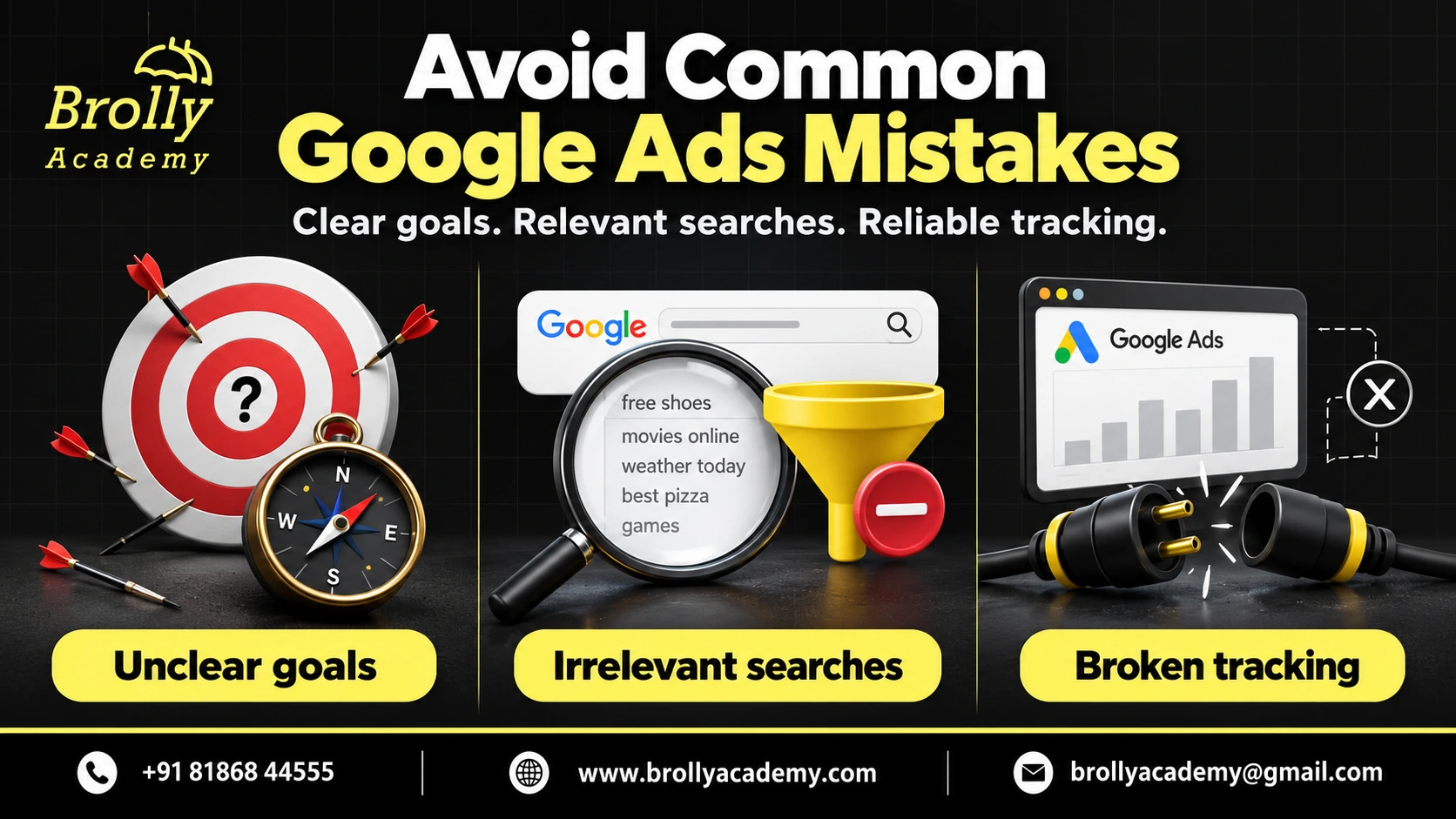
Common beginner problems usually start before the first ad runs. The offer may be vague, the destination page may be slow, or the account may count an accidental button click as a successful lead.
- Unclear objective: decide whether success means a purchase, a qualified call or another specific action.
- Unrelated searches: review search terms and choose exclusions that fit the offer.
- Weak measurement: test the real completion step and avoid counting it twice.
- Insufficient budget planning: decide the test budget and review date before launching.
A higher click-through rate cannot repair an unsuitable offer. When performance is poor, check the whole journey: search, ad, landing page, enquiry and follow-up.
How Google Ads Fits into Digital Marketing Strategy
Paid search works best when the message matches the destination. An ad for a beginner course should lead to a page explaining that course, not a broad homepage that makes the visitor search again.
- SEO: helps people discover useful pages in unpaid search results; ads use a separate paid system.
- Content: answers questions before someone is ready to enquire or buy.
- Local marketing: explains service areas, contact options and genuine location details.
- Lead follow-up: connects the enquiry to a useful response from the business.
Our Digital Marketing course covers the wider relationship between these channels. Keep their reporting separate enough to understand each channel’s contribution.
Practice Example: A Local Coffee Shop
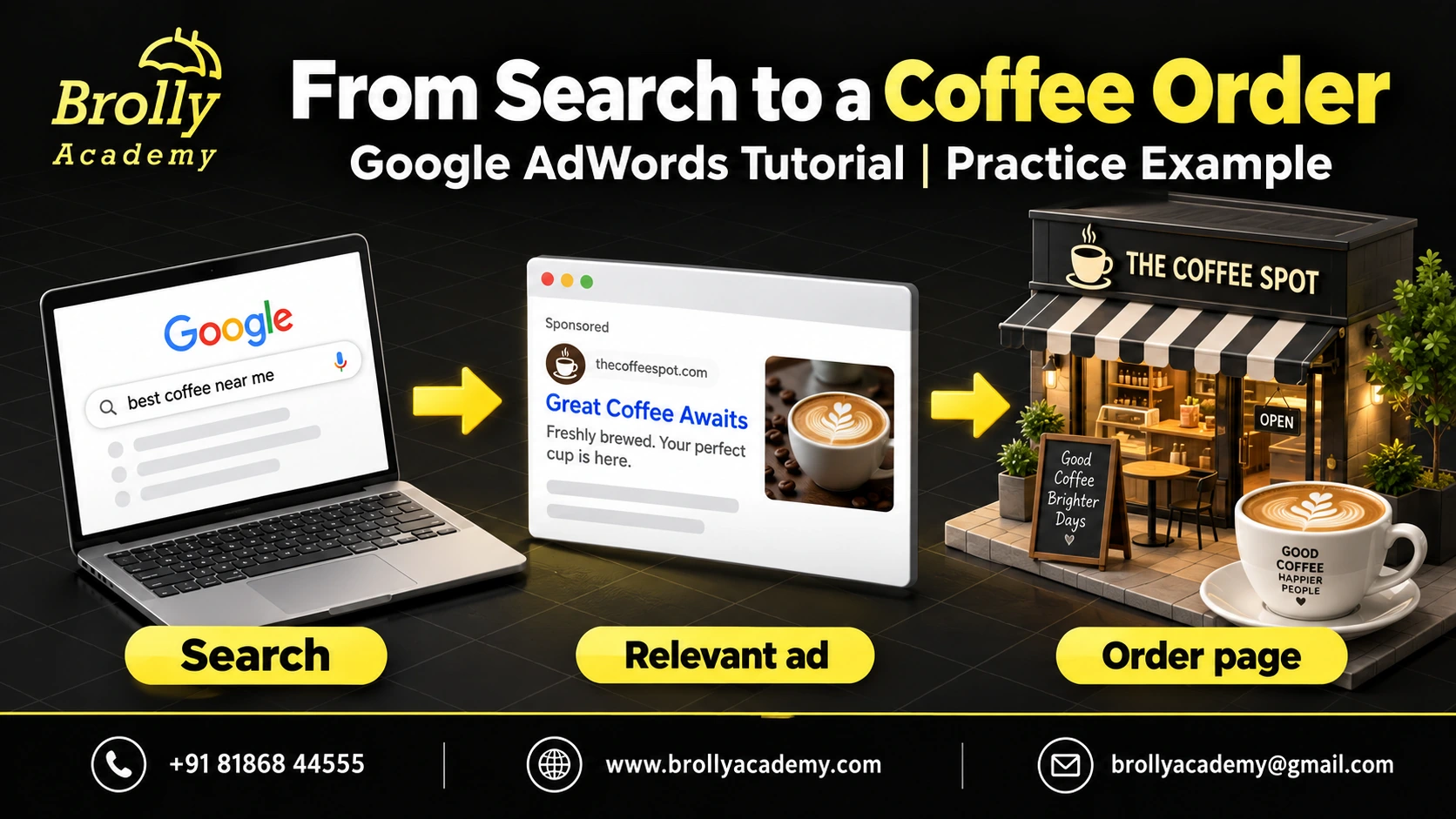
Imagine a coffee shop in Hyderabad that wants weekday takeaway orders. Its owner could start with a small Search campaign focused on its service area and a page showing the menu, opening hours and ordering options. The ad should not promise delivery in areas the shop does not serve.
The owner would check which searches led to orders, whether the order button worked on mobile and whether staff could fulfil the demand. If people clicked but could not find the menu, the next improvement would be the page, not simply a higher bid. This is a planning example, not a case study with measured results.
Learn Google Ads with guided practice
Explore the Google Ads course and ask about the syllabus, batch options and a free demo.
Google Adwords Tutorial - Setting Up Your Google Ads Account
Step 1 : Creating Your Google Ads Account
Before opening an account, prepare the business name, website, billing information, service locations and campaign objective. Use a Google account the business can keep control of, with appropriate access for team members.
- Visit Google Ads and start the account setup.
- Enter accurate business details and follow the setup options shown in your account.
- Choose a goal and campaign type that match your intended outcome.
- Review currency, time zone, billing and campaign settings carefully before activation.
Setup screens can differ by account and change over time. Do not rely on finding an old ‘Switch to Expert Mode’ button. If you are only practising, keep campaigns paused and confirm that no live campaign is spending.
Step 2 : Understanding the Campaign Structure
For a Search campaign, the basic structure is account, campaign, ad group, then keywords and ads. The campaign holds settings such as budget and location targeting. An ad group brings together a closely related search need, relevant keywords and suitable ads.
- Account: the business, billing and user access.
- Campaign: a goal and spending plan, such as generating Google Ads training enquiries.
- Ad group: one theme, such as beginner classroom training.
- Keywords and ads: the searches to match and the message shown.
Use a separate theme when the user’s need or destination page changes. You do not need one ad group for every tiny spelling variation. Other campaign types can use different structures, such as asset groups, so this Search example is not a universal account diagram.
Step 3: Setting Up Billing and Payments
Open the Billing area and check the payment methods actually available to your account. Availability depends on the billing country, currency, payment setting and eligibility. Do not assume every Indian account can choose the same card, bank or prepayment options.
A payment method is how you pay; a payment setting controls when payment happens. Monthly invoicing is not an automatic option for every advertiser. Confirm taxes and billing details before spending, and use Google’s payment-method guidance for the current options. A payment threshold is not your advertising budget.
Step 4: Navigating the Google Ads Dashboard
Learn the purpose of each area before memorising screen positions. Menu names and availability can change.
- Campaigns: review campaign status, ad groups, ads, assets and performance.
- Goals: manage conversion actions and check what campaigns are trying to achieve.
- Tools: find planning, measurement and troubleshooting tools available to the account.
- Billing: review payment settings, transactions and charges.
- Admin: review account settings and access.
Create a simple reporting view with cost, clicks, conversions and cost per conversion. Check the date range before comparing results, and allow for delays between a click and a later sale.
Step 5: Choosing Your Campaign Goal
Choose the outcome before choosing the campaign. A training enquiry campaign needs a relevant course page and a reliable enquiry process. An online shop needs accurate purchase and value tracking. A campaign meant to raise awareness needs different success measures.
- Leads: completed enquiries or qualifying calls, with a way to assess lead quality.
- Sales: purchases and suitable order values, with duplicate transactions prevented.
- Website visits: traffic to a useful destination, without pretending every visit is a lead.
- Awareness: reach or visibility measures suited to the chosen format.
A campaign objective does not guarantee that outcome. It helps you select relevant features and reporting. Write your success definition in one sentence before you launch.
Step 6: Setting Your First Campaign Budget
There is no universal beginner budget. Start with an affordable test amount, realistic click-cost estimates for your location and a clear review date. Do not borrow a budget from a different industry or country.
For most campaigns, Google can spend up to twice the average daily budget on a particular day, subject to its spending rules. With an unchanged average daily budget, the usual monthly charging limit is 30.4 times that amount. Some campaign types and changes during the month have different rules; review Google’s budget and overdelivery guidance.
Practice calculation: an unchanged INR 500 average daily budget gives INR 15,200 using 500 x 30.4. This is arithmetic, not a recommended budget, forecast or guarantee of results. Review billed costs and do not confuse an average daily budget with a strict daily spending cap.
Step 7: Adding Conversion Tracking
Conversion tracking records a meaningful action after an ad interaction. For a course enquiry, a successful form submission is usually more useful than merely opening the form.
- Open Goals, then Conversions and Summary.
- Create a conversion action and choose the appropriate data source.
- Configure the action, counting method and any appropriate value.
- Implement the required Google tag or supported integration.
- Test the completed action and check the recording status before relying on it for bidding.
Follow Google’s current conversion setup instructions. Obtain the consent required for your measurement setup. A test should not send false commercial enquiries to a real sales team; use an agreed test process.
Example: Local Business Setup
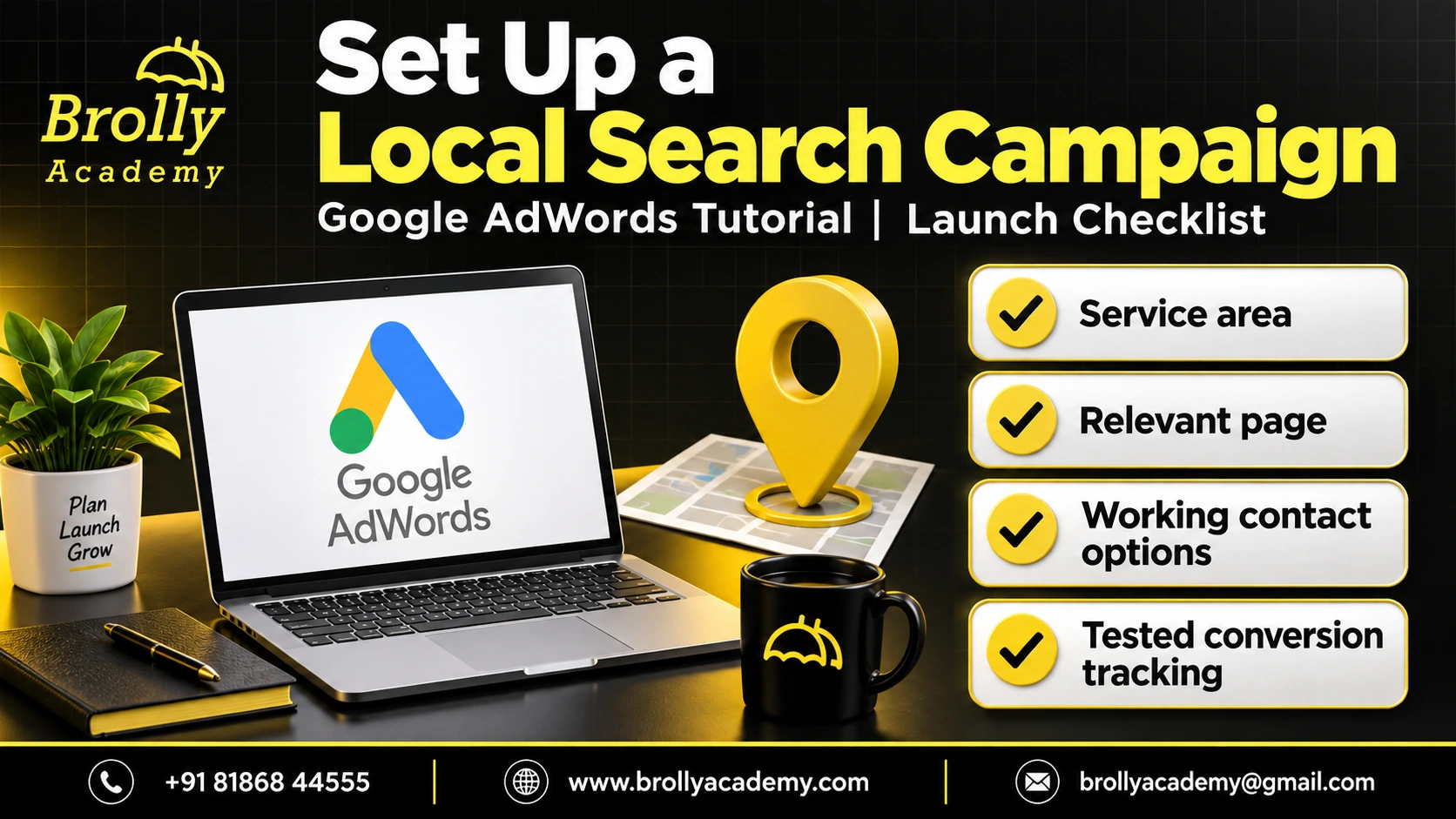
Consider a local training centre that accepts classroom enquiries. It can plan a campaign around its actual service area, use a course-specific page and measure completed enquiry forms. Staff should be able to answer the calls advertised.
Before launch, test the mobile form, phone link and confirmation message. Review location options instead of assuming that putting ‘Hyderabad’ in a keyword restricts every visitor to Hyderabad. After launch, assess whether the enquiries fit the course and whether the response process works. Do not scale a campaign simply because its click count rises.
Need help practising campaign setup?
Discuss your learning goals with Brolly Academy and ask which exercises are included in the current Google Ads course.
Crafting Effective Ad Copy
Why Ad Copy Matters
An ad should help a person decide whether the offer fits their need. State the real service, a useful reason to consider it and a clear next step. The landing page must support the promise made in the ad.
For a beginner course, explain the subject and mode of learning. Do not claim a discount, certificate, guaranteed job or number of successful students unless the business can substantiate it. A precise, honest message is more useful than a large promise that produces unsuitable leads.
Elements of a High-Performing Google Ad
Responsive search ads let you supply up to 15 headlines and four descriptions. Headlines can contain up to 30 characters each; descriptions can contain up to 90. Google selects combinations, and not every asset appears in every impression.
- Headlines: cover the offer, a genuine benefit and a suitable action without repeating the same words in every asset.
- Descriptions: add useful detail that the landing page supports.
- Destination: send people to the correct, working page.
- Assets: add relevant sitelinks or call assets where appropriate; their display is not guaranteed.
Check Google’s responsive search ad specifications before uploading your copy.
Writing Compelling Headlines
Write distinct headlines that still make sense in different combinations. Treat the following as practice text, not a statement about a particular course offer.
- Google Ads Training
- Learn Search Campaign Setup
- Explore Course Details
- Ask About Upcoming Batches
Verify the character count in the editor. Use a location only when it genuinely describes the service. Include an offer or time limit only while it is valid, and make the same conditions easy to find on the landing page.
Tips for Strong Descriptions
A description should answer the visitor’s next question. What will they find on the page, and what can they do next?
- Mention a useful subject or service, such as campaign setup and conversion measurement.
- Use a clear next step, such as ‘View course details’ or ‘Ask about the next batch’.
- Avoid unsupported superlatives and outcomes you cannot promise.
A practice description might be: ‘Explore campaign setup, keywords and tracking. Ask about course details.’ Check that the real course covers those topics before using this wording in an advertisement.
Make Ad Claims Clear and Trustworthy
Persuasive advertising does not require pressure or invented proof. Replace ‘Guaranteed Results’ with a clear description of the actual service. Replace an unsupported student count with information you can verify.
- Use urgency only for a real deadline or genuinely limited availability.
- Explain eligibility, exclusions and payment conditions for any offer.
- Keep promises consistent across the ad, landing page and enquiry response.
- Avoid suggesting an official Google partnership or endorsement merely because a trainer has passed an assessment.
Before publishing, ask someone unfamiliar with the business what they think the ad promises. If their interpretation is stronger than the actual offer, rewrite it.
Using Dynamic Keyword Insertion (DKI)
Dynamic keyword insertion inserts an eligible keyword from your ad group, not necessarily the exact words a person typed into Google. The search term and the matched keyword can differ.
For example, a query about ‘beginner PPC classes’ might match your keyword ‘Google Ads training’. Keyword insertion would use the eligible keyword, subject to format and length rules, or show the default text. It is not a guarantee of better performance.
Review every possible insertion for grammar, accuracy and policy compliance. See Google’s keyword insertion explanation before using it.
A/B Testing Ad Copy
Supplying several responsive search ad assets is not the same as running a controlled A/B experiment. Asset combinations can serve under different conditions, so raw totals alone do not prove that one sentence caused better results.
Choose one question, such as whether a clearer course description improves qualified enquiries. Decide the success metric, keep the destination consistent where possible and allow enough observations and conversion time. Use a supported experiment when a controlled comparison is needed. Do not declare a winner after a handful of clicks.
Example Ad Copy for Different Businesses
These are fictional copy exercises. Check the real business offer and platform character limits before using them.
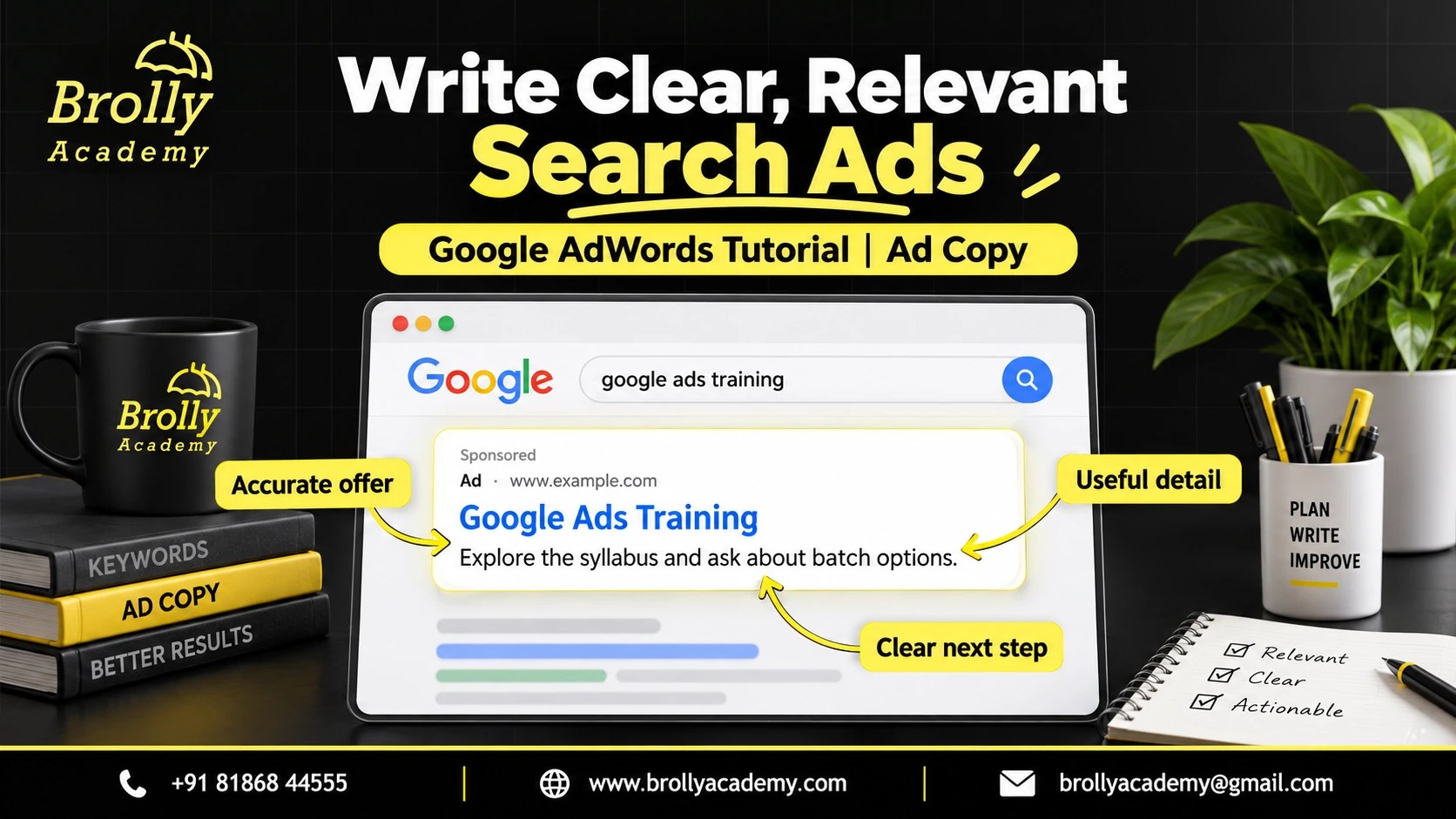
- Training: ‘Google Ads Training’ with ‘Explore the syllabus and ask about batch options.’
- Local repair service: ‘Appliance Repair Enquiries’ with ‘Check service availability in your area.’
- Online shop: ‘Explore Everyday Backpacks’ with ‘View sizes, materials and current delivery details.’
Each example describes a next step without inventing a discount, ranking, customer count or promised outcome.
Pro Tips for Better CTR
- Match the ad to the search need and the landing page.
- Use accurate, varied headlines rather than repetitive keyword stuffing.
- Add useful assets when they fit the offer.
- Review click-through rate alongside lead quality and cost per useful outcome.
A dramatic headline may attract clicks from people who do not want the service. Better CTR is not automatically better business performance.
Turn the examples into practical skills
Ask about instructor-led Google Ads training, campaign-planning exercises and available learning modes.
Keyword Research & Targeting
How Keywords Work in Search Campaigns
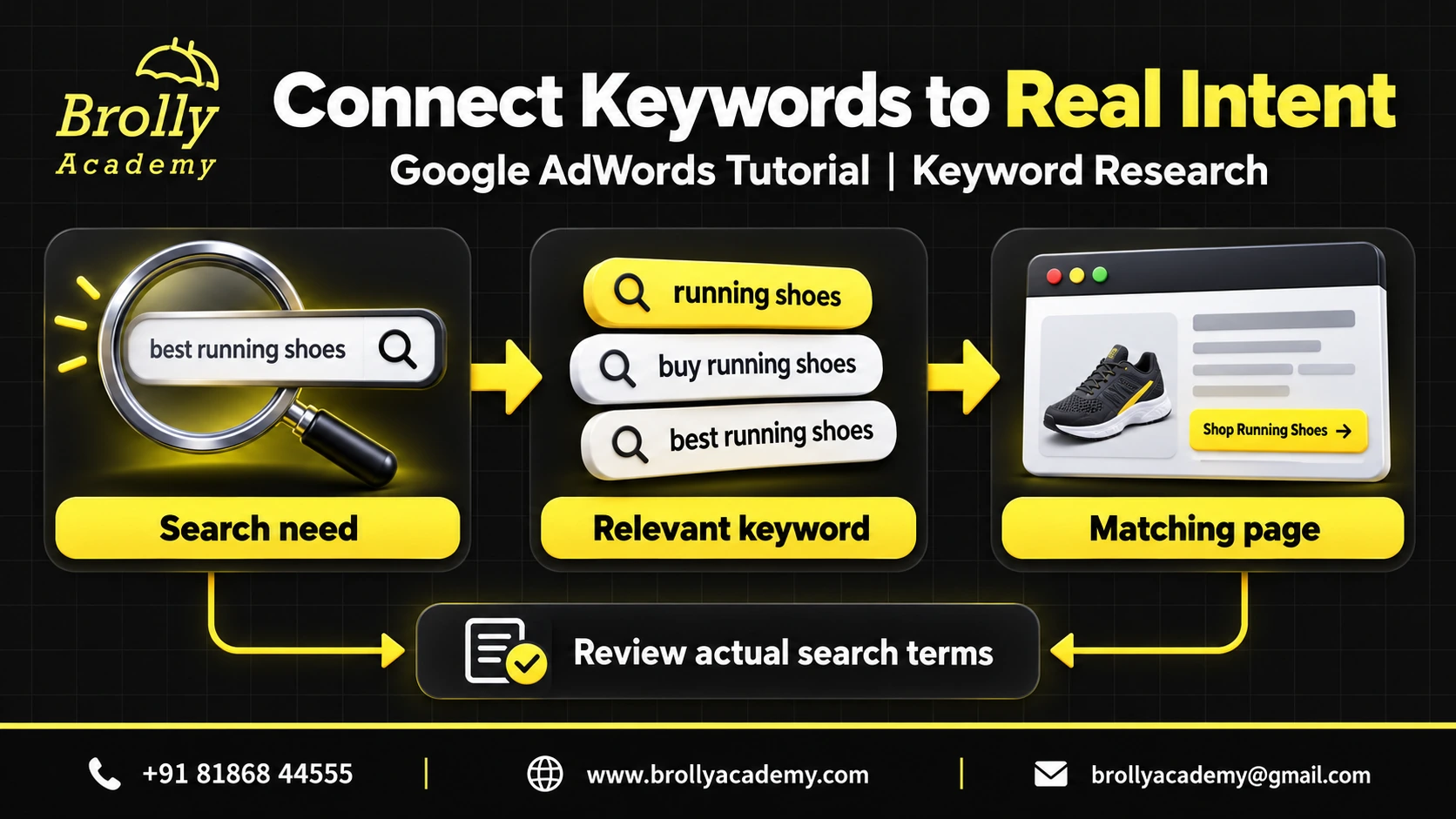
In keyword-based Search campaigns, keywords help Google decide which searches may match your ads. A keyword is what you choose in the account; a search term is what the user actually types.
Not every Google Ads campaign starts with a keyword list. Other campaign types can use assets, product information and other signals. This section focuses on Search so beginners can practise one approach clearly. Start with terms that describe the real offer and the question your landing page answers.
Step 1: Understanding Search Intent
Search intent is the reason behind a search. Someone searching ‘what is PPC’ may want an explanation, while someone searching ‘Google Ads course Hyderabad’ may be comparing training options.
- Learning: provide an explanation or guide.
- Comparing: help the person assess relevant options and conditions.
- Taking action: make the next step clear, such as requesting a course enquiry.
Informational searches are not automatically worthless. Their usefulness depends on the campaign goal and destination. For an enquiry-focused test, start with searches that closely fit the service and measure whether they produce suitable leads.
Step 2: Keyword Match Types
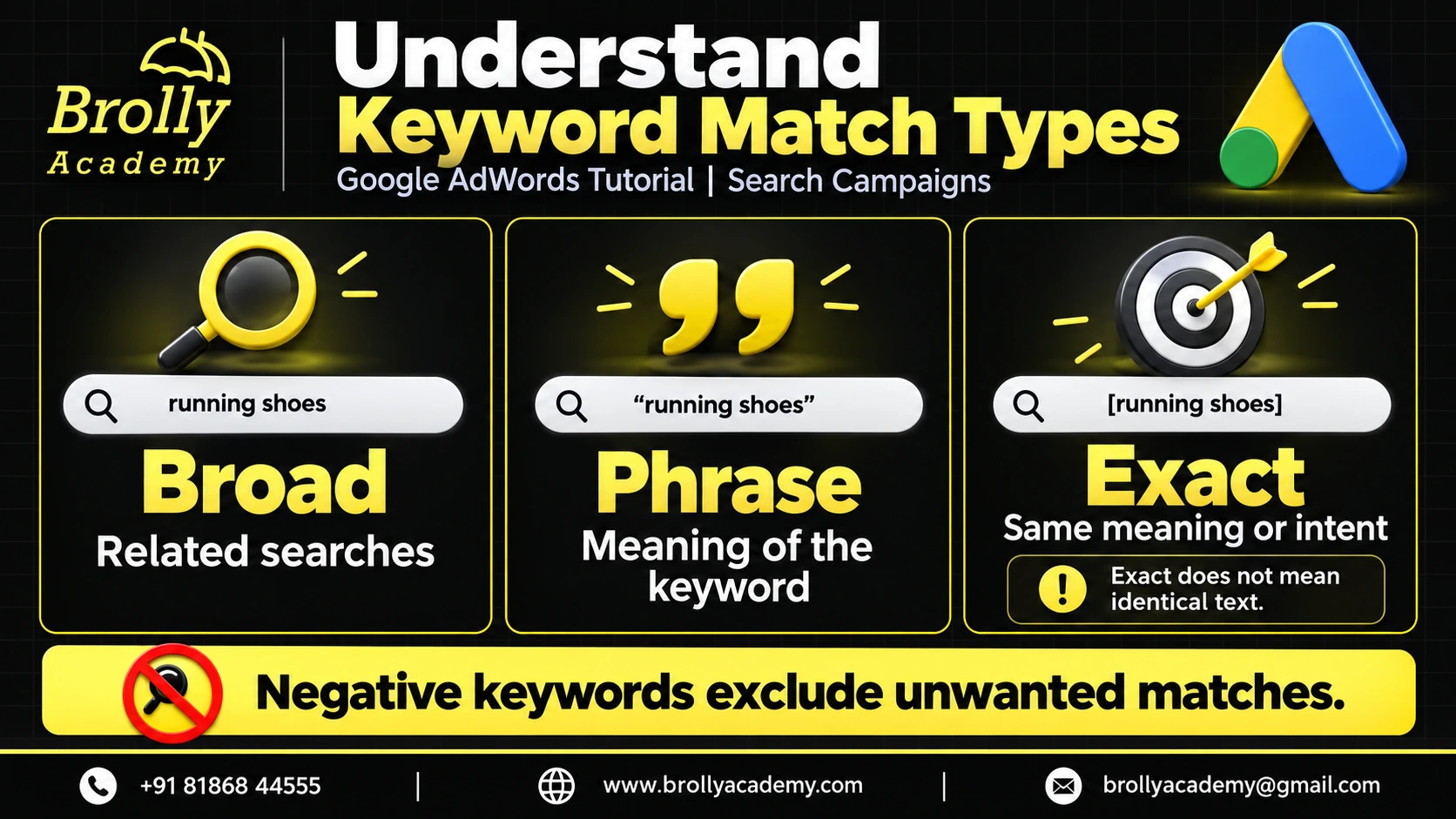
Match types control how keywords can relate to searches; they do not create a promise that only one exact spelling will trigger an ad.
- Broad match: can match related searches beyond the literal keyword words. Use it with suitable measurement, bidding and review.
- Phrase match: can match searches that include the meaning of the keyword.
- Exact match: can match searches with the same meaning or intent, not only identical text.
- Negative keywords: exclude unwanted matches under their own rules; they are not simply a fourth positive match type.
Read Google’s close-variant rules and review actual search terms. For instance, do not assume an exact-match keyword prevents every unexpected query.
Step 3: Tools for Keyword Research
Use Google Keyword Planner to explore ideas and estimates for the relevant location and language. Google Trends can help compare relative search interest over time, but it does not provide the same measure as exact monthly keyword volume.
Record the source, date, geography and meaning of each metric. An estimate is not a guaranteed future cost or number of enquiries. A third-party tool can help organise research, but its figures should not be presented as direct measurements from your own campaign.
Start with a small working list and write down why each keyword belongs. Once the campaign runs, combine planning data with actual search terms, conversion quality and business feedback.
Step 4: Long-Tail vs Short-Tail Keywords
A broad phrase such as ‘marketing course’ can cover many needs. A more specific phrase such as ‘Google Ads classroom training Hyderabad’ gives you more detail about the searcher’s possible intent.
Specific phrases are not automatically cheaper or better converting. Competition, the offer and the destination still matter. Choose phrases for their relevance, not simply their length. Avoid creating nearly identical landing pages for every variation.
Step 5: Use Location Terms Carefully
A location word can make an offer clearer, but it is not a substitute for campaign location settings. Check the service area, available targeting options and location reports. Someone outside Hyderabad may still be interested in a Hyderabad course.
Step 6: Build a Useful Keyword List
- Start with the actual service, such as Google Ads training.
- Separate materially different needs, such as classroom learning and corporate training.
- Match each group to a suitable destination page.
- Add negative keywords only when they exclude an unwanted need.
For example, excluding ‘free’ could block an appropriate search for a free demo. Review the business offer before applying blanket exclusions.
Step 7: Compare Evidence, Not Just Search Volume
Consider relevance, likely intent, estimated cost, landing-page fit and the business’s ability to fulfil the enquiry. After launch, measure suitable enquiries and sales rather than assuming that the most searched phrase is the most valuable.
Practice keyword-to-page map: these are illustrative decisions, not measured keyword volumes, prices or search rankings.
| Search phrase | Possible need | Suitable destination | What to check |
|---|---|---|---|
| What is Google Ads? | Understand the platform | A clear beginner guide | Whether readers find the explanation useful |
| Google Ads training Hyderabad | Compare local training | The relevant course page | Qualified enquiries and course fit |
| Google Ads course syllabus | Evaluate topics | A page with the actual syllabus | Whether topics match the reader’s goal |
| Google Ads free demo | Ask about a demo | A genuine demo enquiry option | Availability and completed enquiries |
The local training phrase may suit an enquiry campaign because it names both the subject and location. That is an intent hypothesis, not proof that it will outperform the other phrases. Test it against the real offer and review the quality of the enquiries received.
Practice Example: A Training Enquiry Campaign
Suppose a training team wants enquiries from people learning paid search. It could group course-related searches together and direct them to the Google Ads course page. Searches about repairing a suspended advertising account may represent a different need and deserve separate review.
Write down which enquiries the team can help with. Ask staff to record whether each lead needs training, account-management services or something else. This makes the optimisation decision more useful than treating every submitted form as equally valuable.
Bidding Strategies & Budget Optimization
Why Bidding Matters in Google Ads
A bid influences auction participation, but spending more does not guarantee a particular position or a profitable customer. Choose a strategy that matches the outcome you can measure.
Step 1: Understand Ad Rank and Quality Score
Ad Rank determines whether and where an ad can appear. Google considers the bid, auction-time ad and landing-page quality, thresholds, competition, search context and expected impact of assets. It is not a fixed formula of bid multiplied by the visible Quality Score. See Google’s Ad Rank explanation.
Quality Score is a 1-10 diagnostic for Search keywords, based on expected click-through rate, ad relevance and landing-page experience. It is not an input in the auction. Use it to investigate weaknesses, not as a promise of a particular CPC or position. Google explains how to use Quality Score.
Step 2: Choose a Bidding Approach
- Manual CPC: gives manual bid control where available. It requires active management and is not automatically the best beginner choice.
- Maximise clicks: focuses on clicks within the budget; traffic alone does not establish lead quality.
- Maximise conversions: optimises toward conversions, so the selected goals must represent useful outcomes.
- Maximise conversion value: uses conversion values; those values must be meaningful and accurate.
- Target CPA or target ROAS: guide optimisation toward an average acquisition cost or return target where supported. They are not guarantees for each conversion or time period.
- Target impression share: aims for a chosen visibility level, subject to eligibility, bids and budget; it does not guarantee every impression.
Enhanced CPC is no longer available for Search and Display campaigns following its March 2025 retirement. Avoid following older tutorials that recommend enabling it. Check Google’s bidding guidance for the current options in your campaign type.
Step 3: Separate Budget From Bid Targets
A budget controls available spending; a bid strategy decides how bids are set. A target CPA of INR 500 is not a promise that each lead costs INR 500. Set a test budget independently and check actual spend, the time needed to convert and whether the resulting leads are useful.
Step 4: Give Automation Suitable Goals
An automated campaign can optimise toward the wrong action if tracking is wrong. Before using conversion-based bidding, confirm that genuine completed actions are recorded and duplicate events are prevented. Avoid changing several major settings at once; record what changed so later results can be interpreted.
Step 5: Review Budget Decisions
- Check tracking and policy issues before concluding that a bid is too low.
- Separate weak search relevance from weak landing-page performance.
- Check whether reported leads became suitable opportunities.
- Review enough data to avoid reacting to one unusually good or bad day.
Step 6: Practise an Evidence-Based Decision
Imagine two ad groups with the same cost and form-submission total. One produces people who want the advertised course; the other produces unrelated service requests. The useful next step is to improve the second group’s message, keywords and destination, not to call both equally successful. This example shows a decision process, not a measured campaign result.
Advanced Targeting Strategies
Why Targeting Matters Beyond Keywords
Targeting helps connect the offer to appropriate people and contexts. Availability varies by campaign type, location and policy. More restrictions are not always better: excessive exclusions can remove potential customers, while broad settings can include people the business cannot serve.
Start with the real service area, a relevant message and a measurement plan. Then use evidence to decide what to change.
Step 1: Check Demographic and Policy Restrictions
Do not choose age or gender restrictions based on stereotypes about likely customers. Review the category rules first. For employment advertising in the United States and Canada, Google restricts targeting by age, gender, parental status, marital status and ZIP codes. Read Google’s employment-advertising policy before planning recruitment campaigns.
Step 2: Review Location Settings
Understand the difference between people physically in or regularly in an area and people interested in that area. Google uses location signals rather than guaranteeing perfect geographic accuracy. Check settings and reports using Google’s geographic targeting guidance.
Step 3: Understand Audience Use
Audience options vary by campaign. In supported settings, ‘Targeting’ can narrow eligible reach, while ‘Observation’ lets you review an audience without narrowing reach in the same way. Read the explanation in the interface before applying an audience list. Do not assume a signal in an automated campaign is a strict boundary.
Step 4: Use Your Data Responsibly
Reaching previous visitors can be useful when permitted, but requires eligible data and compliance with Google’s policies and applicable consent requirements. Do not upload customer information without the necessary rights. Check list eligibility and avoid using sensitive personal information to make inappropriate targeting assumptions.
Step 5: Review Device Performance
Test the form and page on mobile before blaming mobile traffic. Manual device bid adjustments are not universally supported. Smart Bidding generally handles auction-time adjustments itself, with specific exceptions. Refer to Google’s bid-adjustment compatibility guidance rather than applying a blanket mobile bid increase.
Step 6: Match Ad Schedules to Service
A business receiving calls should consider when staff can answer. A form may remain available outside office hours if the page explains the response process. Use the account’s time zone and actual enquiry data when reviewing a schedule.
Step 7: Combine Settings Carefully
Write a short checklist of the offer, location, language, audience rules, destination and useful conversion. Check whether their combination accidentally excludes the people you want to reach. Make one meaningful change at a time when possible.
Step 8: Practise With a Local Course
For a Hyderabad classroom course, the landing page should state the actual location and available learning mode. A remote learner asking about online access is not necessarily an irrelevant enquiry. Review what the person needs before changing the targeting. This practice scenario does not assume any particular batch, fee or result.
Google Adwords Tutorial - Tracking & Analytics
Why Tracking Matters in Google Ads
Clicks show that people interacted with an ad; they do not show whether the business benefited. Useful tracking connects advertising to completed actions and, where possible, later lead quality or sales. Keep personal data protected and describe data collection accurately in the site’s privacy information.
Step 1: Verify the Conversion Action
In Goals, open the conversion summary and review the source, status, counting method and value. Make sure the event represents completion, such as a successful enquiry, rather than just viewing a page. Use Google’s conversion-summary guidance when reviewing the settings.
Primary actions can be used for bidding when their goal is selected. Secondary actions are generally for observation, with an exception for actions in a custom goal used by the campaign. Read Google’s primary and secondary conversion guidance before changing a live account.
Step 2: Connect GA4 Where Appropriate
Google Analytics 4 helps explain activity after a visit, such as engagement and key events. Linking products does not automatically make every event a suitable bidding goal. Avoid counting the same purchase or lead twice through separate measurement paths. Reconcile definitions, date ranges and attribution before expecting reports to match.
Step 3: Read Metrics in Context
- CTR: clicks divided by impressions, multiplied by 100. Compare similar campaigns and periods; there is no universal good CTR.
- Average CPC: click cost divided by clicks. A cheap click can still be unsuitable.
- Conversion rate: conversions divided by eligible interactions. For a click-only example, use clicks as the denominator and keep counting settings consistent.
- CPA: advertising cost divided by counted conversions. Define what the conversion represents.
- ROAS: conversion value divided by ad cost, multiplied by 100 for a percentage. Revenue return is not profit.
Practice calculation: INR 2,000 in ad cost and four qualified enquiries gives INR 500 per qualified enquiry. INR 8,000 in attributed sales value gives 400% ROAS, but product costs, taxes, refunds and other expenses still affect profitability. These numbers are invented only for the calculation, not reported client performance.
Step 4: Build a Small Reporting View
Track spend, useful outcomes, lead quality and the changes made during the period. Add notes about broken forms, holidays or unavailable stock. A simple report the team can act on is more useful than a dashboard full of unrelated metrics.
Step 5: Understand Attribution
Attribution assigns credit for a conversion across eligible interactions. Google Ads supports last-click and data-driven attribution for supported conversion actions. First-click, linear, time-decay and position-based models are no longer supported in Google Ads. See Google’s attribution-model documentation. Different product definitions and attribution settings can produce different totals.
Step 6: Diagnose a Problem Before Increasing Spend
If clicks rise but recorded leads fall, check the form, tracking and lead-handling process first. If submissions rise but sales do not, review lead relevance and follow-up. If costs rise, compare the search mix and auction conditions rather than assuming the page alone caused it.
Step 7: Keep an Optimisation Log
Record the date, change, reason and success measure. Review results after allowing for the conversion cycle and sufficient observations. Use an appropriate experiment for a causal comparison; simply comparing two GA4 audience segments is not a randomised A/B test.
Learn to measure useful campaign results
Talk to the team about Google Ads training and the practical tracking topics covered in the current syllabus.
Google Adwords Tutorial - Common Mistakes & Best Practices
Why Beginners Struggle with Google Ads
A useful review starts with what is actually wrong. A campaign can lose value through irrelevant traffic, an unclear offer, a broken form or poor follow-up. No checklist guarantees profitability, but a repeatable review can help you find the next sensible improvement.
Common Mistakes to Avoid
1. Running Campaigns Without Verified Measurement
Test the chosen conversion and make sure duplicate events are not inflating success. Compare recorded enquiries with the business’s actual records.
2. Ignoring Search Relevance
Review search terms and select match types and negatives deliberately. Broad match is not automatically wasteful, and exact match is not a guarantee of perfect relevance.
3. Sending Visitors to an Unsuitable Page
Match the page to the advertised offer. Make eligibility, contact options and the next step clear. Test the entire mobile journey.
4. Treating Every Asset as a Controlled Test
An asset report can suggest questions to investigate. It does not by itself isolate the effect of one headline across different auctions.
5. Making Too Many Changes at Once
If budget, bidding, copy and targeting all change together, it becomes harder to explain the result. Document important changes and their intended purpose.
6. Building Overlapping, Confusing Themes
Unnecessary duplication makes budgets and reporting harder to manage. Do not claim your own eligible keywords simply bid against one another and automatically increase CPC; Google selects eligible ads under its matching rules.
7. Ignoring Mobile Usability
Check readable text, fast loading, tappable controls and a working form. A visitor should not need to zoom or hunt for the advertised information.
Best Practices for Successful Google Ads
1. Tie Each Campaign to a Useful Outcome
Choose the business question before selecting columns in a report. Separate a visit, an enquiry and a qualified sale.
2. Group Closely Related Needs
Use clear themes and suitable pages. Creating a separate group for every minor keyword variation can add work without solving a real problem.
3. Use Relevant Assets
Provide useful sitelinks and supported call assets. Keep every asset accurate and check its destination. Assets are not guaranteed to show.
4. Improve the Visitor’s Experience
Answer the searcher’s question and make the next step clear. Use diagnostic reports to locate issues instead of chasing a score as the business objective.
5. Review Location and Service Availability
Make sure the business can fulfil the enquiries generated. Review geographical settings and actual enquiries together.
6. Choose Bidding for the Goal
Select among the options your campaign supports. Good tracking and a realistic budget matter more than declaring one strategy best for every beginner.
7. Check Lead Quality
Ask the team which enquiries were relevant and what happened next. Protect personal data when connecting that feedback to reporting.
8. Learn Through Documented Tests
Write the hypothesis, change and result. Keep the useful lessons and question conclusions based on very small samples.
Actionable Checklist for Beginners
- Define the real offer and one useful campaign outcome.
- Choose a relevant destination and test it on mobile.
- Review location, language, campaign type and applicable advertising policies.
- Prepare accurate ad copy and logically grouped keywords.
- Check exclusions against genuine offers, including any free demo.
- Set an affordable budget and understand how charging limits work.
- Verify conversion tracking, consent and duplicate prevention.
- Keep campaigns paused until the launch checklist is complete.
- Review actual enquiries, not only click and submission totals.
- Record changes and use official documentation when a feature or menu differs.
For instructor-led practice, see Google Ads training course details or explore the broader Digital Marketing learning path. Ask the team for current syllabus, batch and fee information rather than assuming this tutorial describes a specific enrolment offer.
FAQs – Google AdWords (Google Ads) Tutorial
1. What is Google AdWords (now Google Ads) and how does it work?
Google Ads is Google’s paid advertising platform; Google AdWords is its former name. Search campaigns can match ads to relevant searches, while other formats reach people through additional channels. Costs and eligibility depend on campaign settings. A click does not guarantee an enquiry or sale.
2. Is Google Ads free to use or do I need to pay?
Opening an account does not mean advertising is free. Running campaigns needs a budget. Charges can relate to clicks, impressions or video interactions depending on the setup. Check billing and pause practice campaigns so a learning exercise does not unintentionally spend money.
3. What are the benefits of learning Google Ads?
Learning Google Ads helps you understand campaign planning, search intent, ad writing, measurement and budget decisions. These skills can be useful in marketing roles, but neither a course nor a campaign guarantees a job, profit or a fixed return. Practical experience should include reviewing unsuccessful tests as well as successful ones.
4. How is Google Ads different from SEO?
Google Ads buys advertising opportunities through a paid system. SEO improves pages for discovery in unpaid search results. Neither guarantees visibility, and buying ads does not improve organic rankings directly. Use the channel that fits the goal, time horizon and affordable budget; they can also support different stages of the same journey.
5. Can beginners learn Google Ads without prior marketing experience?
Yes. Start with one goal, one relevant page and a small practice keyword list. Learn what each setting changes before launching. You can study campaign plans without running ads; use paused drafts and do not activate spending until an authorised budget and measurement plan are in place.
6. What types of ads can I run with Google Ads?
Options include Search, Display, Video, Shopping, App, Demand Gen and Performance Max campaigns, subject to availability and eligibility. They do not all work like keyword-based Search. Local Services Ads is a separate offering available for eligible business categories and locations, not a universal replacement for a website campaign.
7. How long does it take to see results from Google Ads campaigns?
There is no fixed time to profitable results. Ads must be eligible and approved, and traffic depends on targeting, bids and demand. Reliable evaluation also depends on sample size and the time between a click and a useful outcome. Early impressions are not proof that the campaign is working commercially.
8. What industries can benefit most from Google Ads?
Suitability depends on demand, margins, competition, policies and the business’s ability to fulfil enquiries. A local service, shop or training provider may test a relevant offer, but an industry label alone does not establish profitability. Regulated and sensitive categories can have additional restrictions.
9. What is PPC in Google Ads?
PPC means pay per click: a charging model based on clicks. It is commonly associated with Search advertising, but Google Ads also supports other charging approaches. Paying for a click buys an interaction, not a guaranteed customer, so assess what happens after the visitor reaches the page.
10. Do I need a website to run Google Ads campaigns?
Many campaigns need a suitable website or landing page; some other formats use different destinations, such as an app store listing. Do not follow older advice to create new call-only ads: Google removed that creation option in February 2026. For phone leads, review responsive search ads with call assets.
11. How do I create a new Google Ads account step by step?
Use the official Google Ads website, enter accurate business details and follow the available setup flow. Review goals, destination, currency, time zone, billing and access. Keep campaigns paused while practising. Menus can differ, so do not rely on screenshots from an older tutorial to authorise spending.
12. What is the difference between Smart Campaigns and Expert Mode?
Older tutorials use ‘Smart Mode’ and ‘Expert Mode’ to distinguish simplified setup from more detailed control. The options shown can depend on the account and current onboarding flow. Choose settings that support your actual goal, and do not assume that a particular mode-switch button must be present.
13. How much budget should I start with for Google Ads?
Choose a test budget you can afford using relevant cost estimates and a defined review period. There is no universally correct INR or dollar amount. Understand the campaign’s average daily budget and charging limits before launching, and avoid committing to a budget based only on another company’s example.
14. How do I choose the right keywords for my Google Ads campaigns?
Start with the service offered, the user’s likely need and the destination page. Use planning tools for relevant locations and languages, then group related themes. Record why each keyword fits. After launch, use search-term and lead-quality feedback to revise the list rather than choosing only the highest-volume phrases.
15. What are keyword match types in Google Ads?
Broad, phrase and exact are the positive keyword match types used in Search. They differ in how they relate to a query’s words, meaning and intent. Exact match does not mean identical text only: close variants can match. Negative keywords use separate exclusion rules.
16. How do negative keywords save money in Google Ads?
Negative keywords can prevent unwanted Search matches, but careless exclusions can also remove suitable prospects. They do not automatically cover close variants. For example, review whether excluding ‘free’ would block a genuine free-demo search. See Google’s negative keyword rules.
17. What is Quality Score in Google Ads and why is it important?
Quality Score is a diagnostic on a 1-10 scale for Search keywords. It uses expected CTR, ad relevance and landing-page experience. It is not an auction input or a business KPI. Use the component feedback to investigate improvements, not to promise a fixed click price.
18. How does Ad Rank decide my ad position on Google?
Ad Rank considers bids, auction-time quality, thresholds, competition, search context and expected asset impact. It determines eligibility and placement. There is no reliable public shortcut that calculates it by multiplying the bid by the visible 1-10 Quality Score.
19. Can I target ads by city, state, or country in Google Ads?
Google Ads supports location options that vary by campaign, region and policy. Check physical-presence and location-interest settings. Including a city in a keyword does not replace those controls, and location detection is not perfectly accurate. Review location reports and actual enquiry relevance.
20. What are responsive search ads and how do they work?
Responsive search ads combine supplied assets. You can provide up to 15 headlines and four descriptions, within their character limits. Not all assets display each time. Make sure each combination remains accurate, and do not treat simple asset totals as a controlled A/B experiment.
21. How do I track conversions in Google Ads?
Define the meaningful action, create the appropriate conversion action, implement the required tag or supported integration and test it. Review consent, counting and duplicate prevention. A completed form should not be confused with a click that merely opens the form.
22. What is the best bidding strategy for beginners in Google Ads?
No bidding strategy is best for every beginner. Match the available strategy to the goal and quality of measurement. Manual CPC requires active management; conversion-based automation needs suitable conversion signals. Review spend and outcomes rather than switching strategies because an old tutorial gives one universal rule.
23. How can I reduce CPC (Cost Per Click) in my campaigns?
Investigate search relevance, competition, ad quality and the destination experience. Negative keywords can reduce irrelevant spend, but a lower average CPC alone does not mean better results. Track cost per useful outcome. A higher diagnostic Quality Score does not guarantee a particular CPC.
24. How do I improve CTR (Click-Through Rate) for my ads?
Write accurate, relevant copy, supply distinct assets and send people to the promised destination. Review similar campaign periods and test a clear hypothesis. Do not use invented numbers or pressure claims simply to win clicks. Check whether increased CTR also brings suitable enquiries.
25. How can I run remarketing campaigns on Google Ads?
Use an eligible audience based on your data only when you have the necessary rights and consent and comply with platform policies. Confirm that the chosen campaign supports the intended use. Sensitive categories and personalised advertising have restrictions; adding a tag alone does not make every remarketing plan acceptable.
26. What role does Google Analytics 4 (GA4) play in Google Ads tracking?
GA4 helps explain website or app activity after an ad interaction. It can support event and conversion measurement, but configuration matters. Reconcile definitions and attribution settings, and avoid counting the same completed lead or purchase through two separate measurement paths.
27. How do I calculate ROI or ROAS from Google Ads campaigns?
ROAS compares attributed conversion value with ad cost. Multiply the ratio by 100 to express a percentage. For a fictional example, INR 10,000 in sales value divided by INR 2,000 in ad cost is 500% ROAS. ROI considers profit and relevant costs; sales revenue alone does not establish it.
28. What are the common mistakes to avoid in Google Ads?
Common mistakes include untested tracking, irrelevant destinations, unsupported claims, excessive exclusions and ignoring mobile usability. Another is judging success by raw form submissions without checking lead quality. Keep a change log so you can connect each decision with the evidence available.
29. Can small businesses compete with big brands on Google Ads?
A small business can focus on a specific offer, service area and strong customer experience, but no strategy guarantees it will beat a larger competitor. Start with a test the business can afford, learn from actual enquiries and expand only when the evidence supports it.
30. How can I become certified in Google Ads and boost my career?
Google provides learning and product-area assessments through Skillshop. Passing the relevant assessment earns an individual certification subject to Google’s requirements and expiry rules. A training provider’s completion certificate is separate. Check Google’s certification requirements and combine study with practical campaign experience.
Plan your next learning step
Confirm the course syllabus, prerequisites, schedule and fees with the team before enrolling.