
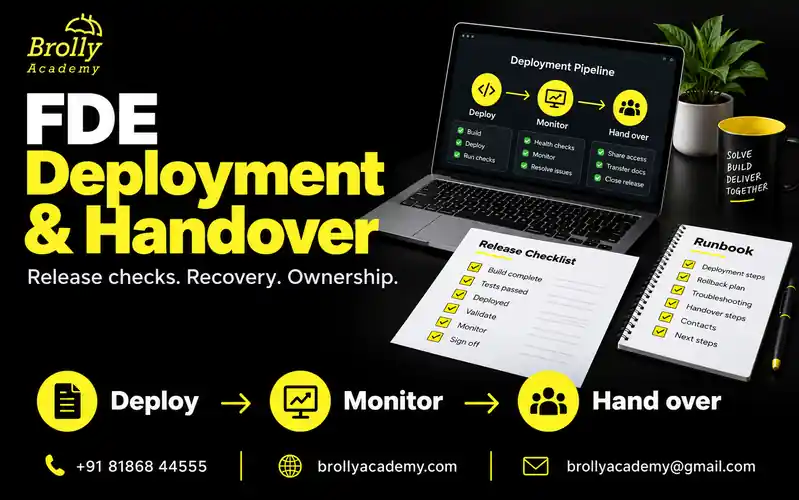
Include agreed scope, an identifiable release, access and data controls, functional and AI evaluation, a staged rollout, useful alerts, rehearsed recovery and an operating owner. Handover adds the runbook, support boundaries, known limitations and a practical demonstration that the receiving team can operate the service.
40-point checklist · Release steps · Runbook example · Handover tests
Prepare a release decision, compare rollout options, test failure paths, define monitoring and recovery, and hand over a versioned runbook with evidence of operator readiness.
Define what kind of release you are making
Separate a local exercise, a demonstration, a pilot and a production release. A local test may establish that a function behaves correctly. A demo may show a workflow. A pilot tests a limited real-use setting. Production operation adds ongoing reliability, support and governance responsibilities.
Label the environment and evidence accurately. A cloud-hosted demo does not become production-ready merely because it has a public URL. State which users and data are permitted, what is excluded and who can decide whether the release expands.
This checklist is a learning and delivery aid. It does not certify regulatory compliance or replace an organisation’s security, change-management or operational requirements.
| Stage | What it establishes | What it does not establish |
|---|---|---|
| Local exercise | A behaviour works with a particular local setup and test fixture. | Shared access, realistic load or ongoing support. |
| Demonstration | A user can inspect a selected workflow. | That all important failure paths have been tested. |
| Limited pilot | An approved group can test a bounded workflow with operating controls. | Permission to expand to everyone or ingest unrestricted data. |
| Production service | A supported workflow runs within agreed objectives and controls. | Permanent correctness or freedom from future incidents. |
Deployment puts a version into an environment; release exposes behaviour to users. A feature can be deployed while disabled. Handover transfers agreed operating responsibility. These are related decisions, but none should silently stand in for the others.
Worked system: a read-only policy assistant
The examples follow a fictional internal policy assistant. An authorized employee asks a question, the application retrieves permitted policy passages and returns an answer with source references. When evidence is absent or contradictory, it explains the limitation or sends the question to a human support route. It cannot change accounts, approve requests or send external messages.
The system has a web interface, authenticated API, document index, model endpoint and a small feedback store. A policy owner maintains the source documents; an operating team handles availability and incidents. The FDE connects the customer workflow to these components and prepares the evidence needed for release.
All version names, numbers and timings below are synthetic. The purpose is to practise decisions, not to present a production success story. A release for a financial, medical or other consequential workflow would require additional domain-specific controls and review.
Start with the FDE customer discovery and problem decomposition guide if the user, scope or acceptance criteria are still unclear. Deployment should verify an agreed task, not invent a new one at the last moment.
Release readiness: the minimum decision record
| Area | Ready means | Evidence to record |
|---|---|---|
| Scope | The intended workflow and non-goals are agreed. | Versioned brief and acceptance criteria. |
| Build | The deployed artifact is identifiable. | Commit or release version and dependency record. |
| Quality | Relevant tests have been reviewed. | Results, failures and accepted limitations. |
| Access | Users, services and data permissions are defined. | Access matrix and denied-access tests. |
| Operations | Failures can be detected and diagnosed. | Monitoring, safe logs and an escalation route. |
| Recovery | A return to an acceptable state is planned. | Rollback steps and rehearsal evidence. |
| Ownership | Someone accepts operating responsibility. | Named role, support boundary and handover record. |
An unchecked critical item should change the release decision. Do not turn the checklist into a document that is completed after the application is already exposed.
Give every check a status, evidence reference, reviewer and date. Use pass, fail, not tested or not applicable; explain why a check is not applicable. An empty cell is not a pass. If a release is conditional, record the exact restriction, responsible owner and next review.
Separate a missing document from a failed control. A missing screenshot may be a documentation task; a missing authorization check is a behavioural defect. Both need attention, but only an authorized risk owner can decide whether a limitation is acceptable for the proposed exposure.
40-point FDE deployment checklist
Use this as a quick review index, then follow the worked sections below. The forty checks are an original practical checklist, not a universal standard. Attach evidence to each relevant item rather than treating a tick as proof.
Scope and ownership
- Name the user task and the first-release boundary in a versioned brief.
- List non-goals and actions the service is not allowed to perform.
- Confirm the environment, permitted users and approved data sources.
- Record who approves release, who operates it and who can pause it.
- Agree acceptance criteria, critical failure conditions and the next review.
Build and configuration
- Identify the exact source revision and deployable artifact.
- Record runtime, dependency and configuration versions.
- Version prompts, model settings, retrieval rules and document indexes where relevant.
- Keep secrets outside source files and verify the authorized runtime identity.
- Check that the previous compatible release remains available for recovery.
Data and access
- Test unauthenticated, allowed and denied requests at the service boundary.
- Verify isolation between users, teams or tenants where the workflow requires it.
- Confirm external processing, logging and retention boundaries with the data owner.
- Test missing, stale, conflicting and revoked-source cases.
- Document access revocation, temporary permissions and data cleanup ownership.
Quality and usability
- Run ordinary end-to-end tasks against the actual release candidate.
- Run negative tests for invalid inputs, timeouts and unavailable dependencies.
- Check model output, evidence support and tool permissions separately.
- Test keyboard access, readable errors and a usable human fallback.
- Record failed tests and limitations without hiding them inside an average score.
Rollout controls
- Choose a rollout method appropriate to the architecture and risk.
- Agree the initial exposure, observation window and expansion decision.
- Verify how to stop new exposure or disable the affected feature.
- Rehearse the deployment sequence in an isolated test environment.
- Check migration, queue and external-action compatibility before release.
Monitoring and response
- Define service health and customer-task measures with clear denominators.
- Separate release versions and cohorts in relevant monitoring views.
- Send a test alert to the real support route and verify receipt.
- Link each important alert to an owner, diagnosis path and safe action.
- Record cost limits, retry limits and dependency failure behaviour.
Recovery evidence
- Choose a known acceptable state, including configuration and data assumptions.
- Rehearse rollback or another approved recovery path without real-user impact.
- Test restore when stored state is part of the recovery promise.
- Account for actions that cannot be undone by switching code versions.
- Verify the complete user workflow after recovery and record the result.
Customer handover
- Deliver a current runbook, architecture view and release record.
- Confirm operator access through approved accounts, not shared secret values.
- Ask the receiving operator to diagnose and recover a practice failure.
- Agree support hours, escalation, unresolved work and acceptance conditions.
- Record explicit handover acceptance and remove temporary access when appropriate.
A critical access failure is not balanced out by thirty-nine completed items. Use the checklist to make a release decision, including a decision to hold, narrow scope or investigate.
Who owns release, support and handover?
An FDE may implement several parts of a small project, but responsibility still needs to be explicit. The customer process owner decides whether the workflow is useful; the operating owner decides whether the team can support it. Security and data decisions belong to the relevant authorized roles. Do not assume that the person attending the demo can approve everything.
| Role | Before release | At handover |
|---|---|---|
| FDE / delivery engineer | Connect requirements, implementation, tests and limits. | Explain the design, evidence and unresolved issues. |
| Customer process owner | Confirm workflow acceptance and intended use. | Accept the user process and support route. |
| Data / security owner | Review the relevant access and data boundaries. | Confirm ownership of permissions and periodic reviews. |
| Release approver | Review readiness and authorize the proposed exposure. | Retain the decision and conditions. |
| Operating owner | Verify alerts, access, capacity and recovery. | Accept responsibility for the agreed operating scope. |
| Support contact | Understand symptoms, user communication and escalation. | Know which team handles each type of issue. |
For a student project, use role labels and have a peer act as the receiving operator. Do not invent customer names or signatures. For a real engagement, map the roles to actual people or teams and confirm the arrangement before the release window.
Create a release manifest that identifies the whole system
A code commit alone cannot explain a behaviour change if the prompt, model configuration or document index changed independently. Record the combination that was tested. Keep the manifest with the release evidence and make its version visible to authorized operators.
Service: policy-assistant (synthetic example)
Release: pilot-0.3
Environment: approved test environment
Application artifact: immutable artifact identifier to be recorded
Source revision: full reviewed commit identifier to be recorded
Configuration: config-v4
Prompt template: answer-policy-v3
Model: provider/model/deployment and settings to be recorded
Document index: policy-index-v7
Source manifest: approved-documents-v12
Permission policy: team-scope-v2
Database schema: schema-v2; compatibility reviewed separately
Evaluation set: policy-cases-v5
Previous acceptable combination: pilot-0.2 manifest
Release decision: not approved until evidence review is complete
Do not put passwords, API keys or raw customer documents in this record. Refer to approved configuration locations and access procedures. If a provider changes a model behind a moving alias, record the identifiers it exposes and test behaviour again; a saved label cannot freeze behaviour you do not control.
Build once and promote the reviewed artifact where the platform supports it. Rebuilding differently for each environment weakens the relationship between test evidence and the code that users receive. Also record intentional environment differences, such as lower test capacity or simulated third-party responses.
Check configuration, secrets and data boundaries
- Separate local, test and production-like configuration.
- Keep real credentials outside the repository and sample files.
- Use only the permissions required for the workflow.
- Confirm which external services receive data and why.
- Define retention and deletion responsibilities for stored inputs and logs.
- Test that one user cannot read or act on another user’s records.
- Remove unused access and document how to revoke active access.
For a public learning project, prefer synthetic data and a sandbox. Do not copy employer logs into a demo for realism. If you cannot establish permission to use a dataset, the project should not ingest it.
Consider the browser and frontend as untrusted sources of claimed identity. Authorization must be enforced where data is read or actions are executed, not only by hiding a button.
A small permission matrix for the worked example
| Actor | Allowed | Denied / test evidence |
|---|---|---|
| Employee | Query policies visible to their team. | Cannot retrieve another team’s restricted passage. |
| Content maintainer | Submit approved policy updates through the content process. | Cannot grant themselves unrelated user access. |
| Application identity | Read permitted index data and call approved services. | Cannot perform account changes or administrative writes. |
| Operator | Inspect approved telemetry and execute authorized recovery. | Does not need unrestricted document contents by default. |
Check the denied result as well as the HTTP status: restricted content must not appear in the response, citations, cache or diagnostic output. Test a permission change after content has already been indexed. Removing access in the source system is insufficient if an old cache or index can still reveal the content.
For secrets, document who owns rotation and how the application behaves when a credential expires. A test should distinguish a temporary dependency failure from an instruction to retry forever. Never paste secret values into a support ticket or handover document to make troubleshooting easier.
Build a test matrix around the customer workflow
Unit tests answer whether a small behaviour works. Integration tests check component contracts. End-to-end tests check a complete user path. User acceptance checks whether the workflow meets the agreed need. Keep these forms of evidence distinct: an API returning JSON does not prove that a reviewer can use the answer.
| Test | Worked policy-assistant case | Expected evidence |
|---|---|---|
| Normal task | Authorized user asks a supported policy question. | Answer refers to the current permitted source. |
| No evidence | Question is outside the approved collection. | Clear limitation or support path; no invented citation. |
| Permission boundary | User requests another team’s restricted policy. | No restricted passage in any user-visible result. |
| Dependency timeout | Document service cannot respond within its limit. | Bounded failure, understandable message and recoverable state. |
| Input validation | Malformed or oversized request is submitted. | Controlled rejection before expensive downstream work. |
| Repeated action | A request is retried after an uncertain response. | Defined duplicate behaviour; no accidental extra side effect. |
| Usability | User operates the screen using only a keyboard. | Visible focus, accessible controls and understandable status. |
| Operator readiness | A peer diagnoses a staged failure. | Correct runbook path without private coaching. |
Write the expected result before running a case. Record the candidate version, environment, fixture and actual outcome. If a test is skipped, keep it visible. A passing result against an earlier artifact is not automatically valid after configuration or source data changes.
Load testing should use an authorized environment and controlled inputs. Test realistic concurrency, queue buildup and dependency limits instead of flooding a production system. Decide how the service responds when capacity is exceeded: a bounded queue, a clear rejection or another agreed behaviour.
Add AI-specific release checks
When the workflow uses a model, test more than API availability. Verify output structure, domain constraints, source grounding and action permissions separately. An answer can be well formed and still be unsupported or unauthorized.
| Case | Expected release behaviour |
|---|---|
| No relevant evidence | Explain the limit or route to review rather than inventing an answer. |
| Conflicting documents | Apply the documented authority/version policy or flag the conflict. |
| Restricted source | Exclude it from retrieval and output. |
| Untrusted instructions in content | Treat them as data, not permission to change application behaviour. |
| Invalid tool arguments | Reject them before executing an action. |
| Unapproved consequential action | Do not execute it. |
| Budget or time limit reached | Stop with an understandable, recoverable state. |
Anthropic’s evaluation guidance and Microsoft’s RAG evaluation reference are useful starting points. Keep your own evaluation cases tied to the customer’s actual task and permission boundaries.
Evaluate outcomes, not only convincing text
For this assistant, verify that a citation points to a permitted, current document and actually supports the answer. A relevant-looking URL is not enough. For an agent with write tools, inspect the resulting state as well as the response text: saying an operation completed is not proof that the correct operation occurred.
Anthropic distinguishes the interaction record from the final environment outcome. Its discussion of code, model and human graders is useful context for combining deterministic permission checks with judged answer quality. Do not make one model score the sole authority for a release decision.
Microsoft’s RAG evaluation reference separates retrieval-related and answer-related evaluation. Use that distinction to investigate whether a failure came from finding the wrong evidence or interpreting the right evidence badly.
Keep a representative holdout set, review failures individually and rerun variable model cases as appropriate. Include user language, ambiguity and exception patterns relevant to the workflow. Zero observed failures in a small sample is not a guarantee. Record the sample’s limits and continue collecting authorized feedback after release.
Build a deployment pipeline with explicit approval points
The pipeline should connect a reviewed change to the exact artifact, evidence and environment involved in the release. The outline below is a planning sequence, not copy-and-paste CI configuration. Implement each step using the repository’s established platform and security controls.
- Review: link the change to its requirement and assess what behaviour can change.
- Build: produce an identifiable artifact and dependency record.
- Verify: run relevant tests and inspect failures; do not merely check that a job finished.
- Stage: deploy to an isolated environment with approved configuration.
- Review evidence: compare acceptance, access, quality and recovery results.
- Authorize: the appropriate owner approves the stated exposure.
- Release: expose the candidate using the chosen rollout method.
- Observe: expand, hold or recover based on the agreed evidence.
GitHub environments provide controls such as deployment reviewers, branch restrictions and environment-scoped secrets; availability depends on repository visibility and plan. A documented approval step is useful only when the actual platform enforces the intended rule. Check bypass permissions and emergency procedures separately.
A documentation-only change may need different evidence from a permission-policy change. Define risk-based requirements rather than requiring the same expensive exercise for every edit. Emergency changes still need an identified owner, traceable artifact and retrospective review.
Choose a rollout strategy you can observe and reverse
| Approach | Useful when | Important limitation |
|---|---|---|
| Approved limited-user pilot | The workflow needs close observation with a known group. | A friendly pilot group may not represent later users. |
| Feature flag | A behaviour can be enabled separately from deploying code. | A flag does not undo stored data or external actions. |
| Rolling update | Instances can run old and new versions during a transition. | Contracts and data must tolerate mixed versions. |
| Blue-green switch | Two prepared environments support a controlled traffic switch. | Shared databases and dependencies still need compatibility checks. |
| Canary release | A limited cohort can be compared with a suitable control. | Sparse traffic or unrepresentative cohorts can mislead the decision. |
| Planned cutover | A coordinated change cannot run safely in mixed mode. | The interruption, communications and recovery window must be explicit. |
For the fictional policy assistant, start with an approved internal pilot and a way to disable answers from the candidate index. This is a teaching choice, not a claim that every FDE system needs a canary platform. Choose the simplest release mechanism that preserves the required control.
Keep the comparison fair. A new version receiving only easy questions cannot be compared directly with an old version receiving the difficult workload. Note shared dependencies too: a bad index update may affect both versions if they point at the same mutable source.
Pilot with a limited scope and explicit stop criteria
Choose a permitted user group, a defined workflow and a bounded period or decision point. Explain known limits to participants. Decide what will be measured and who reviews the evidence. Avoid automatically increasing exposure just because no one has complained.
Examples of stop criteria include unauthorized data exposure, a failed approval boundary, repeated unrecoverable errors or a quality failure that creates unacceptable user harm. The exact criteria belong to the organisation and use case; do not invent universal percentages.
Google’s SRE guidance on canary releases describes controlled exposure and comparison as a release technique. A small application may use a simpler pilot, but the same practical question remains: how will you detect a bad change before everyone depends on it?
Write a pilot decision before exposing users
Pilot: policy-assistant candidate pilot-0.3
Users: approved internal test group
Data: permitted policy collection only
New behaviour: revised retrieval and source-version filtering
Excluded: account changes and external messaging
Observe: supported task completion, source authority, access, latency, cost
Stop: restricted content exposure or use of a prohibited source
Hold: insufficient representative evidence or unexplained regression
Expand: only after named owner reviews the agreed evidence
Fallback: existing policy search and human support route
Next review: time or evidence milestone agreed before launch
Communicate where the pilot is limited and how participants can report a wrong answer without sharing sensitive information in a public channel. Check the support route yourself. A feedback button that creates an unmonitored inbox does not close the loop.
Google’s canary guidance emphasizes bounded exposure and evaluation against a control. In this example, the decision also includes source authority and access checks, because an HTTP-success rate alone cannot detect a confidently wrong policy answer.
A step-by-step release-day procedure
Rehearse this sequence in test before using a production-specific version. The engineer running it must have the necessary authorization. Record actual times and outcomes during a real release; the sequence is not a promise that all deployments fit one fixed maintenance window.
| Step | Action | Record or stop condition |
|---|---|---|
| 1. Confirm | Check approver, operator, support contact and planned exposure. | Hold if the authorized decision-maker or recovery owner is unavailable. |
| 2. Identify | Compare artifact, configuration and source manifest with reviewed evidence. | Hold on an unexplained version mismatch. |
| 3. Prepare | Verify recovery material, capacity and current service health. | Do not add a planned change to an unresolved incident without an explicit decision. |
| 4. Deploy | Use the approved pipeline and capture its outcome. | Stop on incomplete deployment or unexpected environment changes. |
| 5. Smoke-test | Check sign-in, one supported task, denied access and fallback. | Do not expand after a critical boundary fails. |
| 6. Observe | Review candidate-specific task, quality and operating signals. | Hold if telemetry is missing or evidence is insufficient. |
| 7. Decide | Expand, hold, disable or recover with the authorized owner. | Record the decision and remaining restrictions. |
| 8. Communicate | Update users, support and the release record. | Include what changed, known limits and the next review. |
A smoke test is deliberately small and fast; it does not replace the full pre-release test suite. Its role is to catch an incorrect artifact, misconfigured environment or broken critical path before exposure grows. Keep test accounts and fixtures clearly labelled, and clean up only the test records the procedure created.
After a successful rollout, check background work as well as the first interactive request. A queue consumer, scheduled index refresh or later permission sync can fail after the initial screen looks healthy.
Monitor task outcomes and operating health
Measure task completion, errors, latency, usage and relevant quality signals. Track human escalation where it is part of the design. Compare results with a known baseline and note changes in the workload.
Use a request or trace identifier to connect events across components. Do not log every prompt, document or credential by default. Record enough to diagnose failures within the approved data-handling policy.
Define who receives an alert and what action it should trigger. A dashboard nobody checks is not an operating process. An alert that cannot lead to a useful decision will eventually be ignored.
Google SRE’s monitoring guidance groups core service signals into latency, traffic, errors and saturation. Use those for service health, then add measures tied to the customer’s task. For an AI assistant, correct access and useful evidence are not captured by response speed alone.
| Signal | Useful view for this assistant | Likely response |
|---|---|---|
| Task outcome | Supported questions answered with acceptable evidence, plus unresolved cases. | Review failed task categories and fallback quality. |
| Latency | Distribution of end-to-end response time by version and outcome. | Inspect retrieval, model and queue timings rather than only an average. |
| Errors | Timeouts, invalid responses and failed dependencies by release. | Check the affected dependency and bounded recovery path. |
| Capacity | Queue age, concurrency and service limits. | Reduce exposure or use the documented overload behaviour. |
| Source quality | Superseded, missing or unsupported citations in reviewed cases. | Pause the affected index or route to source-owner review. |
| Cost | Approved service usage per successfully completed task. | Inspect retries and workload changes before adjusting limits. |
Use aggregation and redaction appropriate to the data policy. Traces can reveal document identifiers or user information even without raw prompts. Restrict telemetry access, decide retention and avoid using customer content as a convenient permanent debugging archive.
An alert should tell the recipient what is affected and where to start. Include environment, release identifier, symptom, severity, dashboard and runbook reference. Test delivery and acknowledgement; do not assume a saved alert rule means someone will receive it.
Define service objectives and recovery targets without inventing promises
A service-level indicator is a defined measurement; a service-level objective is the agreed target for it. Specify which requests count, what a successful result means and the observation window. A service-level agreement is a separate commitment and should not be implied by a learning exercise.
Synthetic calculation: assume 10,000 eligible requests in a review window and a proposed 99% success objective. The corresponding failure allowance is 10,000 x (1 - 0.99) = 100 requests. If 70 eligible requests fail, observed success is 9,930 / 10,000 = 99.3%, leaving 30 failures within that allowance. This illustrates arithmetic, not a recommended target or proof that the service is safe.
A restricted-data disclosure remains unacceptable even if the overall success percentage looks good. Likewise, many HTTP 200 responses can contain unsupported answers. Track important quality and access failures separately, and agree how each signal changes the release decision.
| Term | Question it answers | Evidence needed |
|---|---|---|
| Recovery time objective (RTO) | How long can the agreed workflow be unavailable? | A recovery procedure and rehearsal measured against the proposed target. |
| Recovery point objective (RPO) | How much recent state could be lost under the recovery plan? | Backup or replication behaviour and a tested restore boundary. |
| Actual recovery result | What happened in the rehearsal or incident? | Observed timestamps, restored state and user-path verification. |
Targets require agreement with the customer and operating team. Do not promise instant recovery because a hosting platform has a rollback button. Rebuilding an index, validating restored records and obtaining required approvals may dominate the actual recovery time.
Plan rollback and recovery before the release
Identify the known acceptable version and the steps to restore it. Include configuration, model settings, prompts and data/index versions where they affect behaviour. Check compatibility with database migrations and external side effects.
Rollback cannot undo every consequence. If the application already sent a message, changed an account or wrote to another system, you may need a compensating process or manual recovery. Design approval and idempotency boundaries before enabling such actions.
- Detect and classify the failure.
- Limit further exposure or stop the affected action.
- Choose rollback, repair or another approved recovery path.
- Execute the documented steps with the appropriate owner.
- Verify the user workflow and data state.
- Communicate the result and record follow-up work.
Practise with a harmless failure in a test environment. A rollback command that has never been tried is an assumption, not established recovery evidence.
Choose the recovery action for the failure
| Failure | Possible response | What to verify |
|---|---|---|
| Bad application change | Return to the previous compatible artifact. | The current data and configuration still work with it. |
| Incorrect prompt or retrieval rule | Restore the reviewed configuration combination. | Model, index and permission assumptions remain valid. |
| Wrong or unauthorized index contents | Pause affected answers; repair or restore only approved source state. | Old data and revoked access do not reappear. |
| Damaged stored state | Follow the approved restore or repair procedure. | Integrity, allowed data-loss boundary and dependent systems. |
| External action already occurred | Reconcile or compensate through an authorized process. | Do not repeat an action blindly or assume a code rollback reverses it. |
Take a snapshot of the evidence needed for diagnosis within the approved retention rules, then prioritize limiting further impact. A previous version is not automatically safe: its permissions may be obsolete, its schema incompatible or its dependencies no longer available.
After recovery, test normal tasks, denied tasks and the original failing case. Also inspect pending work and caches. A green health endpoint proves little if users still see stale output or queued actions continue to run with the bad configuration.
Handle database migrations, queues and irreversible actions
Release risk often lives outside the application binary. Before a schema change, identify which versions will read and write the data during rollout and after rollback. Where appropriate, separate adding compatible fields, migrating data and removing old fields into reviewed stages. The exact migration procedure depends on the database and application.
Test the migration on an authorized representative copy or synthetic fixture. Check backups by restoring to an isolated environment and inspecting the recovered workflow. A file labelled backup is not evidence that the service can restore its required state.
For queues, define what happens to in-flight jobs when workers change version. Can an old job be read by a new worker? Can retries duplicate a message? Which operations are idempotent, meaning repeating the same intended request does not create an extra effect? Use a durable operation identifier and outcome record where that pattern fits; a temporary in-memory flag is not enough across restarts.
Do not replay a failed batch until you know which operations completed. When the outcome is uncertain, reconcile with the authoritative system or escalate. For consequential actions, approval, audit and recovery requirements must be designed before the tool is enabled, not added after the first duplicate.
Worked incident exercise: a policy assistant starts citing old documents
Synthetic exercise: after a document-index update, a policy assistant gives an answer from a superseded policy. The output is fluent and contains a citation, but the source version is wrong.
First response
Identify the affected workflow and limit access if the risk warrants it. Record the request identifier, application version and source version without exposing private content. Tell the operating owner what is known and which decision is being investigated.
Diagnosis
Check whether the old document should have been removed, whether version metadata survived ingestion and whether retrieval applied the authority rule. Compare the same question against the previous index. Avoid changing the prompt before understanding where the wrong source entered the workflow.
Recovery and follow-up
Restore or repair the index according to the release plan, rerun the failing case and verify representative neighbouring cases. Add a regression test for superseded documents. Update the ingestion checklist so future releases verify document authority, not just successful upload counts.
This exercise demonstrates operating judgement. It is not a report of a Brolly Academy customer incident.
A practice incident timeline
The following elapsed times are fictional rehearsal steps, not a promised response time. Assign one person to coordinate, one to investigate and one to communicate where the team’s size allows it. Google’s incident-response guidance provides useful context on clear roles, coordination and communication.
| Elapsed time | Observation or action | Decision evidence |
|---|---|---|
| T+0 | Reviewer reports a citation to a superseded policy. | Record a permitted example, request ID and candidate manifest. |
| T+3 min | Operator pauses exposure to the candidate index. | Existing search/support remains the communicated fallback. |
| T+7 min | Investigator finds that current-version metadata was dropped during ingestion. | Same case differs between candidate and reviewed index. |
| T+12 min | Owner authorizes a compatible, permission-reviewed index switch. | No revoked documents are reintroduced. |
| T+18 min | Operator reruns the original and neighbouring cases. | Current source, denied access and fallback checks pass in the rehearsal. |
| T+25 min | Coordinator records the outcome and holds wider rollout. | Fix ingestion metadata and add regression coverage before another attempt. |
Communicate facts without speculation
Practice status update:
The candidate policy index can return superseded source references.
Candidate exposure is paused. Existing policy search remains available.
We are checking the ingestion version metadata and affected question types.
No wider rollout is authorized while this review is open.
Next update: at the agreed checkpoint, even if investigation continues.
Do not announce that all answers were wrong or that no data was exposed without evidence. Separate known impact, possible impact and unanswered questions. Follow the organization’s own incident and notification procedures for real users.
The retrospective should connect cause to prevention: preserve authority metadata, test superseded sources, make index versions observable and rehearse the switch. Avoid replacing the investigation with a generic instruction to be more careful.
Create a runbook another person can follow
Service and intended users:
Current version and environment:
Owner and escalation route:
Normal operating checks:
Required configuration and access:
Common symptom -> diagnosis -> safe action:
How to pause the affected workflow:
Rollback and verification steps:
Data retention and cleanup responsibilities:
Known limitations:
Date of the last recovery rehearsal:
Ask the receiving person to follow the runbook for a realistic task. Observe where they need undocumented knowledge. Improve the instructions and repeat the exercise. Do not include secret values in the document; explain where authorized operators obtain configuration.
A filled-in runbook excerpt
Service: internal policy assistant (synthetic teaching example)
Purpose: answer permitted policy questions with current source references
Excluded: approvals, account changes and external messages
Release source of truth: reviewed release manifest
Owner: operating-team role; actual contact confirmed before real release
Support hours: agreed service window, not assumed 24/7 coverage
Normal check: authorized sample question returns the expected current source
Permission check: restricted sample remains inaccessible
Symptom: answer cites a superseded policy
First checks: request ID, active index, source version, ingestion metadata
Containment: authorized operator pauses the affected candidate workflow
Fallback: existing policy search and the agreed human support route
Recovery: follow the reviewed index/application compatibility procedure
Verification: failing case, neighbouring cases, denied case, fallback
Do not: expose raw documents in a public ticket or bypass access checks
Record: incident decision, versions, permitted evidence and follow-up owner
Last rehearsal: enter actual date and result after the exercise
Replace role labels and general procedures with accurate environment-specific references before a real handover. Provide the exact approved controls or commands in the restricted operational runbook, including prerequisites and verification. Do not publish privileged commands or secret locations in a public portfolio.
Keep the runbook close to the system’s change process. When an alert, dependency or recovery method changes, update and review the corresponding instructions. Give the operator a clear way to report a runbook error instead of relying on a private chat with its original author.
Test the handover with the receiving team
A handover meeting is not sufficient evidence of readiness. Ask the receiving operator to perform a bounded exercise using the documentation and their own authorized account. The person who built the system observes and notes missing information rather than silently completing the difficult steps.
| Exercise | Successful handover evidence | If it fails |
|---|---|---|
| Identify the deployed release | Operator finds the active artifact and configuration manifest. | Fix version visibility and document the source of truth. |
| Inspect one failed request | Operator locates permitted telemetry and follows its identifier. | Fix access or trace guidance without granting unnecessary data access. |
| Receive an alert | The expected support route receives a labelled test alert. | Correct routing, ownership or service-window assumptions. |
| Pause and recover in test | Operator follows the approved procedure and verifies the workflow. | Repair the procedure and repeat the exercise before acceptance. |
| Explain a known limitation | Support describes the limit and directs the user to a workable fallback. | Improve the user notice and support instructions. |
| Escalate an unresolved issue | Operator knows the responsible team and expected information. | Agree the missing responsibility rather than leaving a personal dependency. |
Record what the operator actually completed, which environment was used and where help was needed. A failed rehearsal is useful: it exposes missing access, ambiguous instructions or unrealistic support expectations before a real incident.
Do not transfer credentials through the handover document. Provision or transfer approved ownership through the organization’s access process. Remove temporary delivery access only after confirming that the receiving team has what it needs and that the support arrangement does not still require it.
Finish handover with acceptance and a learning record
Confirm that the receiving owner understands the scope, support boundary, monitoring and recovery process. Record unresolved issues and who will address them. Make the difference between a known limitation and an accepted risk explicit.
Write a brief retrospective: what assumption failed, what evidence changed the design and which pattern is reusable. This is valuable portfolio material when it uses permitted or synthetic information.
Connect this work with the discovery guide and project build plans. The Forward Deployed Engineer Course provides a structured learning option; discuss project scope and review arrangements in the free demo.
Handover acceptance record
Service and accepted release:
Receiving owner and authorized approver:
User scope and operating environment:
Documents received: manifest, architecture, runbook, test evidence
Access verified: receiving accounts and necessary permissions
Exercises completed: alert, diagnosis, pause, recovery, verification
Known limitations and user fallback:
Open issues: severity, owner, due date and acceptance decision
Support coverage and escalation route:
Post-release review / support transition point:
Temporary access or data cleanup still required:
Decision: accepted / accepted within stated limits / not accepted
Actual confirmation and date:
Use an explicit decision. Silence after sending documents does not establish operational acceptance. If support remains with the delivery team for a transition period, define its scope and end conditions. Avoid promising unlimited changes or around-the-clock support unless that service is actually agreed.
Separate defects from new requests. A broken agreed behaviour belongs in the issue process; a new feature needs scope and priority review. Keep unresolved work visible so neither side assumes that it disappeared when the demo ended.
Turn release work into credible portfolio evidence
For a learner, the valuable artifact is not a screenshot saying deployed. Show a small application, a version record, tests, a deliberate failure rehearsal and the instructions another person used to recover it. Label the environment and synthetic data clearly.
- README: intended user, setup, supported workflow and known limits.
- Release record: what changed, which versions were tested and the decision reached.
- Test evidence: ordinary tasks, permission failures, dependency failures and AI quality cases.
- Runbook: symptoms, safe actions, recovery and verification.
- Reflection: one failed assumption and the change it led you to make.
Choose a bounded build from the 40 FDE projects, then describe the work accurately in your FDE resume and portfolio. A local rehearsal is valid learning evidence; it should not be described as operating a production customer service.
The common mistakes are approving a demo instead of a workflow, monitoring without an owner, rolling back code without checking state and handing over documents nobody has tried. The stronger alternative is concrete evidence at each step: a known version, a tested boundary, an observed recovery and an owner who can act.
For guided practice, review the Forward Deployed Engineer Course. Compare the syllabus with your current skills and discuss project scope in the free demo. Course completion is a learning milestone, not a substitute for an employer’s production authorization or review process.
Frequently Asked Questions
What is an FDE deployment checklist?
It is a release-readiness record covering the customer workflow, deployable version, configuration, access, quality tests, rollout, monitoring, recovery and ownership. Each relevant item should link to evidence and a decision, not just a tick.
What is the difference between deployment, release and handover?
Deployment installs a version in an environment. Release exposes behaviour to users. Handover transfers agreed operating responsibility with documentation, access and evidence that the receiving team can support the workflow.
Does every FDE project need Kubernetes?
No. Choose infrastructure that fits the workload, operating team and required controls. A simpler platform may be enough. A particular deployment tool does not establish release readiness.
What should I check immediately after deployment?
Verify the intended artifact and configuration, sign-in, a representative user task, denied access and the fallback path. Then observe the agreed operating and quality signals before increasing exposure.
What extra checks do AI applications need?
Check evidence support, source authority, permission boundaries, output constraints, tool arguments, approval requirements and bounded cost or retries. Evaluate the resulting state as well as the response text when tools can make changes.
Can a successful HTTP response prove a correct AI answer?
No. A response can be technically successful while citing an old source or inventing unsupported content. Use task-specific evaluation and source checks alongside service-health monitoring.
How long should a pilot or canary run?
There is no universal duration. Agree a window and enough representative evidence for the workload and risk. Low traffic, delayed jobs or rare exceptions can require more observation than a short demonstration.
Can rollback fix every failure?
No. Switching code may not reverse database changes, sent messages or other external actions. Check compatibility and use an approved repair, restore or compensation process when necessary.
What is the difference between RTO and RPO?
RTO concerns the target time to recover the agreed workflow. RPO concerns the acceptable loss of recent state under the recovery plan. Both need customer agreement and evidence from the actual recovery design.
What belongs in a customer handover package?
Include the release manifest, architecture and dependencies, access procedure, test evidence, runbook, monitoring and escalation information, known limitations, open issues and an explicit acceptance record. Do not include secret values.
How do I know that a runbook is usable?
Ask another authorized person to identify a version, diagnose a practice failure, follow recovery instructions and verify the result. Record where help was needed, improve the instructions and repeat the exercise.
Can I practise release and handover without a real customer?
Yes. Use a clearly labelled synthetic project, an isolated environment and a peer acting as the receiving operator. Show the evidence honestly without claiming that the exercise was paid production experience.
Who approves the release?
The person or team authorized by the organization for the proposed environment and risk. The FDE assembles evidence, but being the developer or presenting the demo does not automatically grant release, data or security approval authority.
Does this checklist certify security or compliance?
No. It is a practical learning and delivery aid. Follow the organization’s security, legal, change-management and operational requirements, with additional review appropriate to the application and data.
Sources and Further Reading
Official documentation and employer pages were checked on 9 October 2026. Job availability, compensation and product details can change. Teaching scenarios are illustrative unless explicitly identified otherwise.