
AUTO LAYOUT / REUSABLE COMPONENTS / INTERACTIVE PROTOTYPES
Figma Course
Learn to build Figma files that are easy to update, test and hand over. This Figma Course moves from frames and typography to auto layout, reusable components, variables and interactive prototypes, with practical checks for different screen sizes and content lengths.
Course outline8 modules
Practice3 project scenarios
Next batch12 October 2026
Course feeINR 6,999
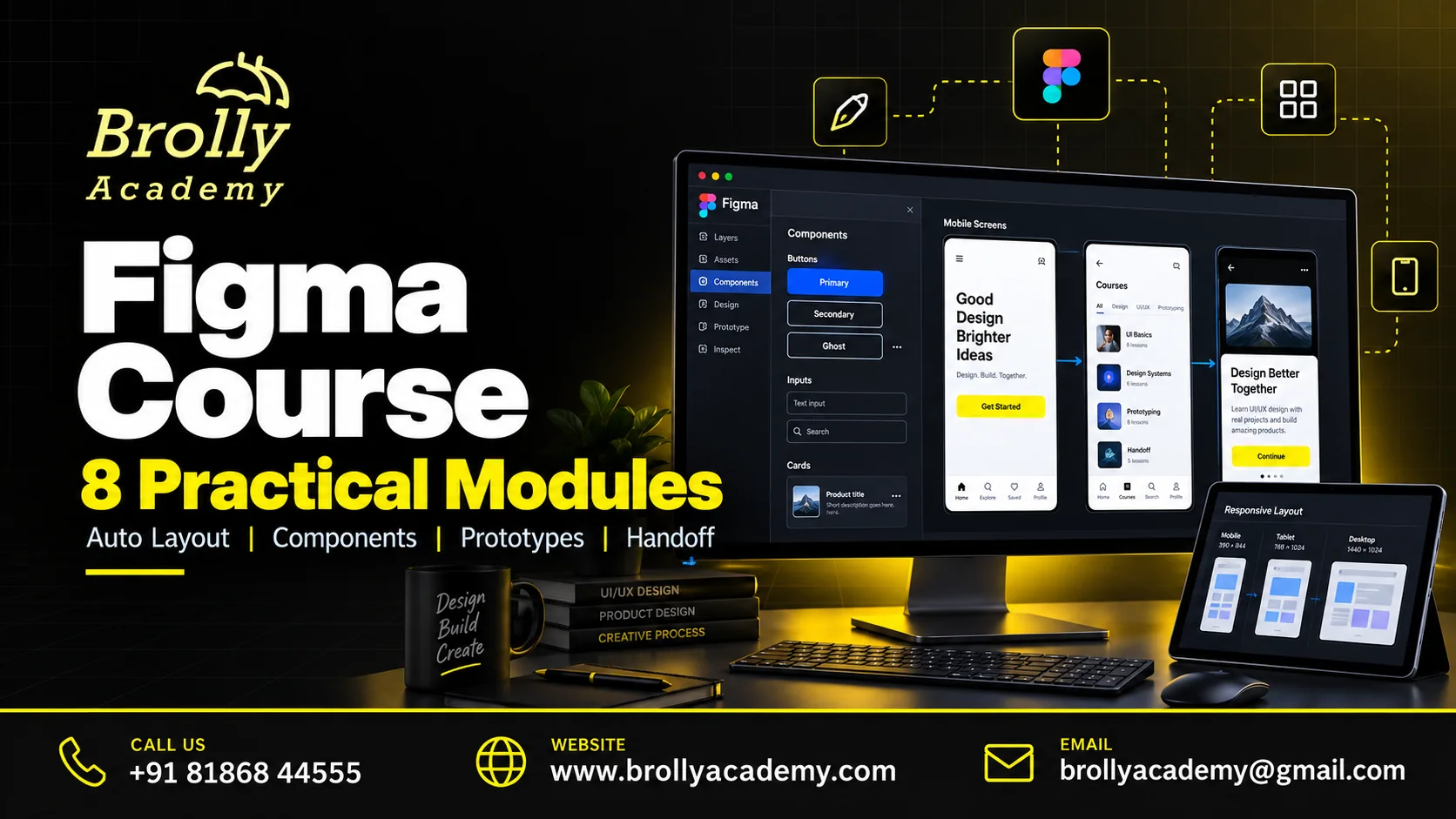
About the Figma Course
Figma is a collaborative design environment used to create interfaces and prototypes. Effective work involves more than placing attractive shapes on a canvas. You will organise layers, define reusable patterns and create responsive behaviour that survives real content changes. The final file should make sense to another designer or developer.
This is a tool-focused course. UI UX Design covers the broader research, information architecture and usability process. Figma prototypes do not automatically become complete production applications, and generated layouts still require review for content, interaction and accessibility.
For further background, read Figma auto layout guide. Use current guidance that matches your learning task and the tools in your batch.
What Is Figma and Why Does It Matter?
Figma is a collaborative design tool used to create interface layouts, reusable components and interactive prototypes. This course develops reliable design-file skills: auto layout, component behaviour, responsive variants and handoff. User research and product strategy are related but separate skills.
Make layouts adaptableBuild frames that respond to content and screen changes rather than manually moving every object.
Reduce inconsistent copiesReuse components and properties so a common update does not depend on finding every duplicate.
Explain interactionsUse prototype states and handoff notes to communicate behaviour beyond a static screen.
Benefits of Learning Figma
Build editable interface files that remain consistent when content or screen size changes. Learn the mechanics behind a maintainable design workflow.
Change content confidentlyUse layout rules that handle long text and missing content without manually moving every layer.
Reuse patterns consistentlyCreate components and variants so a useful correction reaches repeated controls rather than leaving inconsistent copies.
Make handoff understandableOrganise frames, assets, comments and behaviour notes so another designer or developer can follow your intentions.
Who Should Join?
Basic computer skills are enough to begin. Familiarity with visual hierarchy and common website controls is helpful but not mandatory. You need regular hands-on practice and a computer suitable for the current Figma application or supported browser.
New interface designersLearn a structured workflow instead of copying isolated screens.
Graphic designers moving to UITranslate visual skills into responsive layouts and reusable controls.
Developers and product collaboratorsUnderstand design files, inspect intended behaviour and communicate changes clearly.
For complementary learning, explore Graphic Designing Course. Strengthen visual composition and communication for brand and print work alongside interface design.
Figma Prerequisites and Readiness Checklist
Basic computer skills are enough to begin. Familiarity with visual hierarchy and common website controls is helpful but not mandatory. You need regular hands-on practice and a computer suitable for the current Figma application or supported browser.
Basic computer skillsUse a browser, manage files and share a link with the correct permissions. Prior coding or drawing skills are not required.
Suitable practice deviceUse a computer with a supported browser or app and reliable connectivity. Phone-only access is not suitable for the core editing exercises.
Realistic contentPrepare sample course names, labels and descriptions of different lengths. Avoid relying only on identical placeholder text.
Figma Course Syllabus: 8 Practical Modules
Each module connects a concept to an exercise and an output you can explain. Work through the foundations before attempting the integrated project.
1. Workspace, frames and layer organisation
Create a tidy file with purposeful pages, frames and names. Understand groups versus frames, alignment and basic vector tools. Rebuild a small interface using editable objects and explain how another person would locate its main elements.
2. Typography, colour and layout foundations
Apply consistent spacing and readable text hierarchy. Use styles to avoid manual changes across many screens. Design with realistic content, including long labels and empty states, rather than relying on identical placeholder text.
3. Auto layout and responsive behaviour
Build nested layouts using padding, gaps, alignment and sizing rules. Compare fixed, hug and fill behaviour where supported. Resize a frame and change content length to find hidden assumptions before creating more screens.
4. Components, variants and properties
Create reusable buttons, inputs and navigation patterns with meaningful states. Use component properties and instances deliberately. Change a main component and check the effect, avoiding needless detachment that breaks consistency.
5. Variables and a small design system
Organise reusable values and supported modes for a small system. Separate semantic choices from raw values, document naming and apply a controlled theme change. Check plan limitations before depending on features unavailable to collaborators.
6. Interactive prototypes and feedback
Connect a complete task using transitions, overlays and appropriate interaction states. Test back navigation, error recovery and long content. Use a task-based walkthrough to find misleading or missing interactions, not just to demonstrate animation.
7. Collaboration, accessibility notes and handoff
Use comments, file organisation and available inspection features to communicate intended behaviour. Annotate focus order, labels and responsive rules. Prepare assets and clarify which interactions are simulated rather than implemented.
8. Capstone file and reusable library review
Deliver a coherent set of responsive screens with reusable components and a working prototype. Demonstrate a content change and explain why the layout remains stable. Write a short handoff note with assumptions and known limitations.
Discuss Your Learning Goals
Tell the team about your experience and preferred schedule. Book a free demo to discuss the course, lab access and the practical work expected from you.
Practical Skills You Will Develop
Use the exercises to build an explanation as well as a result. You should be able to show what you did, how you checked it and where the limits are.
File organisationCreate predictable names, layers and reusable structures.
Responsive layoutUse sizing rules rather than manually repositioning every object.
Component designModel repeated controls and states consistently.
Prototype buildingRepresent a complete task and recovery path.
Design-system basicsManage shared values and documented patterns.
Developer communicationExplain behaviour and constraints beyond a static screenshot.
Tools and Lab Requirements
Use a supported browser or desktop app and an account with editing permissions. Confirm plan-dependent features before subscribing. Keep employer design systems and client files out of public practice links unless you have permission to share them.
Figma DesignAn account with editing access and features appropriate to the batch exercises.
FigJam and review notesMap flows and record feedback where the chosen plan supports the workflow.
Approved assets and fontsUse original or properly licensed media, icons and fonts in practice files.
Consult Figma component guide for current guidance. Confirm the software, account permissions and costs needed for your exercises.
Set Up Your Figma Practice Environment
Use a supported browser or desktop app and an account with editing permissions. Confirm plan-dependent features before subscribing. Keep employer design systems and client files out of public practice links unless you have permission to share them.
File and account setupCreate a separate practice file with purposeful pages and editing access. Keep private client files out of public links.
Reusable design assetsUse original or licensed icons, fonts and images. Check usage permissions before publishing a portfolio file.
Plan-dependent featuresConfirm available variables, collaboration and inspection features. Do not purchase a team plan merely because a tutorial uses it.
Figma Learning Roadmap: Foundations to Portfolio
Build confidence in stages. Practice time and your starting knowledge matter as much as the number of scheduled sessions.
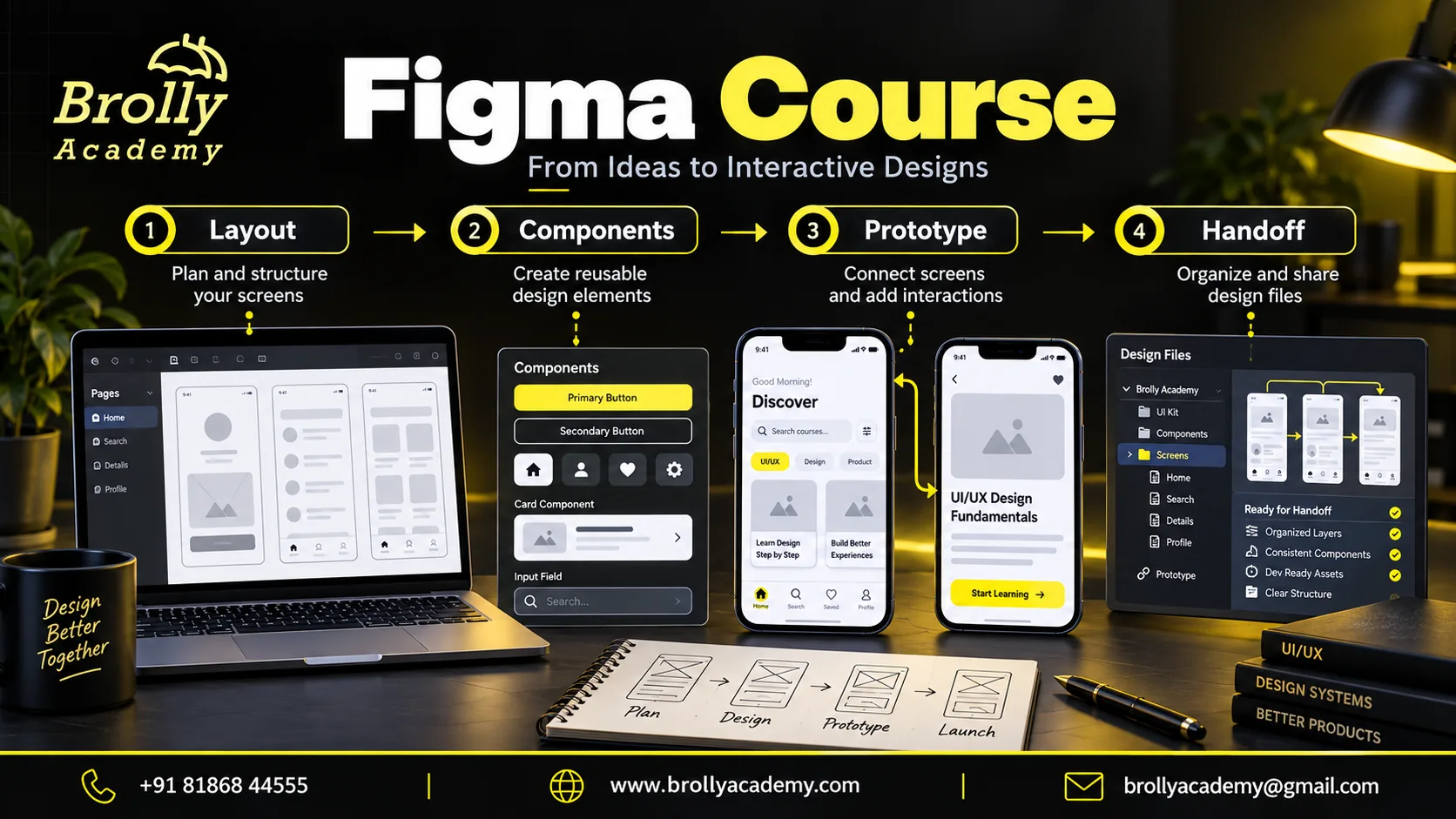
Illustrative learning workflow. Screens, figures and scenarios are examples, not student results or live product screenshots.
Stage 1: Build the foundationOrganise frames and layers, apply text styles and build a simple interface with realistic content.
Stage 2: Apply and validatePractise nested auto layout, sizing rules, components and states. Test a long label and a narrow frame.
Stage 3: Present your workFinish responsive examples, clean the file and explain a reusable change. Ask a peer to locate and edit the main components.
Figma: 4-Week Study Plan
Use these milestones to organise practice around the eight modules. Move on when you can explain and demonstrate the output, not just when you have watched a lesson. This suggested pace is separate from your batch timetable.
Week 1: FoundationsOrganise frames and layers, apply text styles and build a simple interface with realistic content.
Week 2: Reusable layoutPractise nested auto layout, sizing rules, components and states. Test a long label and a narrow frame.
Week 3: Prototype and systemConnect an end-to-end task and document shared values. Check overlays, back navigation and error recovery.
Week 4: Handoff and reviewFinish responsive examples, clean the file and explain a reusable change. Ask a peer to locate and edit the main components.
3 Practical Project Scenarios
These are teaching scenarios using approved lab systems and synthetic data. They are not claims about live client work or previous student results.
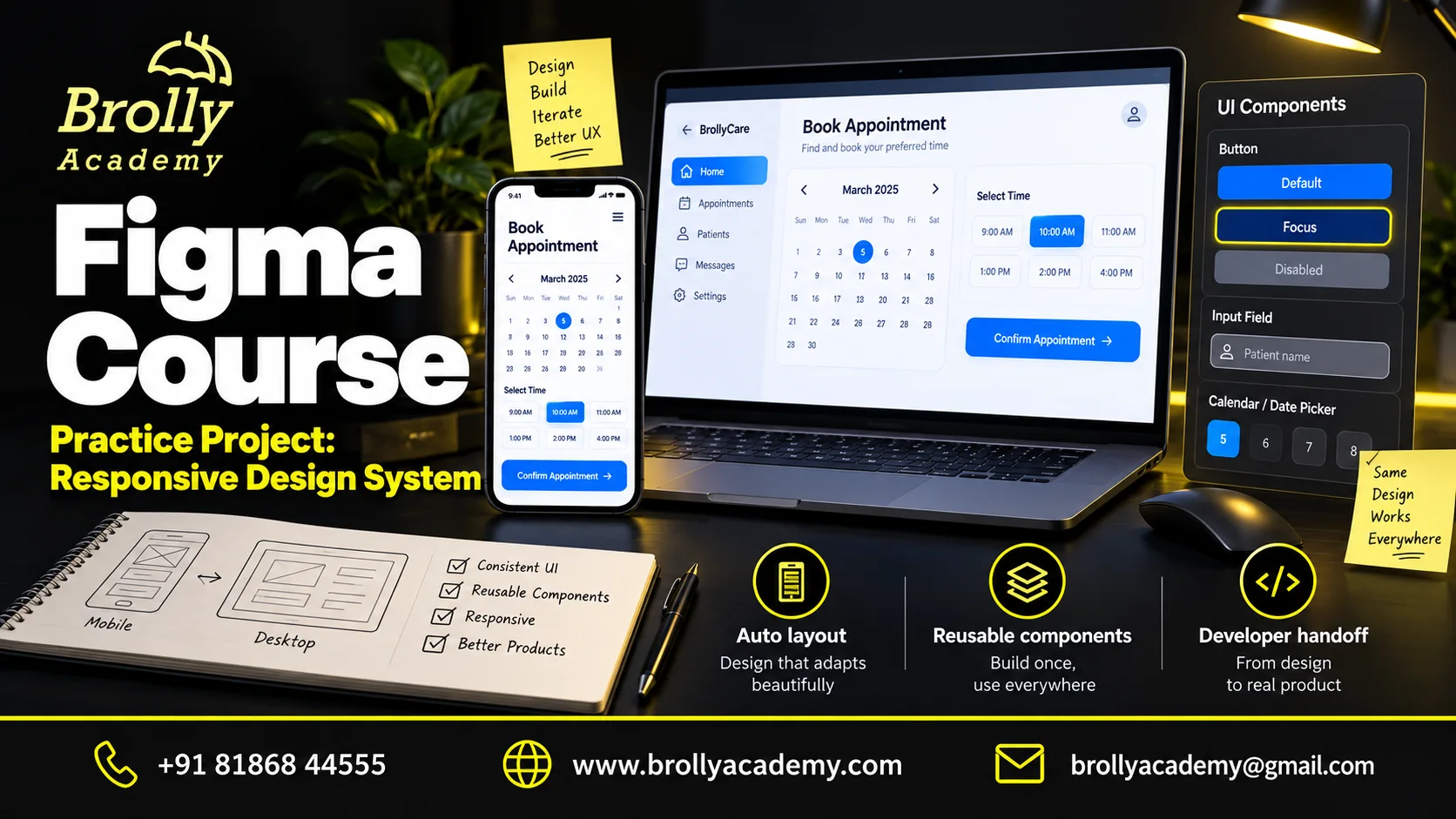
Illustrative practice project. Screens, figures and scenarios are examples, not student results or live product screenshots.
Responsive course catalogueCreate desktop and phone layouts that handle long course names, filters, missing images and empty results.
Reusable component libraryBuild buttons, fields, navigation and feedback patterns with documented states. Demonstrate a system-wide change.
Booking prototype and handoffLink selection, details, validation and confirmation screens. Provide interaction notes and a file another person can inspect.
How the Skills Work in Practice
A course-card component looks good with a short title, but a longer title pushes the button outside the card. Instead of making the text artificially shorter, inspect the frame sizing, auto layout and content rules.
Test short, long and missing descriptions across phone and desktop frames. Fix the reusable component so the correction reaches its instances. The exercise shows maintainability and content resilience, not just a polished single screenshot.
Try a Figma Exercise: Stress-Test a Reusable Component
Create a booking card with a title, time, short description and a primary action. The task is to keep the component usable when the content changes, not only when the first example looks tidy. Work with fictional appointments and a small set of clearly named layers.
1. Build a flexible baseUse auto layout for the content stack and action area. Choose the sizing behaviour intentionally so text can grow without hiding a neighbouring element. Name the component and its properties in terms another designer can understand.
2. Test difficult contentCreate instances with a short title, a long title and a missing optional description. Check a narrow phone frame and a wider desktop frame. Review text wrapping, spacing and control size instead of simply shrinking every font.
3. Document states and handoffShow default, focus, disabled and error-related behaviour where relevant. Add notes explaining which content is optional and how the component should resize. A focus illustration communicates a design requirement; the implemented interface still needs keyboard testing.
What to keep: Keep the reusable component, several content variants and a brief handoff note. Ask a peer to make a new instance without your help. If they must detach it to change ordinary content, review the component structure and properties.
Continue with the Figma auto-layout guide.
How Your Figma Project Can Be Reviewed
Demonstrate a responsive file, a reusable component change and an end-to-end task prototype. Check long labels, empty states, keyboard-intention notes and handoff clarity. A reviewer should be able to find and edit the main components without rebuilding your work.
Common Figma Mistakes and How to Avoid Them
Use this checklist when reviewing your practice work. Correct the cause of an issue and keep a short explanation of what changed.
Designing only for the shortest labelTry realistic long content and narrow frames. A layout that works for one word may break in a real interface.
Detaching every instanceUse suitable component properties and variants for ordinary changes. Repeated detachment makes consistent updates harder.
Handing off screens without behaviourInclude resizing rules, state changes and recovery notes. A developer needs to know what the interface does, not only how one frame looks.
What Your Figma Portfolio Should Show
A Figma portfolio should include editable structure, not just exported pictures. Show how your design behaves when another person changes the content.
Responsive examplesShow phone and desktop frames and demonstrate a long-content case. Explain fixed, hug and fill decisions where used.
Component libraryInclude clearly named controls, states and properties. Demonstrate a change without unnecessarily detaching instances.
Task prototypeConnect a complete journey with recovery and confirmation. Document what is simulated and what a developer must implement.
Why Learn with Brolly Academy?
Choose a course that connects the subject to work you can actually demonstrate. Use a demo to discuss the learning path and decide whether it fits your starting point.
A connected learning pathThe eight-module outline moves from foundations to an integrated task. Each module identifies an output rather than leaving practice as a vague promise.
Discuss your own learning goalShare your experience and preferred format with the course team. Use a demo to assess whether the technical depth, pace and project expectations fit your needs.
Clear course boundariesThe page explains prerequisites, product scope and the difference between training completion and independent certification. You can compare the offer with your actual requirements.
Compare Brolly Academy with Other Training Institutes
Compare the same evidence from each provider: the tasks you will complete, the feedback you will receive and the services the fee includes. Request a demo and a written outline before deciding.
What to discuss with Brolly AcademyReview these eight modules and the three project scenarios.
Ask for the assigned trainer profile.
Check the lab version and access period.
Review the fee, schedule and certificate terms.
Use the demo to assess the teaching approach.
What to check with any instituteRequest a detailed outline, not just product names.
Verify the trainer information supplied.
Separate demonstrations from your own lab work.
Check licences, exam costs and refund conditions.
Compare the total commitment, not only the advertised price.
Figma Course vs UI UX Design Course: Choose Your Starting Point
Learning a design tool and learning the full design process are connected but not identical objectives.
Figma tool skillsChoose this course for frames, auto layout, components, variables, prototyping and well-organised handoff files.
UI/UX process skillsChoose the wider UI/UX path for user research, information architecture, usability testing and evidence-led case studies.
Frontend implementationChoose web development if your goal is production code, real data and application behaviour. A prototype alone does not supply those capabilities.
Classroom, Online and Corporate Learning
Discuss the currently available delivery format with the academy before booking. Batch availability and session timings should be agreed in writing.
Classroom learning enquiryConfirm the venue, next available batch and computer requirements before arranging travel.
Live online enquiryCheck the session time zone, remote lab access and arrangements for asking questions or catching up on a missed session.
Corporate team enquiryShare your team size, current tools and learning objectives. Agree a scoped program without sharing confidential business data.
For a team program, explore Brolly Academy corporate training.
Upcoming Batch: 12 October 2026
The upcoming Figma Course batch starts on Monday, 12 October 2026. Contact the course team for class timings and total live teaching hours. The suggested study plan above organises your practice; it is separate from the class timetable.
Brolly Academy lists weekday morning, weekday evening and weekend learning options. Share your preferred format when enquiring. See the academy course schedule and ask about availability for your selected course.
Check Batch TimingsHow Your Figma Learning Sessions Work
Connect every topic to a task and a piece of evidence. Use this learning cycle with the modules, practice scenarios and review checklist on this page.
1. Understand the taskStart with the problem, the expected output and the reason the concept matters. Create one named frame with a heading, image and button. Keep each part editable so you can compare the file after the course.
2. Practise and investigateComplete a small exercise in the agreed learning environment. Use original or licensed icons, fonts and images. Check usage permissions before publishing a portfolio file.
3. Review and improveCompare your work with the project checklist, record one weakness and revise it. Show useful properties, variants and naming rather than only a final screenshot.
How to Join the Figma Course
Choose a learning format that fits your starting skills and practice time. A course enquiry does not commit you to a payment.
1. Share your goalTell us your present role, prior knowledge and the kind of work you want to do. Use the demo form or WhatsApp so the team can suggest the appropriate starting point.
2. Attend a demoAsk to see a reusable component survive a longer label and a narrower frame, followed by a simple prototype walkthrough.
3. Review your course offerCheck the fee, final taxes, learning scope, assigned mentor, batch timings, venue or online access, practice resources and support arrangements in writing.
4. Start with a baseline taskCreate one named frame with a heading, image and button. Keep each part editable so you can compare the file after the course.
Figma Course Fee, Duration and Course Offerings
Figma Course training fee: INR 6,999. The fee covers the course learning path and practical exercises described here. Ask for the final payable amount and the batch timetable before payment; any applicable taxes and optional third-party charges must be itemised in your enrolment quotation.
Training fee: INR 6,999Eight learning modules, structured practice and project preparation. Build a body of work that you can revise, explain and demonstrate. Corporate or individually customised training is quoted separately.
4-week learning planUse four weeks for tool foundations, reusable layout, prototyping and file review. Repeat the exercises with different content instead of copying one finished screen. This is a suggested study plan, not a published batch calendar. Teaching dates, live hours and classroom availability are agreed at enrolment.
Understand the complete costPaid Figma seats, advanced plan features, premium plugins, fonts and stock assets are not automatically included. Confirm what the practice files require before subscribing. External examinations, paid software and optional subscriptions are not included unless your written quotation lists them. Review payment and refund terms before enrolling.
What the Learning Package Covers
Eight-module syllabusA connected sequence of foundations, applied work and project preparation. The complete outline is visible above and available as an editable download.
Course-specific practiceCreate a separate practice file with purposeful pages and editing access. Keep private client files out of public links.
Three project scenariosChoose an integrated task from the three scenarios on this page and retain evidence of your decisions and checks.
Portfolio and interview preparationShow useful properties, variants and naming rather than only a final screenshot.
Editable learning resourcesUse the syllabus checklist to track modules and the project-review sheet to record completed work and open questions.
Completion and next stepsComplete the agreed coursework and assessment, then document the skills and project evidence that support your course completion.
Figma Course Completion Certificate and Assessment
After completing the coursework and assessment agreed for your batch, you receive a Brolly Academy Figma course completion certificate. Keep your project evidence alongside it so you can explain the skills you practised. Attendance and submission requirements are provided in your course offer.
Academy course completionSubmit an organised Figma file, reusable component set, responsive screens, a task prototype and handoff notes.
Know which credential you receiveThis is a Brolly Academy course-completion certificate, not a Figma-issued certification or an endorsement by Figma.
1. Complete the learning workWork through the agreed modules and practical assignments. Keep a record of completed tasks and questions needing review.
2. Present and revise your projectSubmit an organised Figma file, reusable component set, responsive screens, a task prototype and handoff notes. Explain what you personally completed and address the assessment feedback.
3. Record your completionConfirm the name and course title for your certificate with the academy. Keep your own project link, completion record and certificate together for future applications.
Career Roles and Skill Applications
Match the learning path to a role, then compare its requirements with your existing experience. The course can support skill development; it does not guarantee employment.
UI design contributorCreate and maintain interface screens and reusable components.
Product-design collaboratorDevelop prototypes and communicate design intentions.
Frontend collaboratorRead design systems and translate layout requirements into implementation discussions.
You can also explore Business Analyst Course. Develop requirements analysis and stakeholder communication for business change.
Evidence to Prepare for Your Target Role
An editable component systemShow useful properties, variants and naming rather than only a final screenshot.
A layout stress testDemonstrate what happens with long text, empty content and a narrower frame.
A handoff explanationWalk a collaborator through states, interactions, assets and decisions that still need implementation testing.
Figma Industry Applications and Changing Skills
Figma is used by design, product and engineering teams for collaboration and interface work. Tool fluency can strengthen a portfolio, but it does not replace research skills, visual judgement or the ability to explain a decision. Match your next learning step to the role you want.
Design systemsUse shared components and values to improve consistency across screens while documenting exceptions.
Product prototypesTest a task before implementation and communicate feedback. Do not confuse a convincing simulation with a finished application.
Cross-team collaborationUse organised files and clear notes to reduce ambiguity between design and engineering. Confirm permissions before sharing work.
Figma Market Trends and Current Learning Priorities
Useful Figma skills centre on adaptable layouts, reusable patterns and clear collaboration. The official auto layout guide explains how layouts react to changing content; the course applies that behaviour to realistic files. Further reading: Figma auto layout guide.
Adaptive layout skillsAuto layout helps frames respond to changes in their contents. Test realistic text and different dimensions as part of practice.
Reusable interface librariesTreat components and states as a small system that should remain understandable when another person edits it.
Clear design-to-development handoffKeep naming, spacing and behaviour consistent so a developer can understand the intended result and its limits.
Figma Placement Preparation and Career Support
Build a job-search package around work you can demonstrate. The preparation below covers your resume, profile, project explanation and interview practice. Confirm which guided sessions are included in your batch; this is placement preparation, not a guaranteed job or employer referral.
Explain a projectDescribe the requirement, your decisions, the result and one limitation. Be ready to answer what you would change for a real deployment.
Show useful evidenceKeep approved files, test results and a concise README or runbook. Remove secrets and private information before sharing a portfolio.
Discuss support servicesAsk the academy which resume, mock-interview or job-search services are included in your batch. Placement assistance is not a job or salary guarantee.
Auto layout reasoningExplain why a frame should hug content, fill available space or keep a fixed size.
Component maintenanceDemonstrate an update that reaches several instances while preserving intentional content differences.
Handoff clarityShow how a developer would find states, responsive rules and assets without needing you to explain every layer.
Use your completed project to write an honest resume entry: problem, your contribution, tools, checks and what changed after feedback. Label practice projects as learning work. Course completion and interview preparation do not guarantee a job, a salary increase or interviews with named employers.
Resume preparationTurn your course project into a clear entry: the problem, your contribution, tools, validation and limitation. Label it as training work rather than paid employment.
LinkedIn and portfolio profileUse a role-focused headline, concise skills and links to permitted work. Describe what you can demonstrate instead of adding unsupported experience.
Technical or case interviewExplain why a frame should hug content, fill available space or keep a fixed size.
Mock presentation and HR practiceRehearse a short introduction, a project walkthrough and a specific example of responding to feedback. Ask for feedback on clarity as well as subject knowledge.
Application planningChoose vacancies that match your current experience, note their requirements and track applications and follow-ups. A course name alone is not a role match.
Skill-gap follow-throughUse interview feedback to plan the next exercise. Revisit weak foundations rather than repeatedly memorising a model answer.
Figma Career and Salary Benchmarks
Salary depends on the role, prior experience, location and the employer. A tool course alone does not establish a salary band. Compare recent job descriptions, required experience and responsibilities rather than relying on a headline income promise.
Figma is a tool used across UI, product-design and frontend collaboration roles, not a guaranteed job title. Compare job descriptions for the wider research, visual and technical skills expected. Tool fluency alone does not determine salary.
User Interface Designer: related roleINR 27,770 per monthReported average base salary in India. This is market context, not take-home pay or a course outcome.
Source and dateIndeed: User Interface Designer. 8 reported salaries; source updated 18 February 2026. Checked 4 October 2026.
How to interpret this figureThis is a very small India-wide UI Designer sample, not a salary for learning Figma alone. Treat it cautiously and compare current vacancies and wider design requirements. Compare like-for-like responsibilities, location and experience; averages cannot predict your individual offer.
Meet Ravi, Your Figma Trainer
Learn Figma with Ravi. Use a free demo to discuss your starting skills, the practical work in the syllabus and how your assignments will be reviewed. Bring a question from the course outline so the discussion is relevant to your goal.
Watch a layout diagnosisAsk how the mentor fixes a button that escapes its container when the text gets longer.
Review a componentDiscuss meaningful variants and properties, and when creating more components makes a file harder rather than easier to maintain.
Agree the file reviewAsk how responsive behaviour, naming and handoff notes will be checked, and confirm the assigned mentor profile.
Read about Brolly Academy instructors and request the profile of the trainer assigned to your batch.
Get Trainer ProfileBrolly Academy Learner Feedback
Read available academy feedback and ask whether a review relates to this particular course, trainer and delivery format. General academy reviews should not be mistaken for verified results from this new course.
These excerpts come from the academy's published Data Science testimonials, not reviews of this new Figma course. Read the full context on the Brolly Academy reviews page.
Aditya - Data Science"a clear and practical understanding of data science concepts"
Kavita Singh - Data Science"The hands-on projects helped me apply the concepts effectively."
Keep Learning with the Brolly Academy Community
Follow the Brolly Academy WhatsApp channel for public academy updates. Ask which batch discussion or mentor-support options are available for this course. When requesting help, share a small permitted example, the result you expected and the specific problem you found. Remove private data, credentials and employer material.
File-editing exchangeAsk a peer to change content in your file. Use any broken layout or confusing names as a specific improvement task.
Prototype task reviewWatch someone complete a task without hints. Record missing feedback and recovery paths before adding more animation.
Download Your Practice Checklists
Download an eight-module syllabus checklist and a project-review sheet. Both are editable CSV files with usable content, so you can track practice and discuss your questions during a demo.
Download Syllabus (CSV) Project Checklist (CSV)Official Documentation for Further Reading
These original sources support further learning. Their availability does not imply that Brolly Academy is endorsed, accredited or authorised by the organisations that publish them.
Figma auto layout guide
Figma component guide
Figma accessible prototypes
Related Courses at Brolly Academy
Choose complementary learning based on your current skill gaps. These are separate courses, not automatically included in this program.
Graphic Designing CourseStrengthen visual composition and communication for brand and print work alongside interface design.
View Graphic Designing Course
Full Stack Developer CourseExplore implementation when you want to turn approved interface designs into working applications.
View Full Stack Developer Course
Business Analyst CourseDevelop requirements analysis and stakeholder communication for business change.
View Business Analyst Course
Visit Brolly Academy or Enquire Online
Call +91 81868 44555 or send a course enquiry to discuss the syllabus and current batch options. For a classroom visit, confirm the venue and appointment with Brolly Academy before travelling.
Main office near JNTU MetroMetro Pillar No. A689, 3rd Floor, Dr Atmaram Estates, beside Sri Bhramaramba Theatre, Hyder Nagar, Vasantha Nagar, Hyderabad, Telangana 500072. Confirm your classroom venue and appointment before travel.
Directions and course enquiryGet directions to Brolly Academy. Call +91 81868 44555 to discuss your course and a suitable visit time.
Online learning enquirySend your preferred time zone and learning goal to brollyacademy@gmail.com. Discuss current online batches, lab access and the device you plan to use.
Read our contact details for the academy location and enquiry options. Online delivery, session time zones and tool access should be confirmed for your batch.
Call +91 81868 44555 Get DirectionsFigma Course FAQs
Is Figma the same as UI/UX design?
No. Figma is a tool. UI/UX includes research, task design, information architecture and usability evaluation. This course concentrates on using the tool well; the UI UX Design Course covers the wider process.
Do I need drawing or coding skills?
Neither is required for the core tool exercises. Basic visual judgement develops with practice. Coding knowledge can help handoff, but creating a prototype is different from building the final application.
Is a paid Figma plan required?
Feature limits depend on the current plan and collaboration needs. Confirm the exercises and account requirements before paying. Do not assume advanced team or developer features are included with every account.
What is auto layout useful for?
It expresses how elements are arranged and sized when content or dimensions change. It is useful for controls, lists and responsive layouts, but the rules still need testing with realistic content.
Why use components instead of copying shapes?
Components make repeated patterns easier to update consistently. Instances and properties let you vary content or states without manually rebuilding every copy.
Can I publish a working application from a prototype?
A clickable prototype simulates behaviour. It is not automatically a production application with real data, security and complete functionality. Discuss any publishing or code-generation tools separately and verify their limitations.
Does this teach Figma AI or Make?
The core syllabus teaches durable design skills in Figma Design. AI-assisted features may be discussed when available, but access and capabilities vary. Generated results must still be checked for correctness, usability and maintainability.
What should the final Figma file contain?
Include organised frames, reusable components, responsive examples, a connected task prototype and clear handoff notes. Show that changing content does not break the layout.
What are the course fee and duration?
The training fee is INR 6,999. The page includes a suggested 4-week learning plan. Confirm the actual class calendar, live hours and final payable amount before payment. Paid third-party tools and external exam fees are separate unless listed in the enrolment quotation.
Can I attend online or in a classroom?
Contact the course team to check current online and classroom availability. Confirm the session time zone, venue, equipment and missed-session arrangements before you enrol.
Does training include an external certification?
Course completion and an external vendor or professional certification are different. Ask for Brolly Academy completion requirements. External exam registration, eligibility, fees and vouchers must be confirmed separately with the issuing body.
How can I check whether this course suits me?
Book a free demo or send your background and learning goal on WhatsApp. Request the assigned trainer profile, sample exercise, confirmed syllabus and complete enrolment terms before making a decision.
Can I learn Figma using only a phone?
The main editing and file-organisation exercises need a suitable computer. A phone can help review a prototype, but it is not a replacement for the design workspace.
Will I receive editable practice files?
The course work is built as editable practice files so you can revise and explain it. Keep licensed third-party assets separate and confirm any sharing restrictions.
Does learning Figma guarantee a UI/UX job?
No. Employers commonly look for design judgement, case studies, communication and other role-specific skills in addition to tool knowledge.
Will I get a job guarantee?
No job or salary guarantee is included. The course develops skills and project evidence. Hiring depends on your preparation, wider experience, interview performance and employer requirements. Discuss the career-support services included in your batch.
What happens if I miss a class?
Ask the team for the catch-up arrangement for your selected batch before enrolling. Recording access, repeat sessions and individual reviews depend on the written course offer; do not assume unlimited access or lifetime support.
How can I get a free demo and the syllabus?
Use Book Free Demo to open the enquiry form, or WhatsApp Us to message the course team. The syllabus and project-review checklist are available in the downloads section on this page.
When does the next Figma Course batch start?
The upcoming batch starts on Monday, 12 October 2026. Use Check Batch Timings or call +91 81868 44555 for the class timetable and total live teaching hours. Ask about alternative weekday or weekend options if this date does not suit you.
Got Questions About the Figma Course?
Talk to our team about your starting skills, learning goal and current batch availability. Request a demo, ask for the assigned trainer profile and review the complete fee and course terms before enrolling.