
PLAN | SCHEDULE | MONITOR | CONTROL
Primavera P6 Training in Hyderabad
Turn a project brief into a schedule you can explain and update. Learn how work breakdown structures, calendars, dependencies, resources and baselines work together in Primavera P6, then practise reporting what has changed and why.
Course outline8 modules
Practice3 project scenarios
Duration65 learning hours
Course feeINR 16,500
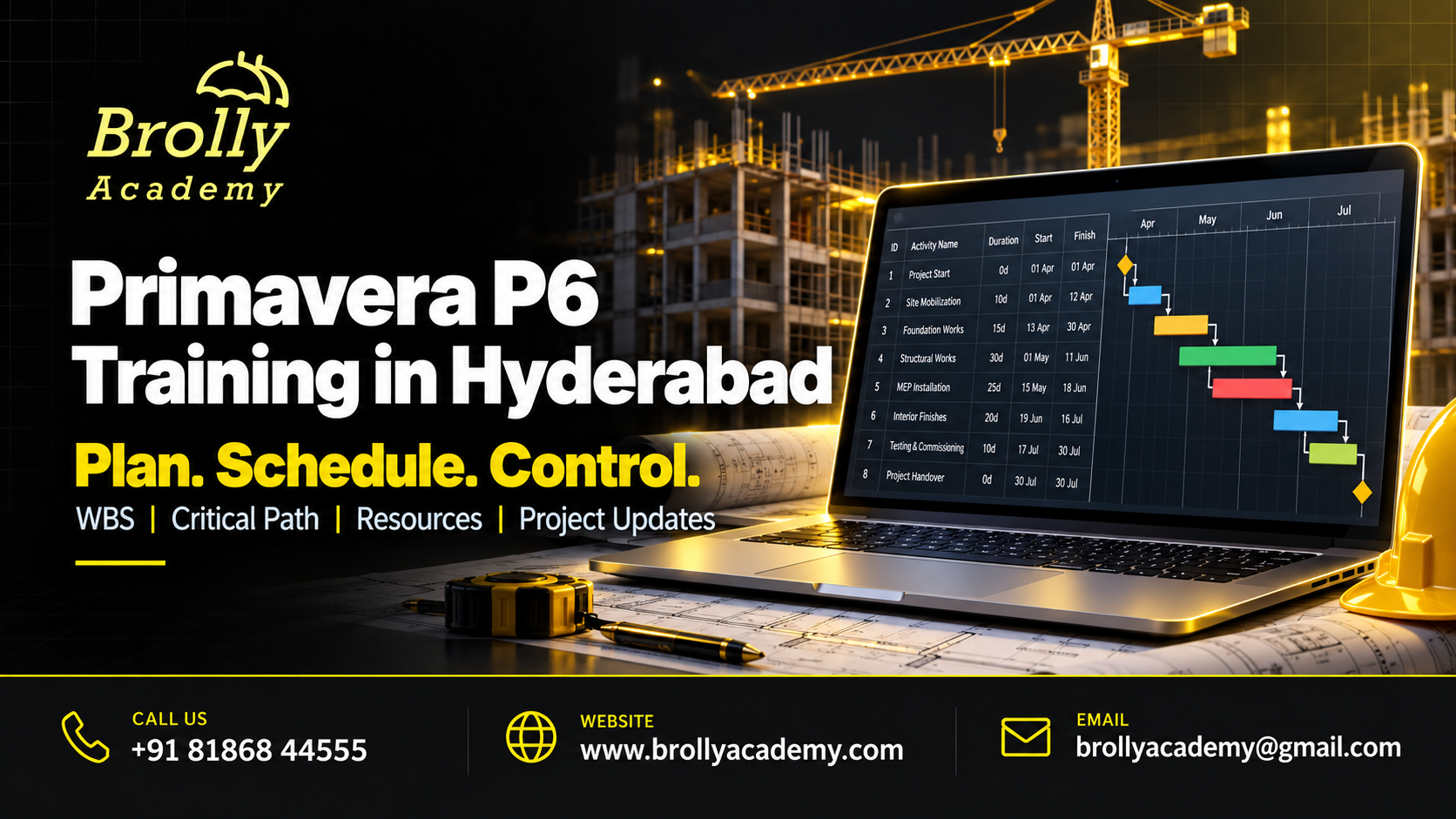
About Primavera P6 Training
Primavera P6 is project-planning and scheduling software. It helps a planner connect activities, calculate dates, assign resources and compare progress with an agreed plan. A useful schedule does more than display coloured bars: it makes assumptions, dependencies and risks visible to the team.
This course focuses on P6 Professional scheduling concepts. P6 EPPM and Oracle Primavera Cloud are related but different products; their screens, access models and capabilities should not be treated as identical. Confirm the lab edition and version when booking your batch.
For product-specific terminology and behaviour, use Oracle P6 Professional documentation. Match the documentation to the environment used in your exercises.
Who Should Join?
You should be comfortable using a computer and spreadsheet, reading dates and following a project sequence. Coding is not required. Knowledge of construction, maintenance or another delivery domain will make the exercises more meaningful.
Civil and mechanical engineersTranslate drawings, quantities and work packages into logical activities. Basic construction or engineering knowledge helps you judge whether a sequence is realistic.
Planning and project-control professionalsImprove schedule checks, update discipline and reporting. Bring a sanitized planning example if your employer permits it.
Graduates and career changersStart with project vocabulary, spreadsheets and basic date calculations. Software knowledge must be combined with an understanding of the work being planned.
For complementary learning, explore PMP training. Develop broader project-management knowledge; eligibility and certification rules are separate.
Primavera P6 Syllabus: 8 Practical Modules
Each module connects a concept to an exercise and an output you can explain. Work through the foundations before attempting the integrated project.
1. Project structures and setup
Understand the purpose of EPS, OBS, projects and WBS. Set the project context before entering activities, and separate an organizational structure from a breakdown of deliverable work. Practise creating a small project with clear WBS names. Output: a project structure another planner can navigate.
2. Activities, calendars and relationships
Create activities and milestones, choose calendars, estimate durations and add logical relationships. Discuss why excessive constraints and unexplained lags can hide the real sequence. Test how a non-working day changes a finish date. Output: a linked activity network with documented assumptions.
3. Critical path, float and schedule checks
Run a schedule calculation and inspect open ends, constraints and negative float. Distinguish total float from free float and understand how calendars and settings influence the result. Do not assume every red bar explains the business risk. Output: a short schedule-quality review.
4. Resources, roles and costs
Assign resources and roles, consider availability, and examine planned units and costs. Compare an overloaded schedule before and after a resource adjustment. Explain the difference between fixing resource demand and simply changing a displayed date. Output: a resource-loading review with a stated trade-off.
5. Baselines and progress updates
Save an agreed baseline, use a consistent data date, enter actual progress and review remaining work. Understand the available percent-complete types instead of mixing them without a reason. Output: a controlled update that compares the original plan with current expectations.
6. Variance and earned-value basics
Read schedule and cost variance in the context of the data supplied. Explain planned value, earned value and actual cost without treating one indicator as proof that a project is healthy. Output: a progress summary that records the calculation basis and limitations.
7. Layouts, filters and information exchange
Build audience-specific layouts, group and filter activities, and prepare readable reports. Explore XER and XML exchange with appropriate checks for calendars, codes and resource mapping. Output: a report pack and an import-validation checklist, using copies rather than an uncontrolled live schedule.
8. Integrated project-control assignment
Build a baseline, introduce a realistic delay, update progress and propose a response. Check downstream effects, resources and reporting before presenting the recommendation. Output: the schedule file, a change log and a brief explanation of your decisions. The exercise uses teaching data, not a claimed client project.
Discuss Your Learning Goals
Tell the team about your experience and preferred schedule. Book a free demo to discuss the course, lab access and the practical work expected from you.
Practical Skills You Will Develop
Use the exercises to build an explanation as well as a result. You should be able to show what you did, how you checked it and where the limits are.
Build a defensible planExplain why activities are linked and what information is still uncertain.
Spot weak schedule logicFind missing links, inconsistent calendars and constraints that deserve review.
Control updatesKeep baselines, data dates and progress evidence consistent.
Communicate a recovery optionExplain the time, resource and risk effects of an alternative sequence.
Tools and Lab Requirements
Use a supported, properly licensed P6 environment. Ask whether access is provided, how long it lasts and whether installation on your own computer is needed. Never assume that a trial or an exam voucher is included in the course fee.
P6 ProfessionalProject structures, activity scheduling, resources, layouts and baseline comparison.
SpreadsheetsPrepare activity inputs, inspect exported data and document progress evidence.
Planning documentationUse a WBS dictionary, assumptions log, update checklist and narrative report.
Keep Oracle Primavera documentation library available when checking an exercise. Use the instructions for your installed version and authorized access level.
Your Learning Roadmap
Build confidence in stages. Practice time and your starting knowledge matter as much as the number of scheduled sessions.
1. Set up and understandCheck the prerequisites and lab access. Complete the first two modules and explain the basic workflow in your own words.
2. Build and investigateWork through the middle modules. Keep notes of errors, what you tried and the evidence that supported a fix.
3. Test and presentComplete the final modules and an integrated scenario. Present your output, validation and a short handover guide.
3 Practical Project Scenarios
These are teaching scenarios using approved lab systems and synthetic data. They are not claims about live client work or previous student results.
Building-project baselinePlan a small building using work packages for site work, structure and finishing. Submit a logically connected schedule and explain its calendar assumptions.
Shutdown and maintenance planCoordinate parallel work under limited resource availability. Compare two feasible sequences and explain the trade-offs without promising an unrealistic finish date.
Monthly progress and recovery reportUpdate a delayed project, identify the affected milestones and prepare a concise recovery recommendation. Show what the evidence supports and what needs approval.
How the Skills Work in Practice
A slab activity finishes late, but moving its successor earlier on a chart does not remove the delay. First check the actual finish, dependency and working calendar. Then examine whether another activity can genuinely proceed in parallel.
Compare the alternatives against available crews and site restrictions. Keep the original baseline, record the changed assumption and show the new forecast. A good planning explanation is more useful than a schedule that merely looks on time.
Why Learn with Brolly Academy?
Choose a course that connects the subject to work you can actually demonstrate. Use a demo to discuss the learning path and decide whether it fits your starting point.
A connected learning pathThe eight-module outline moves from foundations to an integrated task. Each module identifies an output rather than leaving practice as a vague promise.
A practical local conversationSpeak to the Hyderabad team about your goals, availability and lab needs. Ask questions before committing to a course or a particular schedule.
Clear course boundariesThe page explains prerequisites, product scope and the difference between training completion and independent certification. You can compare the offer with your actual requirements.
Brolly Academy and Other Institutes: Compare the Details
Compare the same evidence from every provider. A long syllabus or a low headline fee does not by itself show how much practical work you will complete.
What to discuss with Brolly AcademyReview these eight modules and the three project scenarios.
Ask for the assigned trainer profile.
Check the lab version and access period.
Review the fee, schedule and certificate terms.
Use the demo to assess the teaching approach.
What to check with any instituteRequest a detailed outline, not just product names.
Verify the trainer information supplied.
Separate demonstrations from your own lab work.
Check licences, exam costs and refund conditions.
Compare the total commitment, not only the advertised price.
Classroom, Online and Corporate Learning
Discuss the currently available delivery format with the academy before booking. Batch availability and session timings should be agreed in writing.
Hyderabad classroom enquiryAsk about the next classroom batch, venue, system requirements and whether you should bring a laptop.
Live online enquiryCheck the session time zone, remote lab access and arrangements for asking questions or catching up on a missed session.
Corporate team enquiryShare your team size, current tools and learning objectives. Agree a scoped program without sharing confidential business data.
For a team program, explore Brolly Academy corporate training.
Primavera P6 Course Fee and Duration
Review the course fee and planned learning duration below. Contact the academy to agree the batch dates and receive the complete enrolment terms.
Course fee: INR 16,500Ask for the written quotation showing applicable taxes, payment terms and the full amount payable. Do not assume an external exam or commercial software subscription is included.
Duration: 65 learning hoursConfirm the session timetable, the split between guided learning and practice, and the expected work outside scheduled sessions.
Before you enrolCheck lab access, materials, project feedback, missed-session arrangements, refund terms and any additional charges. Keep a copy of the agreed offer.
Course Completion and Certification Guidance
Brolly Academy course completion recognizes the training and assessment work agreed for your batch. It is separate from a credential awarded by a software vendor or another certification body.
Brolly Academy course completionAsk for the attendance, assignment and assessment requirements, the certificate wording and how completion will be verified.
Independent certificationUse official vendor information to check whether a relevant credential is currently offered and what preparation it requires. No vendor authorization, exam voucher or pass guarantee is implied.
Career Roles and Skill Applications
Match the learning path to a role, then compare its requirements with your existing experience. The course can support skill development; it does not guarantee employment.
Planning engineerDevelop and maintain schedules with domain knowledge and progress evidence.
Project controls coordinatorSupport reporting, resource reviews and schedule-change tracking.
SchedulerMaintain activity logic, calendars, baselines and consistent periodic updates.
You can also explore Power BI training. Develop reporting skills for project information and management summaries.
Where These Skills Are Used
Construction, engineering projects, industrial maintenance and infrastructure delivery can use these skills. A scheduling tool does not replace engineering judgement, site experience or a project approval process.
Interview and Portfolio Preparation
Prepare evidence you can discuss clearly. Label practice work as training work and do not present a teaching scenario as paid client experience.
Explain a projectDescribe the requirement, your decisions, the result and one limitation. Be ready to answer what you would change for a real deployment.
Show useful evidenceKeep approved files, test results and a concise README or runbook. Remove secrets and private information before sharing a portfolio.
Discuss support servicesAsk the academy which resume, mock-interview or job-search services are included in your batch. Placement assistance is not a job or salary guarantee.
Salary and Hiring Expectations
Salary depends on the role, prior experience, location and the employer. A tool course alone does not establish a salary band. Compare recent job descriptions, required experience and responsibilities rather than relying on a headline income promise.
Meet the Trainer Through a Demo
Request the assigned trainer profile and discuss the experience most relevant to your goals. We recommend using the demo to evaluate how clearly the trainer explains a practical problem.
Relevant experienceAsk for examples of work with Primavera P6 that can be discussed without revealing confidential client information.
Practical explanationAsk the trainer to explain a failure scenario and how a learner would investigate it, rather than only showing a finished result.
Feedback and supportDiscuss how assignments are reviewed, how questions are handled and the support period included in the course.
Explore Learner Feedback
Read available academy feedback and ask whether a review relates to this particular course, trainer and delivery format. General academy reviews should not be mistaken for verified results from this new course.
Read Academy ReviewsDownload Your Practice Checklists
Use these editable CSV files to organize your learning. They open in common spreadsheet tools and contain real module and project-checklist content.
Download Syllabus Checklist (CSV) Download Project Review Sheet (CSV)Official Documentation for Further Reading
Use the documentation that matches your product version and environment. These sources support technical learning; linking to them does not imply endorsement of Brolly Academy.
Oracle P6 Professional documentation
Oracle Primavera documentation library
Related Courses at Brolly Academy
Choose complementary learning based on your current skill gaps. These are separate courses, not automatically included in this program.
PMP trainingDevelop broader project-management knowledge; eligibility and certification rules are separate.
View PMP training
Advanced Excel trainingImprove the preparation and checking of planning data.
View Advanced Excel training
Power BI trainingDevelop reporting skills for project information and management summaries.
View Power BI training
For a complementary learning path, also explore Jira training. These are separate programs; choose the one that fits your role and prerequisites.
Primavera P6 Training Enquiries in Hyderabad
Speak to Brolly Academy near JNTU Metro Station. The centre address is Metro Pillar No. A689, Dr Atmaram Estates, 3rd Floor, Nizampet X Roads, Hyderabad 500072. Confirm the batch venue before travelling.
Learners from Kukatpally, KPHB, Nizampet, Miyapur and other parts of Hyderabad can contact the academy to discuss classroom or online availability.
Call +91 81868 44555Primavera P6 Training FAQs
Can I learn Primavera P6 without coding?
Yes. The core work is project planning, scheduling and data handling rather than software development. Computer confidence, spreadsheet basics and an understanding of project activities are more useful starting points.
Is Primavera P6 the same as Microsoft Project?
No. Both support scheduling, but their structures, administration and enterprise workflows differ. Learn the planning principles first, then practise the features of the product used by your employer.
Will I learn resource loading and baselines?
Yes. The outline includes resource assignments, availability checks, baseline creation and progress comparison. The practical task asks you to explain your decisions, not only enter values.
Does the course make me an Oracle-certified professional?
No. Brolly Academy course completion and any Oracle credential are separate. Check the current Oracle offering and eligibility directly before paying for an independent exam.
Can fresh engineering graduates join?
Graduates can begin with planning foundations. A project role may also require engineering knowledge, field exposure and the ability to explain actual progress. The course is not a replacement for those requirements.
What should a Primavera portfolio contain?
Include a clean WBS, linked schedule, assumptions, resource review, baseline, update and short narrative. Remove client-sensitive information and label training scenarios accurately.
Request a Free Demo
Share your contact details and the team can discuss course availability, prerequisites and the next suitable session.
Your details are used to respond to this enquiry. Read our Privacy Policy.